.V5BLOCKS 文件扩展名
VEXcode V5 Project
| 开发者 | VEX Robotics |
| 受欢迎程度 |
3.0 | 1 票 |
什么是 V5BLOCKS 文件?
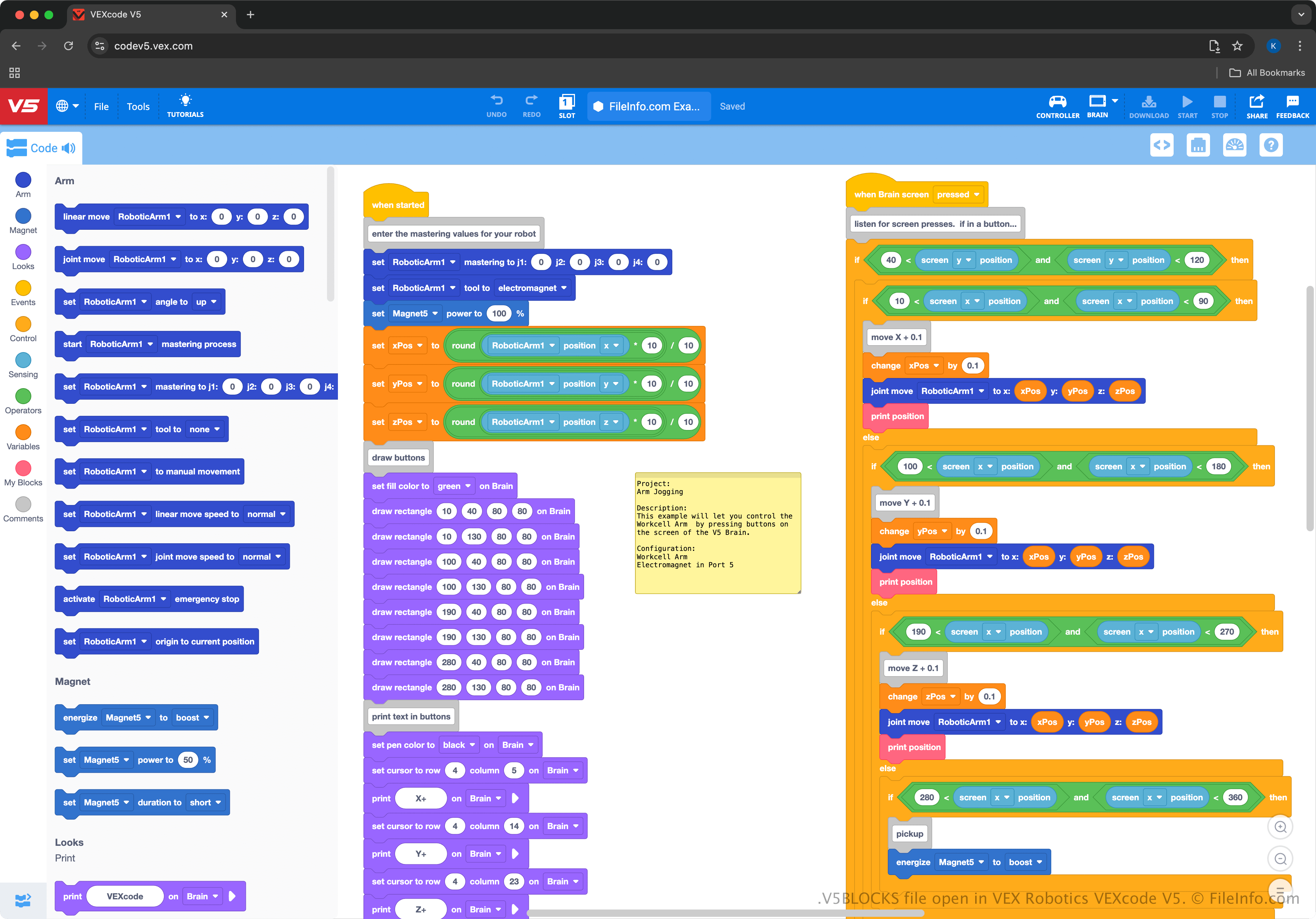
A V5BLOCKS file is a project created by VEX Robotics VEXcode V5, a cross-platform development environment designed for programming VEX V5 robots. It contains a collection of programming blocks in a JSON-like syntax that comprises instructions, settings, and configurations that control the actions of a robot. Robotics teams, educators, and hobbyists participating in VEX Robotics competitions or learning environments are the primary users who interact with V5BLOCKS files.
更多信息
VEXcode V5 provides a drag-and-drop interface, allowing users to select blocks representing code and connect them to operate robots. The environment is similar to MIT Scratch, making it beginner-friendly and accessible for students or educators learning to program robots. For example, it teaches programming concepts without requiring prior experience in text-based coding languages.
The VEXcode V5 environment supports exporting V5BLOCKS projects for VEX V5 Brain hardware, allowing users to test and refine their robotic programs in real-world applications. Users can also switch from the block-based interface to text-based programming within VEXcode to work in more complex coding languages like Python or C++ (users can save those projects as .V5PYTHON and .V5CPP files).
如何打开 V5BLOCKS 文件
You can open V5BLOCKS files with VEXcode V5, which is available for Windows, macOS, Android, iOS, and in a web browser. To open a V5BLOCKS file, select File → Open from within VEXcode V5.
Since V5BLOCKS files contain plain text, you can also open them with simple text editors, such as Microsoft Notepad (Windows), Apple TextEdit (macOS), and gedit (Linux). However, the files will not appear the same as opening them with VEXcode V5 and the text editors do not provide the same helpful editing capabilities.