

.V5BLOCKS Bestandsextensie
VEXcode V5-project
| Ontwikkelaar | VEX Robotics |
| Populariteit |
3,0 | 1 stem |
Wat is een V5BLOCKS-bestand?
Een V5BLOCKS-bestand is een project dat is gemaakt met VEXcode V5 van VEX Robotics, een platformonafhankelijke ontwikkelomgeving voor het programmeren van VEX V5-robots. Het bevat een verzameling programmeerblokken in een JSON-achtige syntaxis met instructies, instellingen en configuraties die de acties van een robot besturen. Roboticateams, onderwijsprofessionals en hobbyisten die deelnemen aan VEX Robotics-wedstrijden of leeromgevingen zijn de belangrijkste gebruikers die met V5BLOCKS-bestanden werken.
Meer informatie
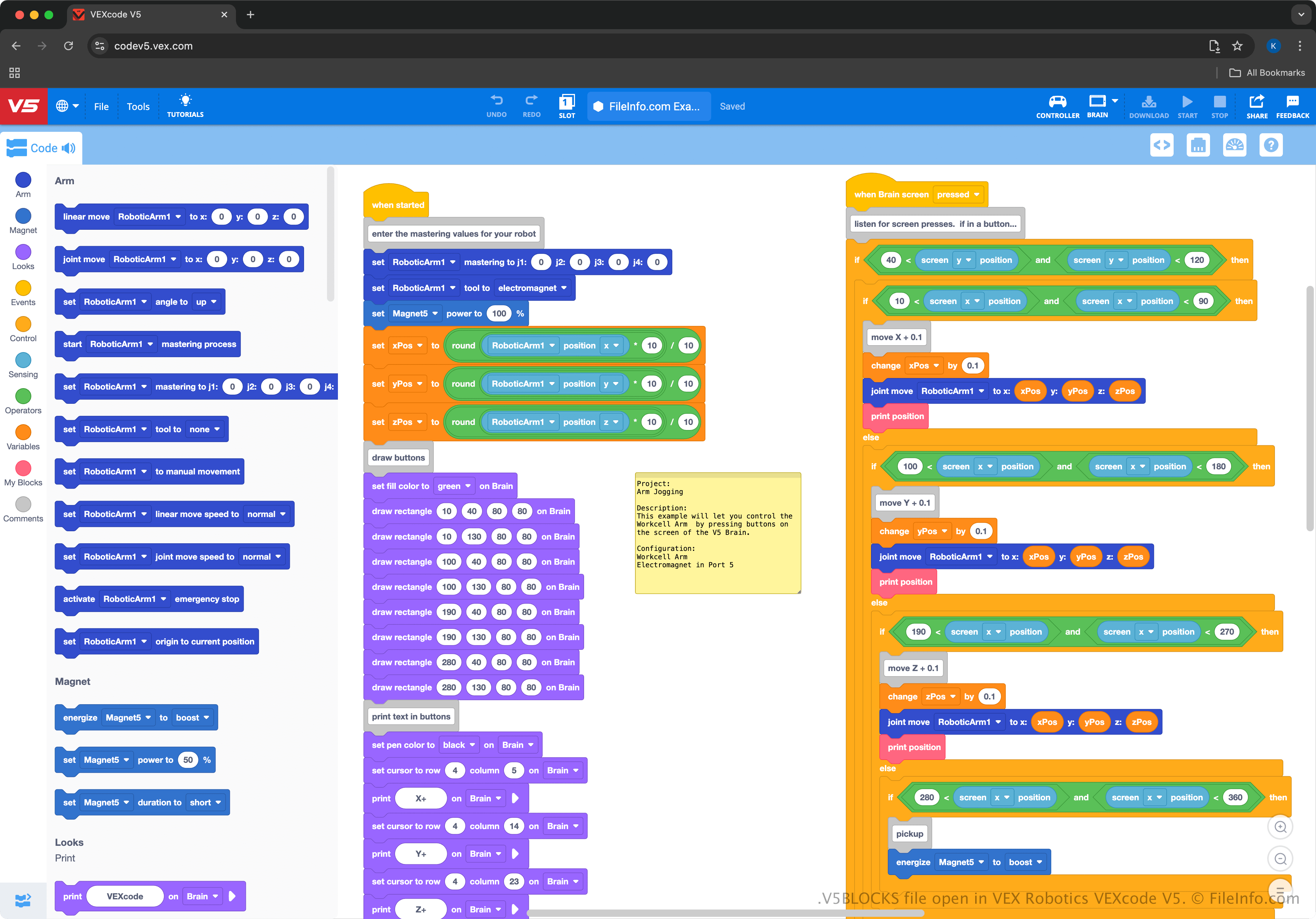
VEXcode V5 biedt een interface met slepen en neerzetten, waarmee gebruikers blokken kunnen selecteren die code vertegenwoordigen en ze met elkaar kunnen verbinden om robots te bedienen. De omgeving lijkt op MIT Scratch, waardoor deze gebruiksvriendelijk is voor beginners en toegankelijk voor studenten of onderwijsprofessionals die leren robots te programmeren. Zo leert het bijvoorbeeld programmeerconcepten zonder dat eerdere ervaring met tekstgebaseerde programmeertalen nodig is.
De VEXcode V5-omgeving ondersteunt het exporteren van V5BLOCKS-projecten voor VEX V5 Brain-hardware, zodat gebruikers hun robotprogramma's in toepassingen uit de echte wereld kunnen testen en verfijnen. Gebruikers kunnen binnen VEXcode ook overschakelen van de blokgebaseerde interface naar tekstgebaseerd programmeren om met complexere programmeertalen zoals Python of C++ te werken (gebruikers kunnen die projecten opslaan als .V5PYTHON- en .V5CPP-bestanden).
Een V5BLOCKS-bestand openen
Je kunt V5BLOCKS-bestanden openen met VEXcode V5, dat beschikbaar is voor Windows, macOS, Android, iOS en in een webbrowser. Als je een V5BLOCKS-bestand wilt openen, selecteer je in VEXcode V5.
Omdat V5BLOCKS-bestanden platte tekst bevatten, kun je ze ook openen met eenvoudige teksteditors, zoals Microsoft Notepad (Windows), Apple TextEdit (macOS) en gedit (Linux). De bestanden worden echter niet hetzelfde weergegeven als wanneer je ze met VEXcode V5 opent en de teksteditors bieden niet dezelfde handige bewerkingsmogelijkheden.