

.V5PYTHON 파일 확장자
VEXcode V5 Python 프로젝트
| 개발사 | VEX Robotics |
| 인기도 |
2.0 | 1 표 |
V5PYTHON 파일이란 무엇인가요?
V5PYTHON 파일에는 VEX V5 로보틱스 시스템에서 VEX V5 Brain 하드웨어 및 주변 기기와 함께 사용하기 위한 Python 코드와 VEX 전용 함수, 라이브러리 및 구성이 포함되어 있습니다. 이 파일은 VEX V5 로봇을 프로그래밍하기 위한 크로스 플랫폼 개발 도구인 VEXcode V5로 생성됩니다. VEXcode V5는 일반적으로 블록 기반 프로그래밍을 위해 프로젝트를 .V5BLOCKS 파일로 저장하지만, Python 코딩을 선호하는 사용자는 대신 프로젝트를 V5PYTHON 파일로 저장할 수 있습니다.
추가 정보
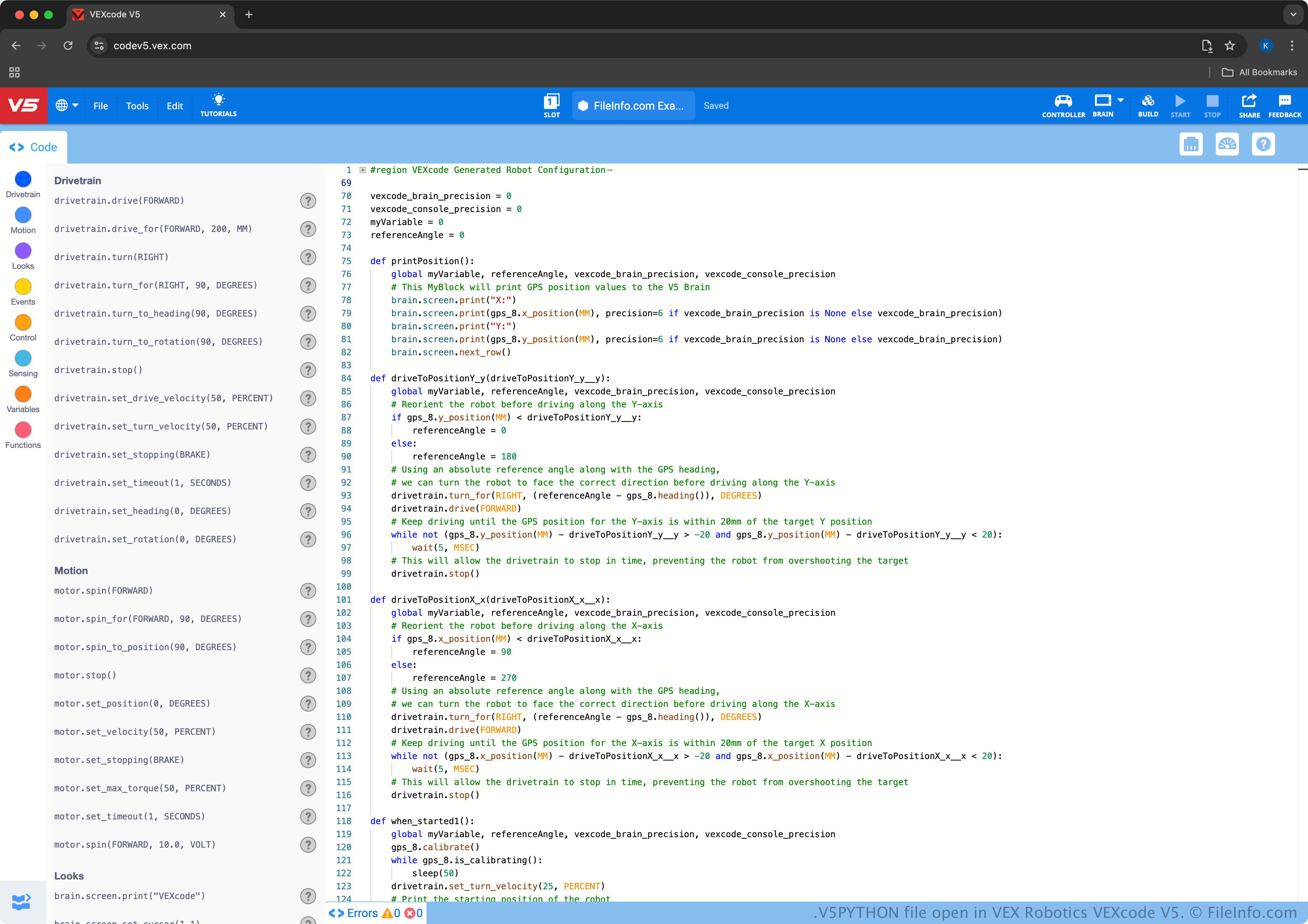
VEXcode V5는 MIT Scratch와 비슷한 교육용 프로그래밍 도구로, 로보틱스 프로젝트를 개발하기 위한 직관적인 인터페이스를 제공합니다. 예를 들어 사용자는 코드 블록을 끌어다 연결하여 프로그램을 만들 수 있으므로, 프로그래밍 언어에 대한 사전 지식이 없어도 초보자가 로봇 동작을 설계할 수 있습니다.
그러나 고급 사용자를 위해 VEXcode는 Python 및 C++ 텍스트 기반 코딩도 지원합니다. 예를 들어 VEXcode V5에서 Code Viewer를 열고 옵션을 선택한 다음 를 선택할 수 있습니다. 를 선택하여 V5PYTHON 파일로 저장할 수 있습니다. VEXcode V5 사용자가 옵션을 선택하면 프로젝트를 .V5CPP 파일로 저장할 수 있습니다.
V5PYTHON 파일을 여는 방법
VEXcode V5로 V5PYTHON 파일을 열 수 있습니다. 이 앱은 Windows, macOS, Android, iOS, Chrome OS 및 웹 브라우저를 포함한 다양한 플랫폼에서 사용할 수 있습니다. V5PYTHON 파일을 열려면 VEXcode V5에서 을 선택합니다.
V5PYTHON 파일에는 일반 텍스트가 포함되어 있으므로 Microsoft Notepad(Windows), Apple TextEdit(macOS), gedit(Linux)와 같은 텍스트 편집기로도 열 수 있습니다. 그러나 텍스트 편집기는 VEXcode V5와 동일한 편집 기능을 제공하지 않습니다.