.STG 파일 확장자

ActiveSync Backup File

개발사 Microsoft
인기도
3.9  |  18 투표
 

STG 파일이란 무엇인가요?

Backup created by ActiveSync, a program used to synchronize PCs with mobile devices; contains a backup of all mobile device files, including contacts, notes, and calendar data; typically seen with the filename backup.stg.

추가 정보

참고: Microsoft removed the backup and restore feature beginning with ActiveSync version 4.2. To recover backup files with ActiveSync, use version 4 or an earlier version that is compatible with STG files.

File Viewer Plus(으)로 400개 이상의 파일 형식을 여세요.무료 다운로드

STG 파일을 여는 프로그램

Windows
ActiveSync Backup File Restorer
카테고리: 백업
업데이트: 2010-04-14

ScreenToGif Project

개발사 Nicke Manarin
인기도
3.3  |  4 투표
 

An STG file is a project file created by ScreenToGif, a program used to turn a screen, webcam, or sketchboard recording into a GIF or video. STG files are Zip-compressed. They store .PNG images of each of a project's included frames and a .JSON file that defines the project's metadata.

추가 정보

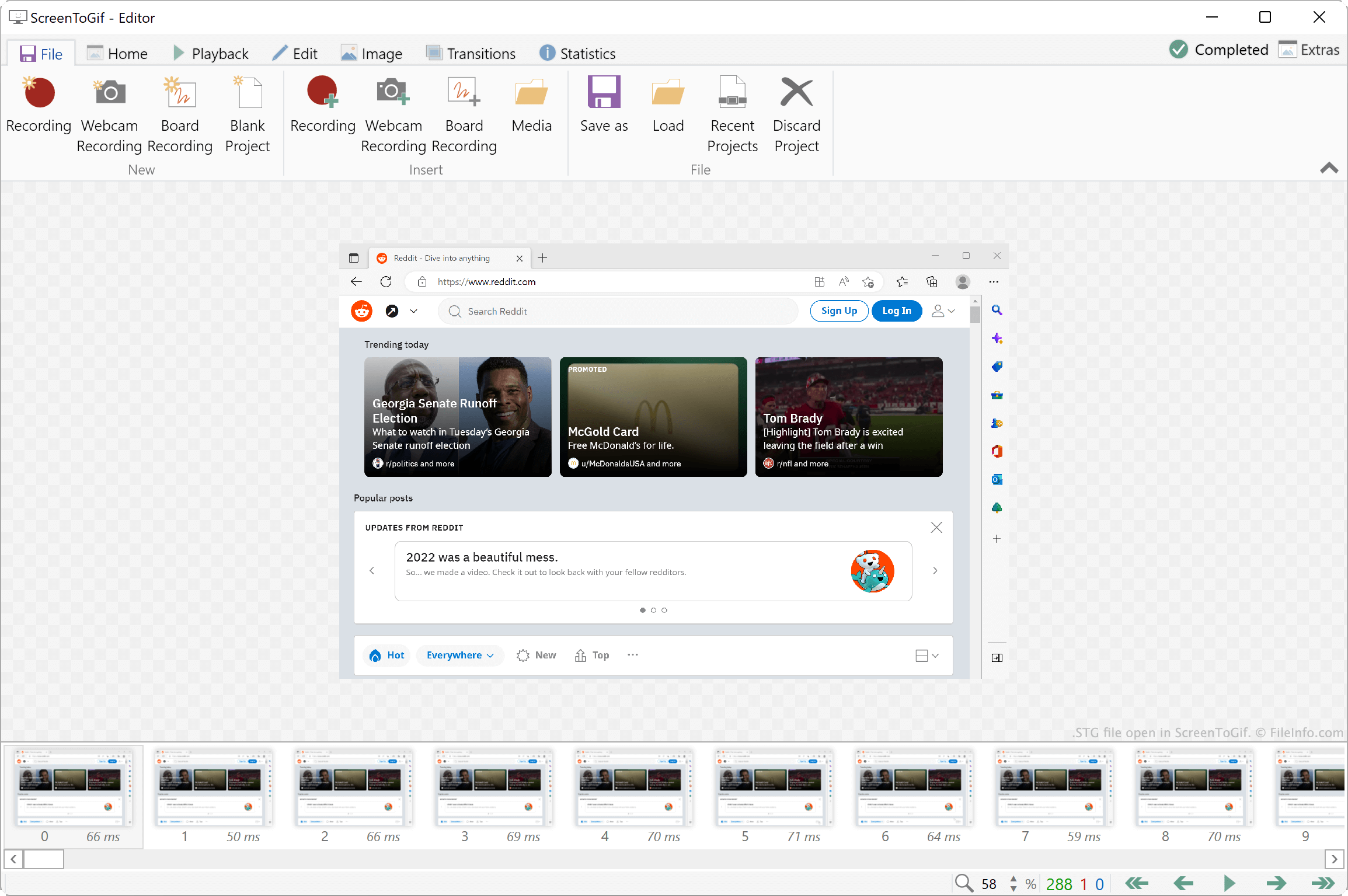
ScreenToGif에서 열린 .stg 파일의 스크린샷
ScreenToGif에서 열린 STG 파일

ScreenToGif is a screen, webcam, and sketchboard recording tool that allows you to edit your recordings and export them as .GIF, video (.MP4, .AVI, etc.), or image (.JPG, .PNG, etc.) files. You can then share the exported files with others, to let them view your recording.

Optionally, you can save a recording editing project as an STG file. This lets you continue to edit your recording, even after exporting it. For example, if you plan to edit your recording in response to feedback, you should save your project as an STG file, to make future editing easier.

How to save a ScreenToGif project as an STG file

To save a ScreenToGif project as an STG file:

  1. Select File → Save as.
  2. In the Save as sidebar, click the dropdown menu that appears beneath File type and preset.
  3. Select Project from the dropdown menu.
  4. Click the Save button.

STG 파일을 여는 방법

You can open an STG file with ScreenToGif (Windows). To do so, select File → Load from the program's menu bar. Then, navigate to and open your STG file.

If you want to view the individual frames and .JSON file an STG file contains, you can rename the file's extension to .zip and open it as you would any .ZIP file.

STG 파일을 여는 프로그램

All Platforms
Change .stg to .zip; open with any Zip-decompression utility
Windows
카테고리: 압축
업데이트: 2022-12-06

Statistica Graph File

개발사 TIBCO Software
인기도
3.0  |  1 투표
 

An STG file is a graph file created by TIBCO Statistica, a data analytics suite. It contains a collection of Statistica data that has been organized into one or more graphs. STG files can be opened in Statistica and converted to .BMP, .JPG, .PNG, .PDF. .GIF. .TIF, .EMF, and .WMF files.

추가 정보

TIBCO Statistica is an analytics suite that data analysts use to analyze data and create predictive models. As part of their data analysis, analysts can create graphs that allow them to visualize, connect, and draw conclusions from their data. These graphs are saved as STG files.

Statistica allows users to create and combine a wide variety of graphs, including line graphs, bar graphs, scatterplots, 3D graphs, pie charts, drawings, and maps. STG files may contain any combination of these types of graphs. STG files that contain more than one graph are sometimes referred to as complex compound graphs.

When a user saves a graph (or set of graphs) as an STG file, Statistica saves all the data needed to continue using and editing that graph within the file. That way, users can continue editing the graph even if they don't have access to the original files used to create it. If a Statistica user wants to share a graph with someone who does not have Statistica, they can export the graph as an image or PDF file. Statistica users also often export graphs for use in presentations.

STG 파일을 여는 방법

You can open an STG file (TIBCO Statistica Graph) in TIBCO Statistica (Windows). After you do, the graph(s) your STG file contains will appear in a new Statistica window.

STG 파일을 여는 프로그램

Windows
무료 체험판
카테고리: 데이터
업데이트: 2021-04-28

검증자 FileInfo.com

FileInfo.com 팀 이 페이지에 나열된 모든 파일 형식과 소프트웨어 프로그램을 독자적으로 조사했습니다. 저희의 목표는 100% 정확성이며, 검증한 파일 유형에 대한 정보만 게시합니다.

이 페이지에 추가하거나 업데이트할 내용을 제안하고 싶으시면 알려 주세요.