.POTM 파일 확장자

Microsoft PowerPoint Macro-Enabled Template

개발사 Microsoft
인기도
3.5  |  13 투표
 

POTM 파일이란 무엇인가요?

A POTM file is a macro-enabled presentation template created by Microsoft PowerPoint, a program for creating slide show presentations. It contains default images, slide templates, macros, and formatting. PowerPoint users typically utilize POTM files to create multiple .PPTM files with the same design and macro settings.

추가 정보

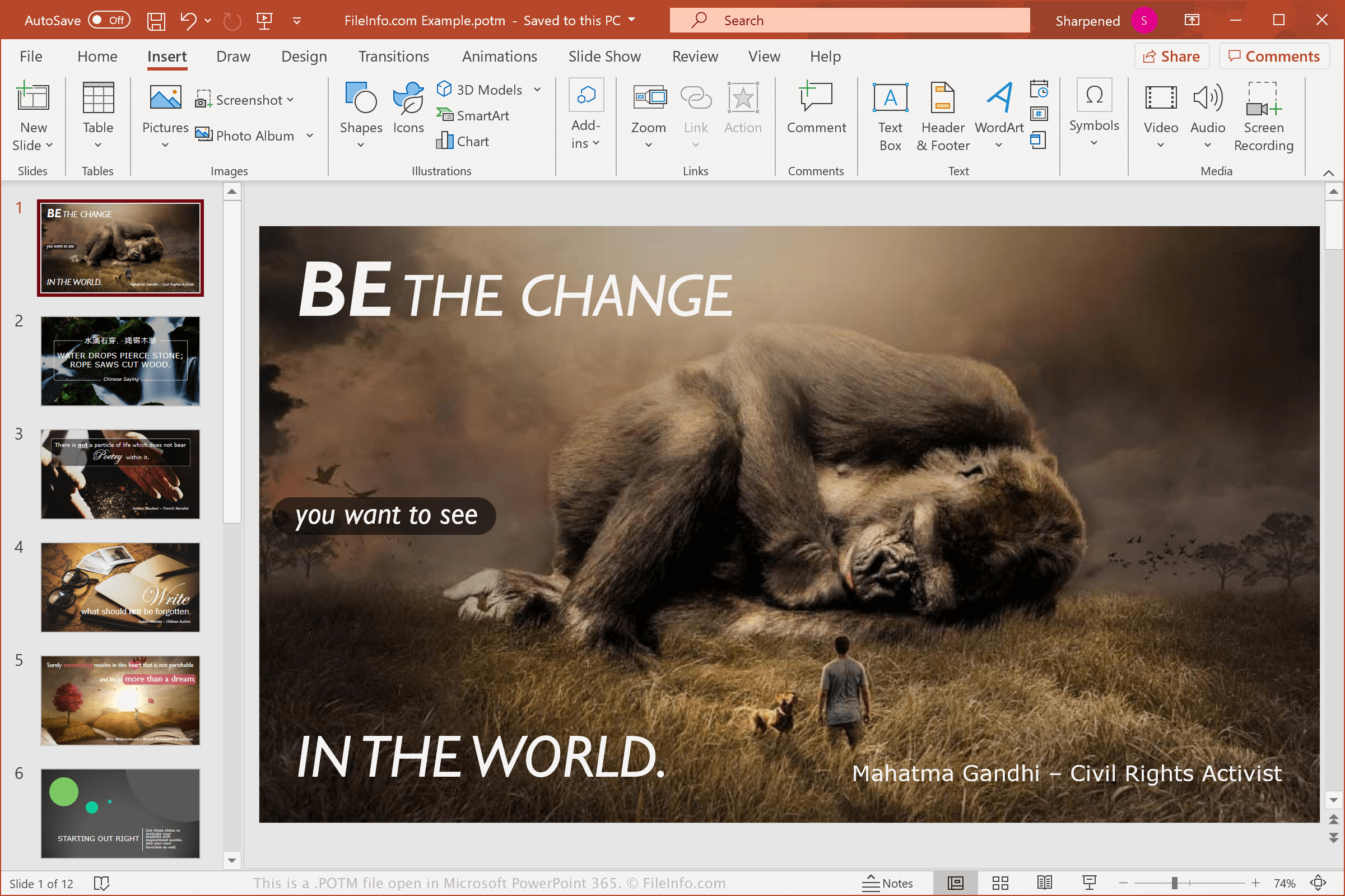
Microsoft PowerPoint 365에서 열린 .potm 파일의 스크린샷
Microsoft PowerPoint 365에서 열린 POTM 파일

The average PowerPoint user will likely never come across a POTM file because it saves templates with more functionality than a typical user needs. For example, it supports macros, which are script-like functions that automate repetitive tasks.

You can record macros in PowerPoint that can be replayed to complete a task and assign them to a button in PowerPoint or keystroke, which allows you to conveniently run the series of steps. To record a macro, select View → Macros.

If you are simply looking to create presentations, you can save them as .PPTX files, or as presentation template .POTX files. However, if you want to create a template that supports macros, you can save your presentation as a POTM file.

참고: Microsoft introduced POTM files when it released Microsoft Office 2007.

POTM 파일을 여는 방법

You can open POTM files with Microsoft PowerPoint (2007 or later) in Windows and macOS. PowerPoint is the best option for opening POTM files because it fully supports the formatting of the presentations and the macros embedded in them.

You can also open POTM files with other applications, but some of the formatting of the original presentations and macros may be lost. Other programs you can use to open POTM files include Apache OpenOffice Impress (multiplatform), Kingsoft Presentation (multiplatform), and Apple Keynote (Mac). If you are a Mac user simply looking to view a POTM file, you can use Apple Preview, which comes bundled with macOS, or upload it to Google Drive, which is a free cloud storage service.

You can also upload POTM files online to Google Slides to open, edit, and convert the templates. Keep in mind that Slides does not support macros.

POTM 파일을 변환하는 방법

Several presentation applications, including Microsoft PowerPoint, Apple Keynote, and OpenOffice Impress, can convert POTM files to other formats.

For example, in the Windows and Mac versions of Microsoft PowerPoint, select File → Save As to convert POTM files to one of the following formats:

  • .PPTX - Microsoft PowerPoint Presentation
  • .PPT - Microsoft PowerPoint Presentation (Legacy)
  • .PDF - Portable Document Format
  • .ODP - OpenDocument Presentation
  • .XPS - XML Paper Specification (Windows only)
  • .MP4 - MPEG-4 Video
  • .WMV - Windows Media Video
  • .JPEG - JPEG Image
  • .PNG - Portable Network Graphic

경고

While POTM files are typically legitimate Microsoft PowerPoint presentation templates, they may also be used to distribute and execute malware attacks on victims' computers. To protect against malicious POTM attacks, never open a POTM file with PowerPoint unless you can verify its legitimacy and source.

File Viewer Plus(으)로 .potm 파일을 열고 볼 수 있습니다.무료 다운로드

POTM 파일을 여는 프로그램

Mac
무료 체험판
OS에 포함됨
OS에 포함됨
Web
무료 체험판
iOS
Android
Chrome OS
카테고리: 데이터
업데이트: 2022-06-16

검증자 FileInfo.com

FileInfo.com 팀 이 페이지에 나열된 Microsoft PowerPoint Macro-Enabled Template 파일 형식과 Mac, Windows, Linux, Android, and iOS 앱을 독자적으로 조사했습니다. 저희의 목표는 100% 정확성이며, 검증한 파일 유형에 대한 정보만 게시합니다.

이 페이지에 추가하거나 업데이트할 내용을 제안하고 싶으시면 알려 주세요.