

.PPT 파일 확장자
Microsoft PowerPoint 프레젠테이션(레거시)
| 개발사 | Microsoft |
| 인기도 |
3.9 | 693 표 |
PPT 파일이란 무엇인가요?
PPT 파일은 Microsoft PowerPoint에서 만들거나 OpenOffice Impress 또는 Apple Keynote와 같은 다른 프레젠테이션 프로그램에서 내보낸 편집 가능한 슬라이드 쇼입니다. 서식이 적용된 텍스트, 글머리 기호, 이미지, 동영상, 음향 효과 및 음악이 포함될 수 있습니다. 사용자는 일반적으로 PowerPoint의 템플릿에서 PPT 파일을 만들지만, 처음부터 직접 만들 수도 있습니다.
추가 정보
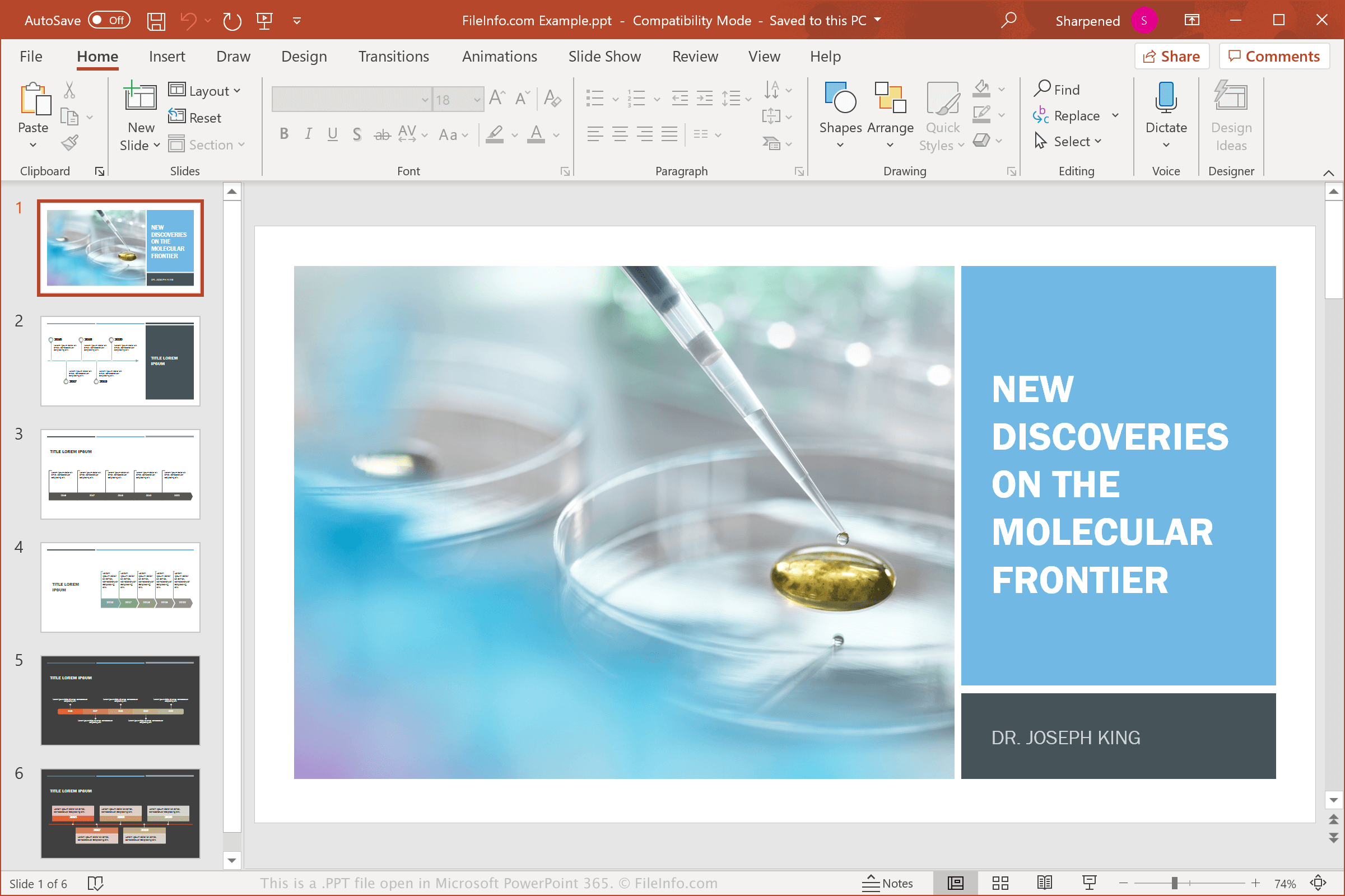
프레젠테이션을 만들고 저장하고 발표할 때 가정, 학교 및 업무 환경에서 PPT 파일을 접할 수 있습니다. Microsoft는 1987년에 PowerPoint를 출시하면서 PowerPoint 프레젠테이션(PPT) 바이너리 형식을 도입했습니다. PPT는 Microsoft가 PowerPoint 2007에서 Open XML 프레젠테이션(.PPTX) 파일 형식으로 대체할 때까지 PowerPoint 프레젠테이션을 저장하는 기본 파일 형식이었습니다.
PPT 파일보다 PPTX 파일을 더 자주 보게 되겠지만, 이전 버전의 PowerPoint를 사용하는 일부 사용자는 여전히 프레젠테이션을 PPT 파일로 저장할 수 있습니다. 또한 친구, 가족 또는 동료에게서 이메일로 PPT 파일을 받거나 웹사이트 또는 클라우드 저장소 서비스에서 다운로드할 수도 있습니다.
일반적인 .PPT 파일 이름
Presentation1.ppt - PowerPoint 2007 이전에 Microsoft PowerPoint가 새 프레젠테이션에 지정하는 기본 파일 이름입니다. 현재는 Presentation1.pptx를 사용합니다.
PPT 파일을 여는 방법
Windows와 macOS에서는 Microsoft PowerPoint로 PPT 파일을 열 수 있습니다. PowerPoint는 텍스트 배치, 슬라이드 전환 및 효과, 프레젠테이션의 이미지와 도형을 비롯한 프레젠테이션 서식을 완벽하게 지원하므로 PPT 파일을 열기에 가장 적합한 애플리케이션입니다. PowerPoint는 Android 및 iOS 기기에서도 사용할 수 있습니다.
많은 프레젠테이션 프로그램에서 PPT 파일을 열고 편집할 수 있지만, 프레젠테이션 파일의 서식을 완벽하게 지원하지 않을 수 있습니다. 대체 프로그램으로는 Corel Presentations(Windows), Apple Keynote(Mac) 및 Apache OpenOffice Impress(다중 플랫폼)가 있습니다. PPT 파일을 보기만 하려는 Mac 사용자라면 macOS에 기본으로 포함된 Apple Preview를 사용할 수 있습니다.
다양한 웹 프로그램으로도 PPT 파일을 열 수 있습니다. 예를 들어 Google Slides는 Google 계정으로 이용할 수 있는 무료 옵션입니다. 이 웹 도구를 사용하면 PPT 파일을 업로드하고 프레젠테이션을 보고, 편집하고, 저장하고, 변환할 수 있습니다.
PPT 파일을 변환하는 방법
Microsoft PowerPoint, Corel Presentations 및 LibreOffice Impress를 비롯한 많은 프레젠테이션 애플리케이션에서 PPT 파일을 다른 형식으로 변환할 수 있습니다.
예를 들어 Windows 및 Mac 버전의 Microsoft PowerPoint에서 를 선택하면 PPT 파일을 다음 형식 중 하나로 변환할 수 있습니다.
- .PPTX - Microsoft PowerPoint 프레젠테이션
- .PDF - Portable Document Format
- .ODP - OpenDocument 프레젠테이션
- .XPS - XML Paper Specification(Windows 전용)
- .MP4 - MPEG-4 동영상
- .WMV - Windows Media 동영상
- .JPEG - JPEG 이미지
- .PNG - Portable Network Graphic
- .GIF - Graphical Interchange Format(애니메이션)
- .TIF - Tagged Image File Format
- .SVG - Scalable Vector Graphics
- .RTF - Rich Text Format