

.PPT Přípona souboru
Prezentace Microsoft PowerPoint (starší verze)
| Vývojář | Microsoft |
| Popularita |
3,9 | 693 hlasů |
Co je soubor PPT?
Soubor PPT je upravitelná prezentace vytvořená v aplikaci Microsoft PowerPoint nebo exportovaná jiným prezentačním programem, například OpenOffice Impress nebo Apple Keynote. Může obsahovat formátovaný text, odrážky, obrázky, videa, zvukové efekty a hudbu. Uživatelé soubory PPT běžně vytvářejí z šablon v aplikaci PowerPoint, ale mohou je také vytvořit od začátku.
Další informace
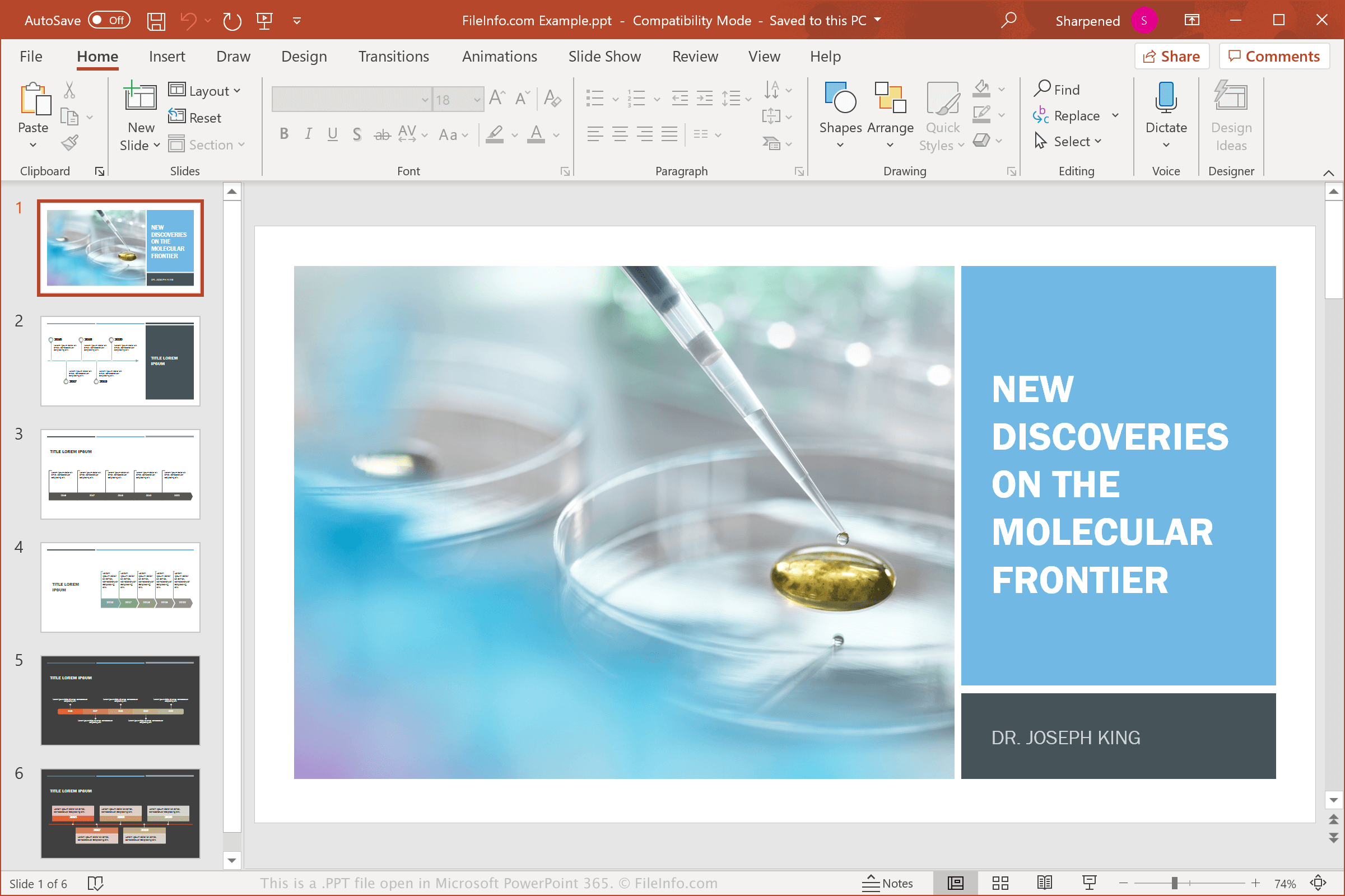
Při vytváření, ukládání a prezentování prezentací se můžete se soubory PPT setkat v domácím, školním i firemním prostředí. Společnost Microsoft představila binární formát PowerPoint Presentation (PPT) v roce 1987, kdy vydala aplikaci PowerPoint. PPT byl hlavním typem souboru používaným k ukládání prezentací PowerPoint, dokud ho Microsoft v aplikaci PowerPoint 2007 nenahradil formátem Open XML Presentation (.PPTX).
Ačkoli se dnes pravděpodobněji setkáte se soubory PPTX než se soubory PPT, někteří uživatelé starších verzí aplikace PowerPoint mohou své prezentace stále ukládat jako soubory PPT. Kromě toho můžete soubory PPT obdržet od přátel, členů rodiny nebo spolupracovníků e-mailem nebo je stáhnout z webu či služby cloudového úložiště.
Běžné názvy souborů .PPT
Presentation1.ppt - Výchozí název souboru, který Microsoft PowerPoint přiděluje novým prezentacím před verzí PowerPoint 2007; nyní se používá název Presentation1.pptx.
Jak otevřít soubor PPT
Soubory PPT můžete otevřít v systému Windows a macOS pomocí aplikace Microsoft PowerPoint. PowerPoint je nejlepší aplikace pro otevírání souborů PPT, protože plně podporuje formátování prezentací včetně umístění textu, přechodů a efektů mezi snímky a obrázků a tvarů v prezentaci. PowerPoint je k dispozici také pro zařízení se systémy Android a iOS.
Mnoho prezentačních programů dokáže soubory PPT otevřít a upravit, ale nemusí plně podporovat formátování souborů prezentací. Mezi alternativní programy patří Corel Presentations (Windows), Apple Keynote (Mac) a Apache OpenOffice Impress (pro více platforem). Pokud používáte Mac a chcete soubor PPT pouze zobrazit, můžete použít Apple Preview, který je součástí systému macOS.
Soubory PPT můžete otevřít také pomocí různých webových programů. Například Google Slides je bezplatná možnost, ke které máte přístup s účtem Google. Tento webový nástroj umožňuje nahrát soubor PPT a prezentaci zobrazit, upravit, uložit a převést.
Jak převést soubor PPT
Mnoho prezentačních aplikací včetně Microsoft PowerPoint, Corel Presentations a LibreOffice Impress dokáže převádět soubory PPT do jiných formátů.
Chcete-li například převést soubory PPT do některého z následujících formátů, vyberte ve verzi aplikace Microsoft PowerPoint pro Windows nebo Mac možnost :
- .PPTX – Microsoft PowerPoint Presentation
- .PDF – Portable Document Format
- .ODP – OpenDocument Presentation
- .XPS – XML Paper Specification (pouze Windows)
- .MP4 – MPEG-4 Video
- .WMV – Windows Media Video
- .JPEG – obrázek JPEG
- .PNG – Portable Network Graphic
- .GIF – Graphical Interchange Format (animovaný)
- .TIF – Tagged Image File Format
- .SVG – Scalable Vector Graphics
- .RTF – Rich Text Format