

.POTM Dateiendung
Microsoft PowerPoint-Vorlage mit aktivierten Makros
| Entwickler | Microsoft |
| Beliebtheit |
3,5 | 13 Stimmen |
Was ist eine POTM-Datei?
Eine POTM-Datei ist eine Vorlage für Präsentationen mit aktivierten Makros, die von Microsoft PowerPoint erstellt wurde, einem Programm zum Erstellen von Bildschirmpräsentationen. Sie enthält Standardbilder, Folienvorlagen, Makros und Formatierungen. PowerPoint-Benutzer verwenden POTM-Dateien typischerweise, um mehrere .PPTM-Dateien mit demselben Design und denselben Makroeinstellungen zu erstellen.
Weitere Informationen
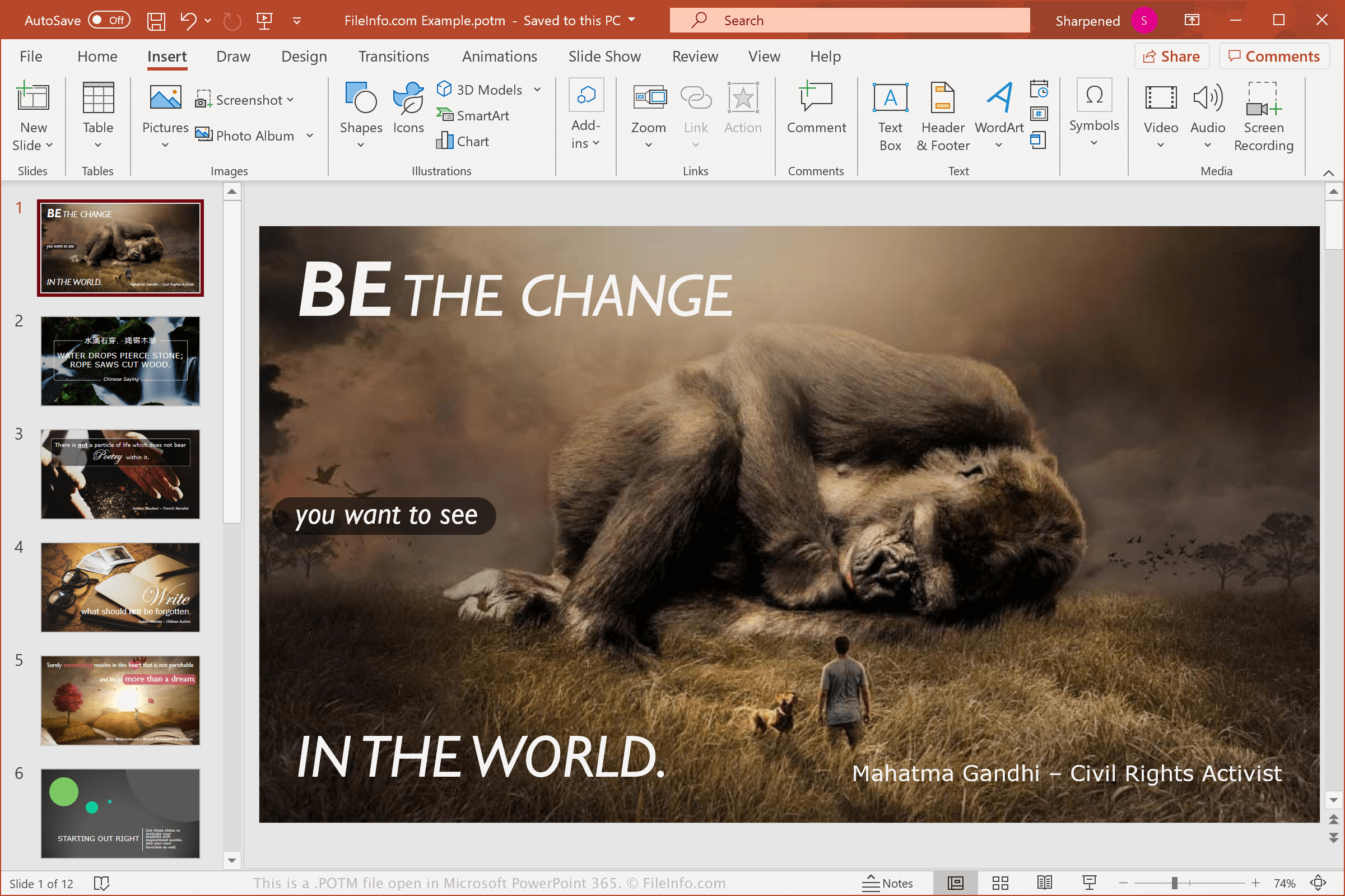
Der durchschnittliche PowerPoint-Benutzer wird wahrscheinlich nie auf eine POTM-Datei stoßen, da sie Vorlagen mit mehr Funktionen speichert, als ein typischer Benutzer benötigt. Sie unterstützt beispielsweise Makros, also skriptähnliche Funktionen, die sich wiederholende Aufgaben automatisieren.
Sie können in PowerPoint Makros aufzeichnen, die zur Ausführung einer Aufgabe wiedergegeben werden können, und sie einer Schaltfläche in PowerPoint oder einer Tastenkombination zuweisen. Dadurch können Sie die Abfolge der Schritte bequem ausführen. Um ein Makro aufzuzeichnen, wählen Sie aus.
Wenn Sie einfach nur Präsentationen erstellen möchten, können Sie sie als .PPTX-Dateien oder als Vorlagen für Präsentationen .POTX-Dateien speichern. Wenn Sie jedoch eine Vorlage erstellen möchten, die Makros unterstützt, können Sie Ihre Präsentation als POTM-Datei speichern.
HINWEIS: Microsoft führte POTM-Dateien mit der Veröffentlichung von Microsoft Office 2007 ein.
So öffnen Sie eine POTM-Datei
Sie können POTM-Dateien mit Microsoft PowerPoint (2007 oder höher) unter Windows und macOS öffnen. PowerPoint ist die beste Option zum Öffnen von POTM-Dateien, da es die Formatierung der Präsentationen und die darin eingebetteten Makros vollständig unterstützt.
Sie können POTM-Dateien auch mit anderen Anwendungen öffnen, aber einige Formatierungen der ursprünglichen Präsentationen und Makros gehen möglicherweise verloren. Zu den anderen Programmen, mit denen Sie POTM-Dateien öffnen können, gehören Apache OpenOffice Impress (plattformübergreifend), Kingsoft Presentation (plattformübergreifend) und Apple Keynote (Mac). Wenn Sie als Mac-Benutzer eine POTM-Datei einfach nur anzeigen möchten, können Sie Apple Preview verwenden, das zusammen mit macOS installiert wird, oder die Datei auf Google Drive hochladen, einem kostenlosen Cloud-Speicherdienst.
Sie können POTM-Dateien auch online auf Google Slides hochladen, um die Vorlagen zu öffnen, zu bearbeiten und zu konvertieren. Beachten Sie, dass Slides keine Makros unterstützt.
So konvertieren Sie eine POTM-Datei
Mehrere Präsentationsanwendungen, darunter Microsoft PowerPoint, Apple Keynote und OpenOffice Impress, können POTM-Dateien in andere Formate konvertieren.
Wählen Sie beispielsweise in den Windows- und Mac-Versionen von Microsoft PowerPoint aus, um POTM-Dateien in eines der folgenden Formate zu konvertieren:
- .PPTX - Microsoft PowerPoint-Präsentation
- .PPT - Microsoft PowerPoint-Präsentation (älteres Format)
- .PDF - Portable Document Format
- .ODP - OpenDocument-Präsentation
- .XPS - XML Paper Specification (nur Windows)
- .MP4 - MPEG-4-Video
- .WMV - Windows Media Video
- .JPEG - JPEG-Bild
- .PNG - Portable Network Graphic
Warnung
POTM-Dateien sind zwar normalerweise legitime Vorlagen für Microsoft-PowerPoint-Präsentationen, können aber auch verwendet werden, um Malware-Angriffe auf den Computern von Opfern zu verbreiten und auszuführen. Um sich vor schädlichen POTM-Angriffen zu schützen, öffnen Sie eine POTM-Datei niemals mit PowerPoint, es sei denn, Sie können ihre Legitimität und Quelle überprüfen.