

.PPTX Dateiendung
Microsoft PowerPoint-Präsentation
| Entwickler | Microsoft |
| Beliebtheit |
4,1 | 1159 Stimmen |
Was ist eine PPTX-Datei?
Eine PPTX-Datei ist eine Präsentationsdatei, die mit Microsoft PowerPoint erstellt oder von einem anderen Präsentationsprogramm wie OpenOffice Impress oder Apple Keynote exportiert wurde. Sie enthält eine Sammlung von Folien einschließlich ihres Textes, ihrer Bilder, Formatierung, Animationen, gezeichneten Objekte und anderer Medien. PPTX-Dateien werden häufig in Geschäftstreffen, Marketinganwendungen und im akademischen Unterricht verwendet.
Weitere Informationen
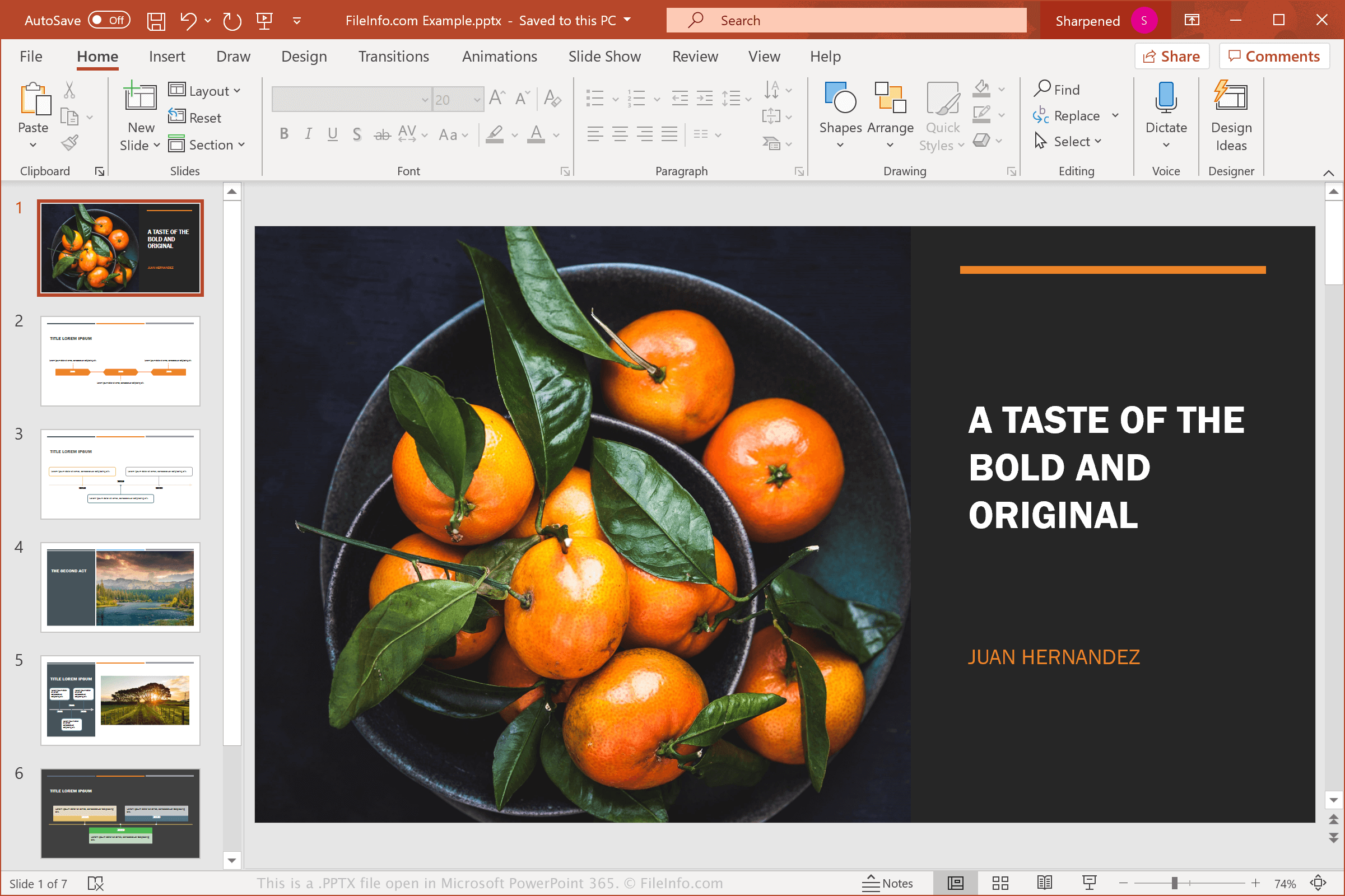
Microsoft führte das PowerPoint Open XML-Präsentationsformat mit der Veröffentlichung von Microsoft PowerPoint 2007 ein. Seit der Einführung des Formats gehören PPTX-Dateien zu den häufigsten Dateitypen zum Speichern von Präsentationen.
PPTX-Dateien haben .PPT-Dateien als Standarddateiformat zum Speichern von Präsentationen in PowerPoint ersetzt. Im Gegensatz zu PPT-Dateien, die Präsentationsdaten in einer einzigen Binärdatei speichern, werden PPTX-Dateien im Open XML-Format gespeichert. Dabei werden die Daten als separate Dateien und Ordner in einem komprimierten Zip-Paket gespeichert. Das Archiv enthält verschiedene Dateitypen, beispielsweise eine .XML-Datei, in der Präsentationseigenschaften gespeichert werden, eine oder mehrere .TXT-Dateien mit Foliennotizen sowie Bilder und andere Mediendateien, die in der Präsentation enthalten sind.
HINWEIS: Sie können den Inhalt einer PPTX-Datei anzeigen, indem Sie die Erweiterung .pptx in .zip umbenennen und die Datei mit einem beliebigen Zip-Dienstprogramm dekomprimieren.
Häufige .PPTX-Dateinamen
Presentation1.pptx - Der Standarddateiname, den Microsoft PowerPoint neuen Präsentationen gibt.
So öffnen Sie eine PPTX-Datei
Sie können PPTX-Dateien mit Microsoft PowerPoint unter Windows und macOS öffnen. PowerPoint ist das beste Programm zum Öffnen von PPTX-Dateien, da es die Formatierung der Präsentationen vollständig unterstützt. Dazu gehören die Platzierung von Text, Folienübergänge und -effekte, Bilder und Formen. Die App ist auch für Geräte mit Android und iOS verfügbar.
Es gibt eine große Anzahl weiterer Präsentationsprogramme, die PPTX-Dateien öffnen und bearbeiten können, aber möglicherweise nicht die gesamte Formatierung der Präsentationsdateien unterstützen. Zu den Alternativprogrammen gehören Corel Presentations (Windows), Apple Keynote (Mac) und Apache OpenOffice Impress (plattformübergreifend).
Sie können PPTX-Dateien auch mit verschiedenen Webprogrammen öffnen. Google Slides ist eine kostenlose Option, mit der Sie eine PPTX-Datei hochladen sowie die Präsentation anzeigen, bearbeiten, speichern und konvertieren können.
So konvertieren Sie eine PPTX-Datei
Verschiedene Präsentationsanwendungen, darunter Microsoft PowerPoint, Apple Keynote und OpenOffice Impress, können PPTX-Dateien in andere Formate konvertieren.
Wählen Sie beispielsweise in den Windows- und Mac-Versionen von Microsoft PowerPoint , um PPTX-Dateien in eines der folgenden Formate zu konvertieren:
- .PPT - Microsoft PowerPoint-Präsentation (Legacy)
- .PDF - Portable Document Format
- .ODP - OpenDocument-Präsentation
- .XPS - XML Paper Specification (nur Windows)
- .RTF - Rich Text Format
- .MP4 - MPEG-4-Video
- .WMV - Windows Media Video
- .JPEG - JPEG-Bild
- .PNG - Portable Network Graphic
- .GIF - Graphical Interchange Format (animiert)
- .TIF - Tagged Image File Format
- .SVG - Scalable Vector Graphics