

.OSP 파일 확장자
OpenShot Video Editor 프로젝트 파일
| 개발사 | OpenShot Studios |
| 인기도 |
3.7 | 24 표 |
OSP 파일이란 무엇인가요?
OSP 파일은 오픈 소스이자 크로스 플랫폼 동영상 편집기인 OpenShot Video Editor로 만든 동영상 편집 프로젝트입니다. 오디오, 동영상, 이미지 파일과 전환, 효과 및 시퀀싱 정보에 대한 참조가 포함되어 있습니다. OpenShot Video Editor 사용자는 OSP 프로젝트를 저장하고 불러올 수 있으며, 널리 지원되는 동영상 형식으로 내보낼 수 있습니다.
추가 정보
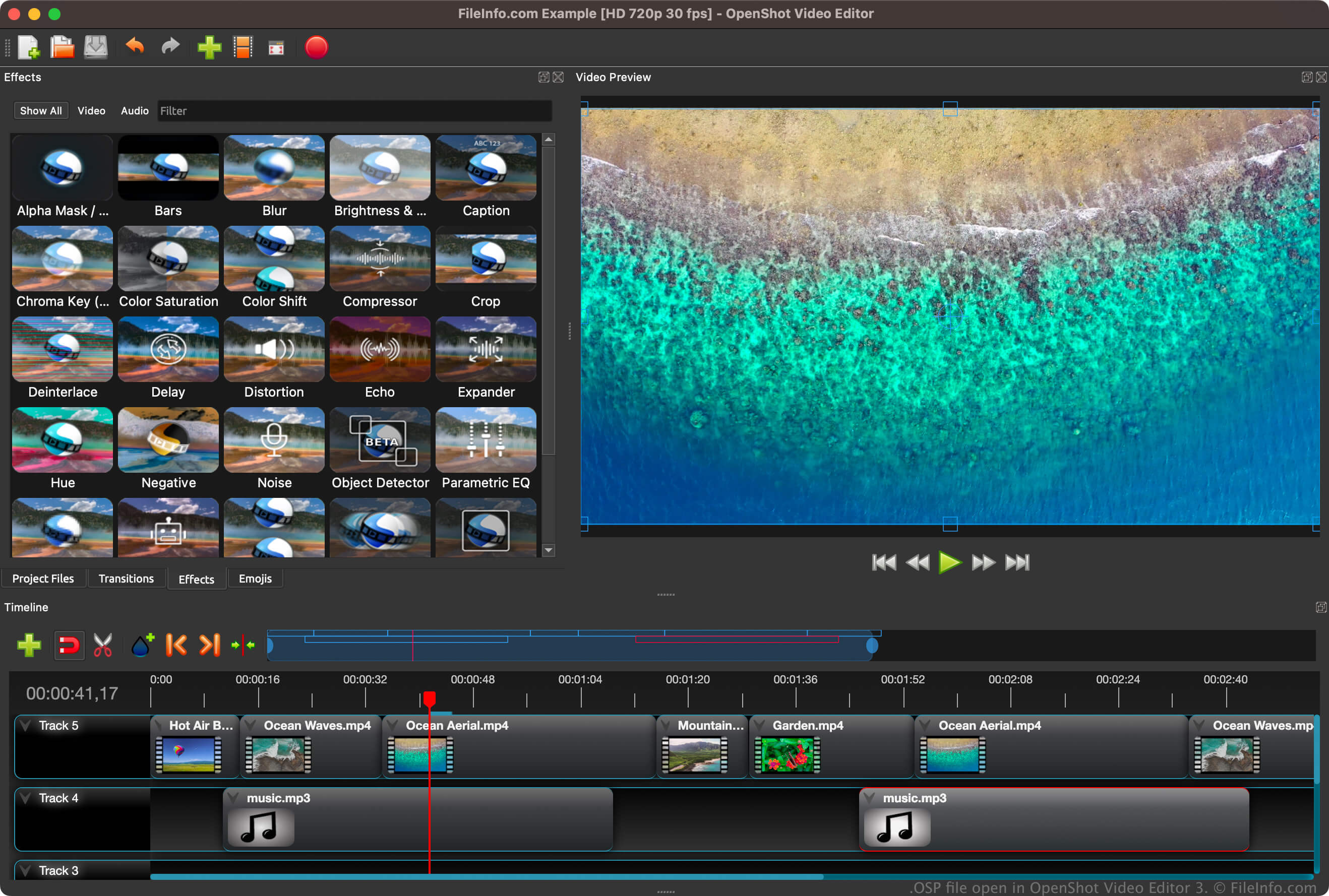
OpenShot Video Editor는 비선형 동영상 편집기입니다. 즉, 사용자는 프레임의 원본을 손상시키지 않고 동영상의 모든 프레임에 액세스하여 편집할 수 있습니다. 이 소프트웨어는 여러 오디오, 동영상 및 이미지 형식을 지원하는 FFmpeg 라이브러리를 사용합니다. 를 선택하여 멀티미디어 파일을 OSP 프로젝트로 가져올 수 있습니다.
OpenShot Video Editor에서 프로젝트를 처음 저장하면(), 소프트웨어가 프로젝트 정보(예: 타임라인 편집 정보, 설정, 가져온 멀티미디어 파일의 위치에 대한 참조)를 저장하는 OSP 파일을 만듭니다. OSP 파일을 저장한 후 닫았다가 다시 열면 작업 진행 상황을 잃지 않고 프로젝트 편집을 계속할 수 있습니다.
OSP 파일을 여는 방법
Windows, macOS 및 Linux에서 OpenShot Video Editor로 OSP 파일을 열 수 있습니다. OSP 파일을 열려면 프로그램의 메뉴 모음에서 를 선택하세요. 그러면 OpenShot에서 프로젝트와 관련 미디어가 불러와집니다.
OpenShot Video Editor에서 OSP 파일을 여는 데 문제가 있거나 OSP 파일에 포함된 텍스트를 확인하려는 경우, Microsoft Notepad(Windows), Apple TextEdit(Mac) 또는 GitHub Atom(크로스 플랫폼)과 같은 텍스트 편집기로 열 수도 있습니다. 그러나 텍스트 편집기로 OSP 파일을 열면 OpenShot Video Editor로 열 때와 같은 방식으로 프로젝트가 표시되지는 않습니다.