

.OSP Bestandsextensie
OpenShot Video Editor-projectbestand
| Ontwikkelaar | OpenShot Studios |
| Populariteit |
3,7 | 24 stemmen |
Wat is een OSP-bestand?
Een OSP-bestand is een videobewerkingsproject dat is gemaakt met OpenShot Video Editor, een opensource-videobewerker voor meerdere platforms. Het bevat verwijzingen naar audio-, video- en afbeeldingsbestanden, evenals informatie over overgangen, effecten en de volgorde. Gebruikers van OpenShot Video Editor kunnen OSP-projecten opslaan en laden en ze exporteren naar videoformaten die breed worden ondersteund.
Meer informatie
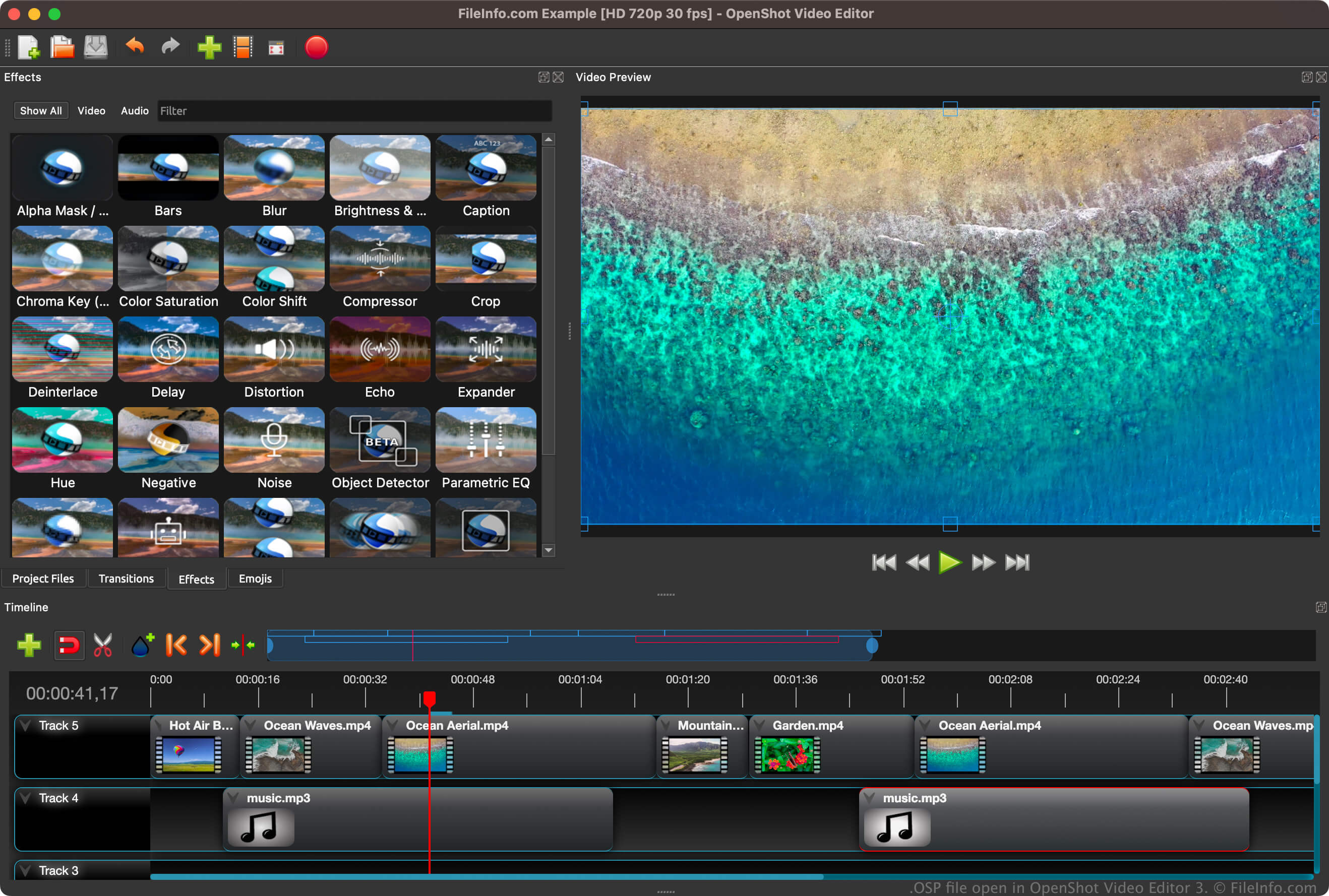
OpenShot Video Editor is een niet-lineaire videobewerker. Dat betekent dat gebruikers elk frame in een video kunnen openen en bewerken zonder de oorspronkelijke kopie van de frames te beschadigen. De software gebruikt FFmpeg-bibliotheken, die ondersteuning bieden voor verschillende audio-, video- en afbeeldingsformaten. Je kunt multimediabestanden in een OSP-project importeren door te selecteren.
Wanneer je een project voor het eerst opslaat met OpenShot Video Editor (), maakt de software een OSP-bestand om de projectinformatie op te slaan (bijvoorbeeld informatie over het bewerken van de tijdlijn, instellingen en verwijzingen naar de locaties van geïmporteerde multimediabestanden). Nadat je het OSP-bestand hebt opgeslagen, kun je het sluiten en opnieuw openen om verder te werken aan het project zonder je voortgang te verliezen.
Een OSP-bestand openen
Je kunt een OSP-bestand openen met OpenShot Video Editor in Windows, macOS en Linux. Als je een OSP-bestand wilt openen, selecteer je in de menubalk van het programma. Hiermee laad je je project en de bijbehorende media in OpenShot.
Als je problemen hebt met het openen van een OSP-bestand met OpenShot Video Editor, of als je de tekst in een OSP-bestand wilt bekijken, kun je het ook openen met een teksteditor, zoals Microsoft Notepad (Windows), Apple TextEdit (Mac) of GitHub Atom (voor meerdere platforms). Als je een OSP-bestand echter met een teksteditor opent, wordt het project niet op dezelfde manier weergegeven als wanneer je het met OpenShot Video Editor opent.
Een OSP-bestand converteren
OpenShot Video Editor kan OSP-bestanden converteren naar verschillende bestandstypen, waaronder de volgende indelingen: