

.OSP Dateiendung
OpenShot Video Editor-Projektdatei
| Entwickler | OpenShot Studios |
| Beliebtheit |
3,7 | 24 Stimmen |
Was ist eine OSP-Datei?
Eine OSP-Datei ist ein Videobearbeitungsprojekt, das mit OpenShot Video Editor erstellt wurde, einem quelloffenen, plattformübergreifenden Videobearbeitungsprogramm. Sie enthält Verweise auf Audio-, Video- und Bilddateien sowie Informationen zu Übergängen, Effekten und der Reihenfolge. Benutzer von OpenShot Video Editor können OSP-Projekte speichern und laden und sie in weit verbreitete Videoformate exportieren.
Weitere Informationen
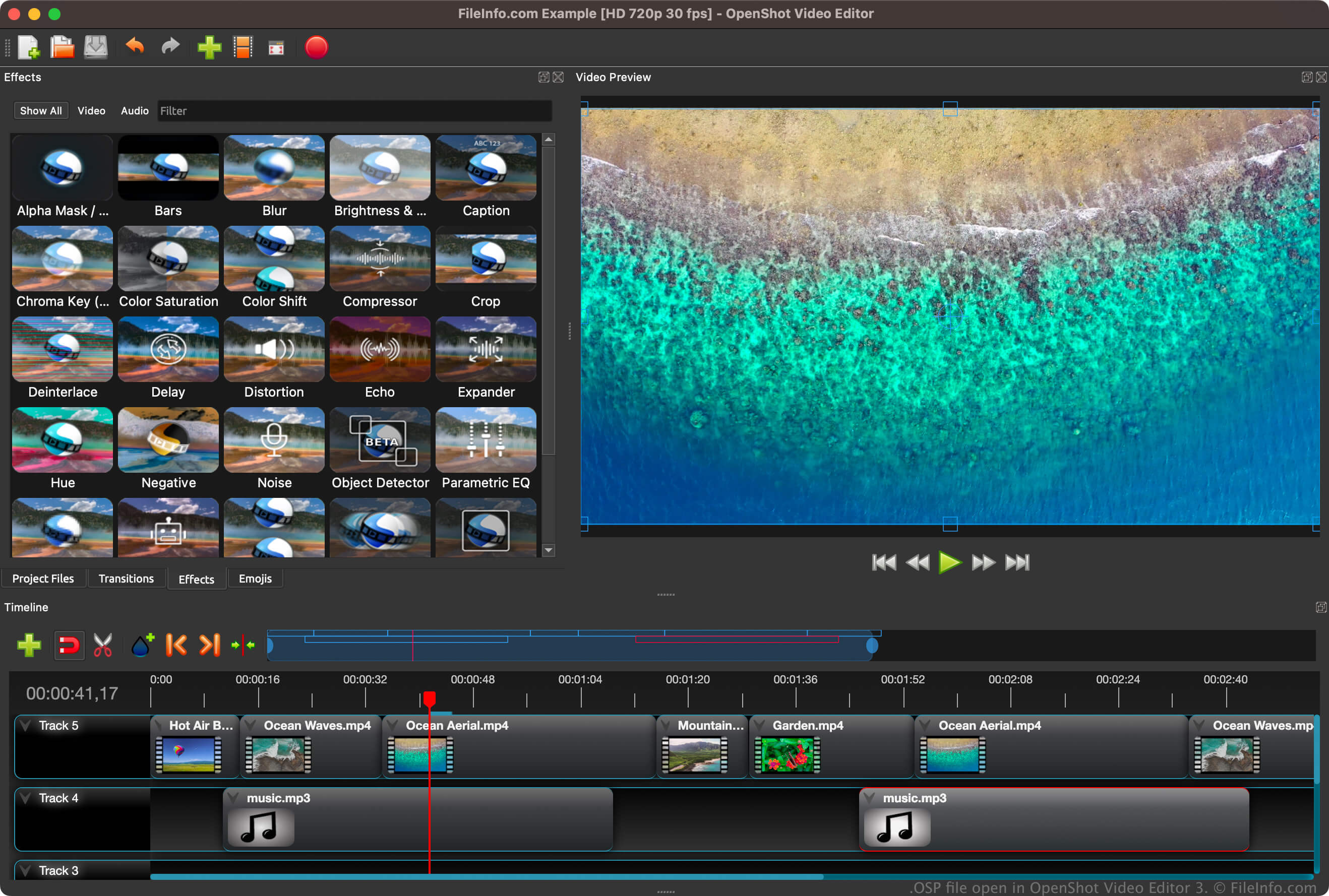
OpenShot Video Editor ist ein nichtlineares Videobearbeitungsprogramm. Das bedeutet, dass Benutzer auf jedes Bild in einem Video zugreifen und es bearbeiten können, ohne die ursprüngliche Kopie der Bilder zu zerstören. Die Software verwendet FFmpeg-Bibliotheken, die mehrere verschiedene Audio-, Video- und Bildformate unterstützen. Sie können Multimediadateien in ein OSP-Projekt importieren, indem Sie auswählen.
Wenn Sie ein Projekt erstmals mit OpenShot Video Editor speichern (), erstellt die Software eine OSP-Datei, um die Projektinformationen zu speichern (z. B. Informationen zur Bearbeitung der Zeitleiste, Einstellungen und Verweise auf die Speicherorte importierter Multimediadateien). Nachdem Sie die OSP-Datei gespeichert haben, können Sie sie schließen und erneut öffnen, um die Bearbeitung des Projekts fortzusetzen, ohne Ihren Fortschritt zu verlieren.
So öffnen Sie eine OSP-Datei
Sie können eine OSP-Datei mit OpenShot Video Editor unter Windows, macOS und Linux öffnen. Um eine OSP-Datei zu öffnen, wählen Sie in der Menüleiste des Programms aus. Dadurch werden Ihr Projekt und die zugehörigen Medien in OpenShot geladen.
Wenn Sie Probleme beim Öffnen einer OSP-Datei mit OpenShot Video Editor haben oder den in einer OSP-Datei enthaltenen Text untersuchen möchten, können Sie sie auch mit einem beliebigen Texteditor öffnen, etwa Microsoft Notepad (Windows), Apple TextEdit (Mac) oder GitHub Atom (plattformübergreifend). Wenn Sie eine OSP-Datei jedoch mit einem Texteditor öffnen, wird das Projekt nicht genauso angezeigt wie beim Öffnen mit OpenShot Video Editor.
So konvertieren Sie eine OSP-Datei
OpenShot Video Editor kann OSP-Dateien in verschiedene Dateitypen konvertieren, darunter die folgenden Formate: