

.CYBERDUCKSEGMENT 파일 확장자
Cyberduck 다운로드 세그먼트
| 개발사 | Cyberduck |
| 인기도 |
2.0 | 1 표 |
CYBERDUCKSEGMENT 파일이란 무엇인가요?
CYBERDUCKSEGMENT 파일에는 오픈 소스 FTP 및 SFTP 클라이언트인 Cyberduck이 다운로드한 파일의 한 세그먼트가 들어 있습니다. Cyberduck은 100 MB보다 큰 파일을 다운로드할 때 CYBERDUCKSEGMENT 파일을 생성합니다(Cyberduck에서 "파일당 여러 연결을 사용하는 세그먼트 다운로드" 환경 설정이 활성화된 경우). 클라이언트는 다운로드 속도를 높이기 위해 여러 연결을 통해 세그먼트를 다운로드한 다음, 다운로드의 모든 부분을 완전히 다운로드하면 자동으로 병합합니다.
추가 정보
Cyberduck 클라이언트는 Windows 및 macOS에서 사용할 수 있습니다. FTP 및 SFTP 외에도 WebDAV와 Google Drive, OneDrive, Dropbox, Backblaze B2 같은 클라우드 저장소 서비스를 지원합니다.
Cyberduck에서 100 MB보다 큰 파일을 CYBERDUCKSEGMENT 파일로 더 빠르게 다운로드하려면 "파일당 여러 연결을 사용하는 세그먼트 다운로드" 환경 설정을 활성화해야 합니다. 활성화 방법은 다음과 같습니다.
- (macOS에서는 )를 선택합니다.
- 를 클릭합니다.
- 을 선택한 다음, "Downloads" 섹션에서 "파일당 여러 연결을 사용하는 세그먼트 다운로드" 확인란을 활성화합니다.
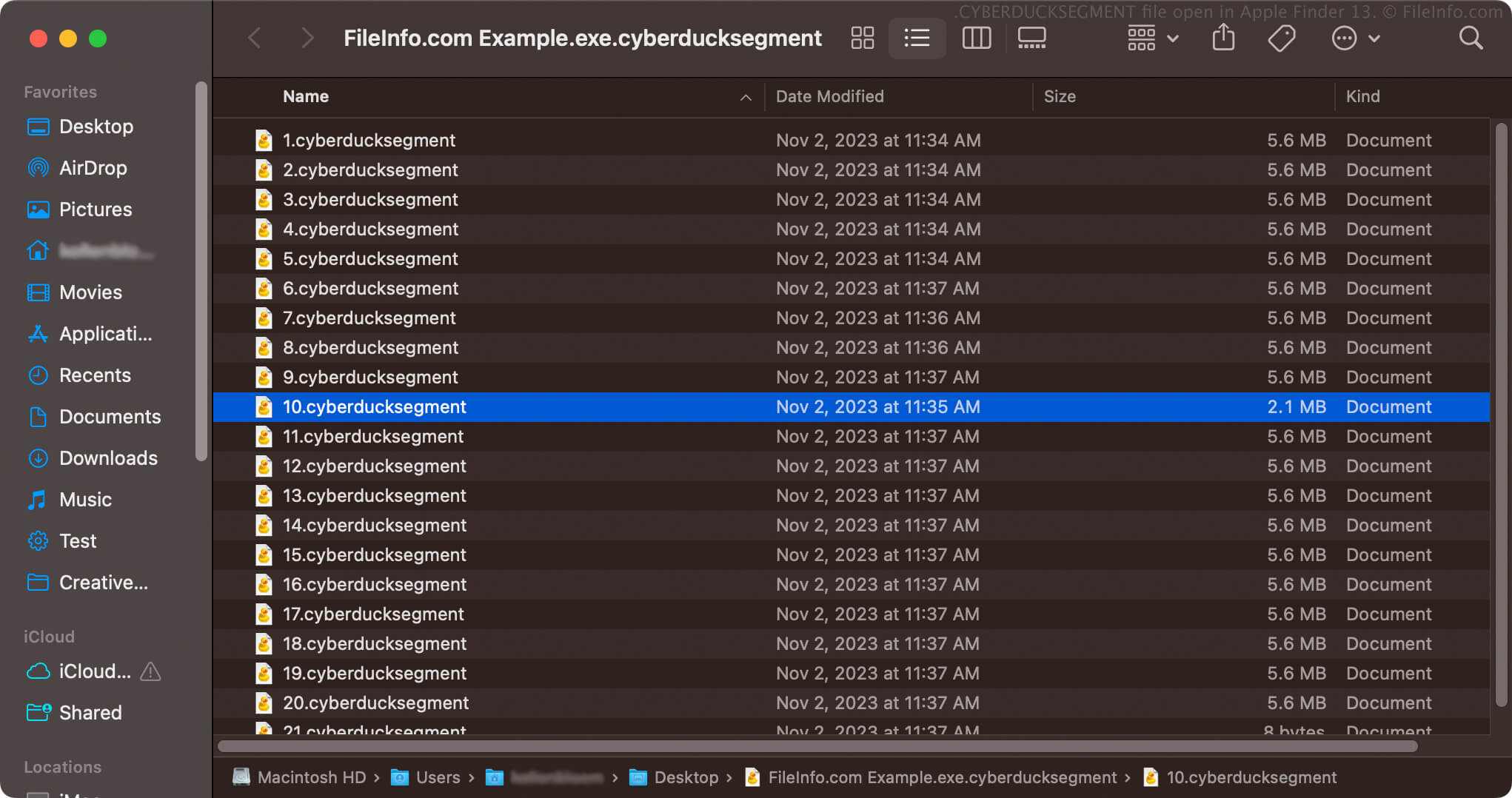
환경 설정을 활성화하면 Cyberduck은 100 MB보다 큰 파일을 .cyberducksegment 파일 확장자를 가진 번호가 매겨진 여러 파일을 저장하는 단일 CYBERDUCKSEGMENT 아카이브로 다운로드합니다. 예를 들어 example.exe라는 이름의 .EXE 파일을 다운로드하면 CYBERDUCKSEGMENT 아카이브 이름은 example.exe.cyberducksegment이 되며, 이 아카이브에는 번호가 매겨진 여러 CYBERDUCKSEGMENT 파일(예: 1.cyberducksegment, 2.cyberducksegment 등)이 포함됩니다.
CYBERDUCKSEGMENT 파일을 여는 방법
CYBERDUCKSEGMENT 파일을 열려고 해서는 안 됩니다. Cyberduck은 모든 세그먼트를 완전히 다운로드하면 파일을 자동으로 병합합니다. 파일을 결합하면 Cyberduck을 통해 다운로드한 하나의 파일이 됩니다. 그런 다음 적절한 방법으로 파일을 열 수 있습니다.
Cyberduck이 파일의 모든 부분을 다운로드하지 못하면 파일을 올바르게 열 수 없습니다. Cyberduck이 CYBERDUCKSEGMENT 파일을 적절한 파일로 병합할 수 있도록 파일을 다시 다운로드하거나 다운로드를 재개하여 다운로드를 완료해야 합니다.
CYBERDUCKSEGMENT 파일을 열려고 해서는 안 되지만, CYBERDUCKSEGMENT 아카이브를 열어 그 안에 저장된 번호가 매겨진 CYBERDUCKSEGMENT 파일을 확인할 수는 있습니다. 예를 들어 macOS에서는 CYBERDUCKSEGMENT 아카이브를 마우스 오른쪽 버튼으로 클릭하고 를 선택하여 포함된 세그먼트 파일을 확인할 수 있습니다.