.CYG 파일 확장자

Home Design Object

개발사 Ashampoo
인기도
2.0  |  1 투표
 

CYG 파일이란 무엇인가요?

A CYG file is an object used in an Ashampoo home design project (.CYP file). It contains both a 3D and 2D representation of a door, window, appliance, column, or other home-related item. A default set of CYG files are included with the installation of Ashampoo 3D CAD Architecture, 3D CAD Professional, and Home Design.

추가 정보

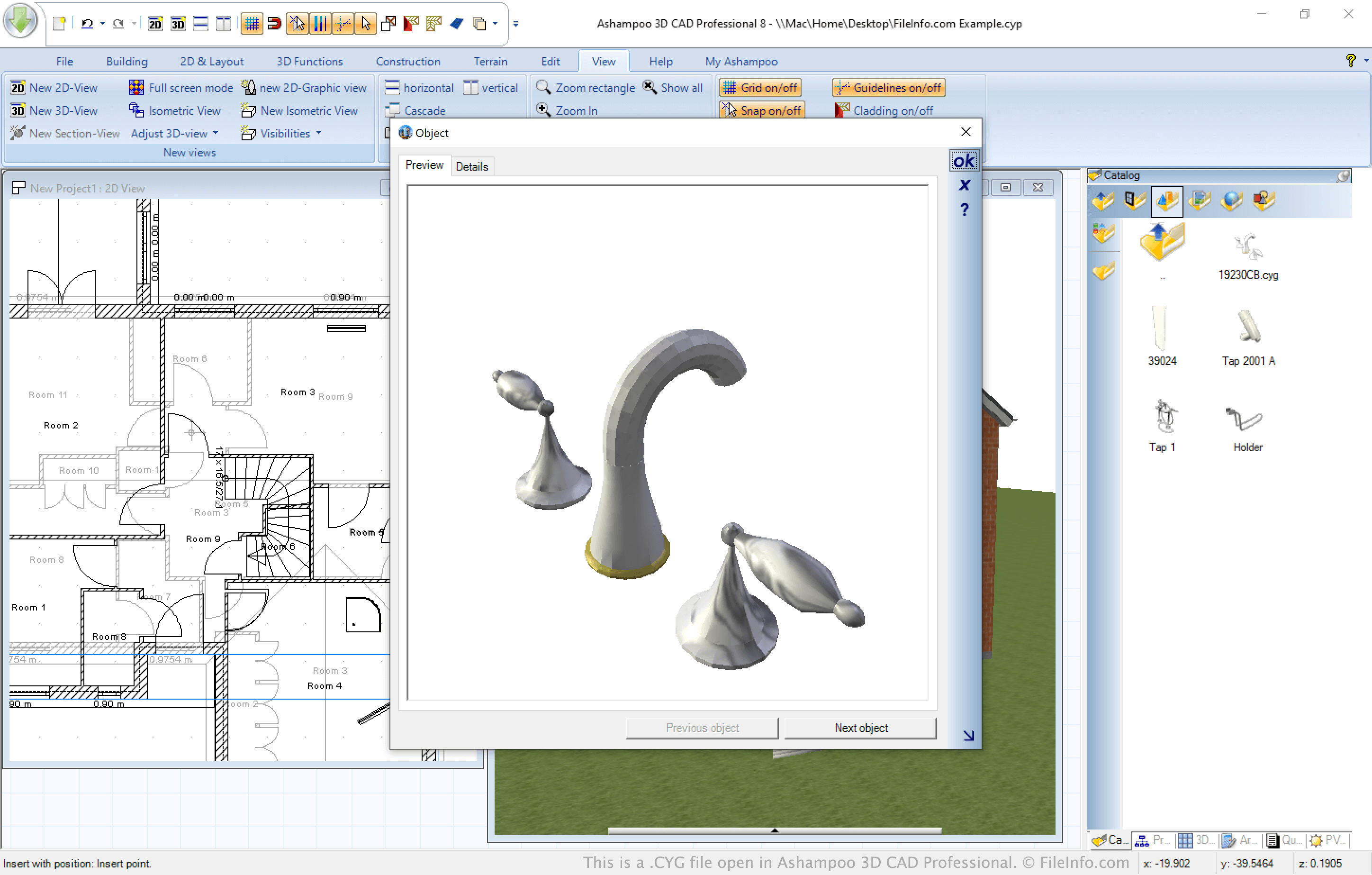
Ashampoo 3D CAD Professional에서 열린 .cyg 파일의 스크린샷
Ashampoo 3D CAD Professional에서 열린 CYG 파일

Ashampoo offers several CAD applications that allow users to design homes, add-ons, and remodels. All of these applications save home designs in the CYP format and allow users to add CYG format objects.

In Ashampoo's CAD applications, CYG files appear primarily as 3D objects that can be selected from the programs' Catalog. However, the files contain both a 2D and 3D representation of an object, and they can be added to either a design's 2D or 3D view. As you add an object to one view, it is simultaneously added to the other.

참고: In Ashampoo CAD programs' Catalog, you can double-click a CYG object to view it at a larger size.

CYG 파일을 여는 방법

You can open a CYG file in Ashampoo 3D CAD Architecture, 3D CAD Professional, or Home Design (Windows). To do so, select the Catalog tab located near the programs' lower right-hand corner and then select the Open file... folder icon. The Open Object file window will appear, allowing you to navigate to and import your CYG file.

File Viewer Plus(으)로 400개 이상의 파일 형식을 여세요.무료 다운로드

CYG 파일을 여는 프로그램

Windows
무료 체험판
카테고리: CAD
업데이트: 2021-06-08

검증자 FileInfo.com

FileInfo.com 팀 이 페이지에 나열된 Home Design Object 파일 형식과 Windows 앱을 독자적으로 조사했습니다. 저희의 목표는 100% 정확성이며, 검증한 파일 유형에 대한 정보만 게시합니다.

이 페이지에 추가하거나 업데이트할 내용을 제안하고 싶으시면 알려 주세요.