

.CYG Extensão de arquivo
Objeto de projeto residencial
| Desenvolvedor | Ashampoo |
| Popularidade |
2,0 | 1 Voto |
O que é um arquivo CYG?
Um arquivo CYG é um objeto usado em um projeto de design residencial do Ashampoo (arquivo .CYP). Ele contém uma representação 3D e 2D de uma porta, janela, eletrodoméstico, coluna ou outro item relacionado à casa. Um conjunto padrão de arquivos CYG é incluído na instalação do Ashampoo 3D CAD Architecture, 3D CAD Professional e Home Design.
Mais informações
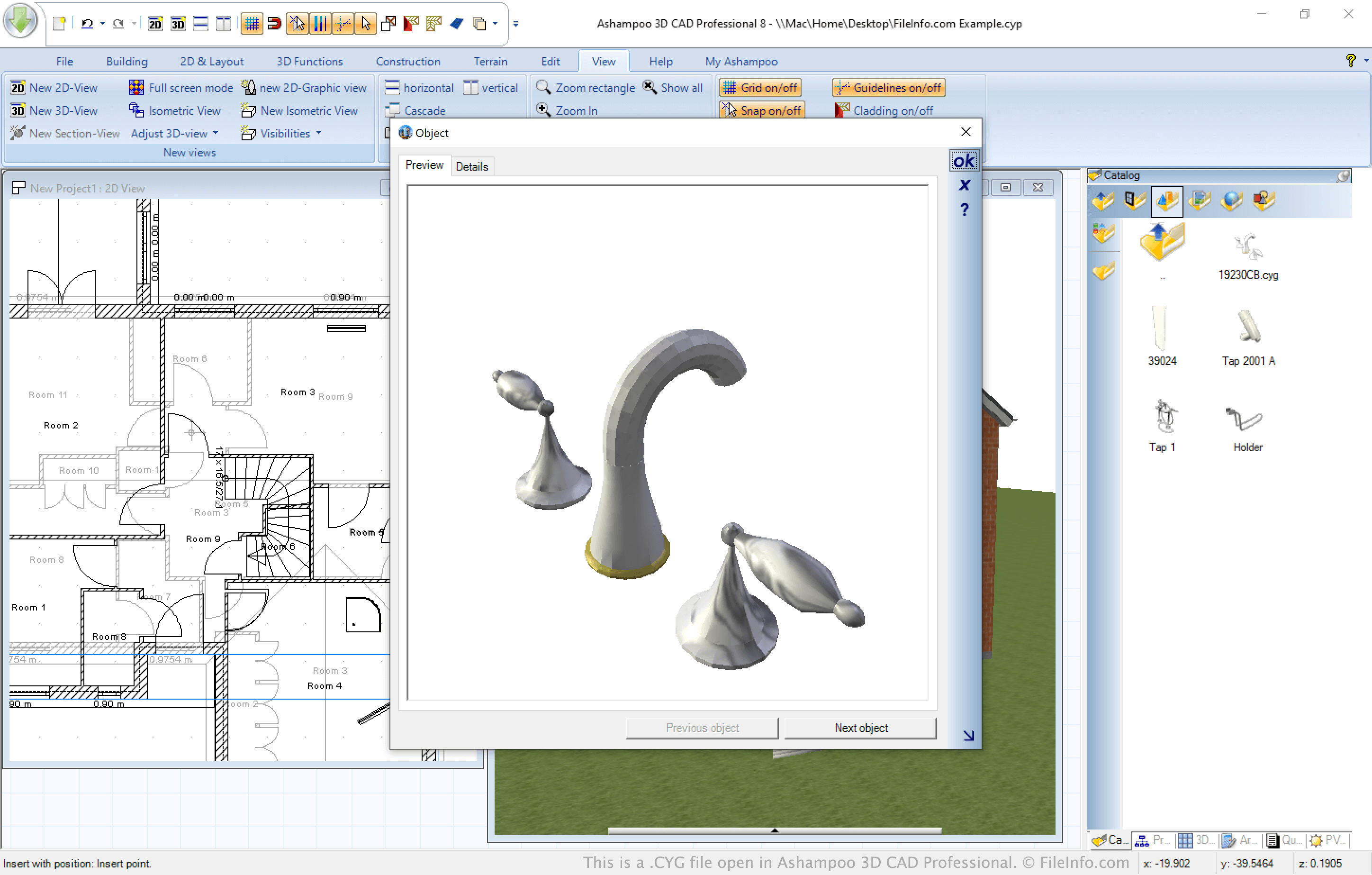
A Ashampoo oferece vários aplicativos CAD que permitem aos usuários projetar casas, adicionar extensões e fazer reformas. Todos esses aplicativos salvam os projetos residenciais no formato CYP e permitem que os usuários adicionem objetos no formato CYG.
Nos aplicativos CAD da Ashampoo, os arquivos CYG aparecem principalmente como objetos 3D que podem ser selecionados no Catálogo dos programas. No entanto, os arquivos contêm uma representação 2D e 3D de um objeto e podem ser adicionados à visualização 2D ou 3D de um projeto. Quando você adiciona um objeto a uma visualização, ele é adicionado simultaneamente à outra.
NOTA: No Catálogo dos programas CAD da Ashampoo, você pode clicar duas vezes em um objeto CYG para visualizá-lo em um tamanho maior.
Como abrir um arquivo CYG
Você pode abrir um arquivo CYG no Ashampoo 3D CAD Architecture, 3D CAD Professional ou Home Design (Windows). Para fazer isso, selecione a guia Catálogo, localizada próxima ao canto inferior direito dos programas, e selecione o ícone de pasta . A janela de arquivo Open Object aparecerá, permitindo que você navegue até o arquivo CYG e o importe.