.CYBERDUCKSEGMENT 文件扩展名

Cyberduck Download Segment

开发者 Cyberduck
受欢迎程度
2.0  |  1 
 

什么是 CYBERDUCKSEGMENT 文件?

A CYBERDUCKSEGMENT file contains a segment of a file downloaded by Cyberduck, an open-source FTP and SFTP client. Cyberduck generates CYBERDUCKSEGMENT files when downloading files larger than 100 MB (if the "Segmented downloads with multiple connections per file" preference in Cyberduck is enabled). The client downloads the segments over multiple connections to increase download speed and then merges them automatically after completely downloading all parts of the download.

更多信息

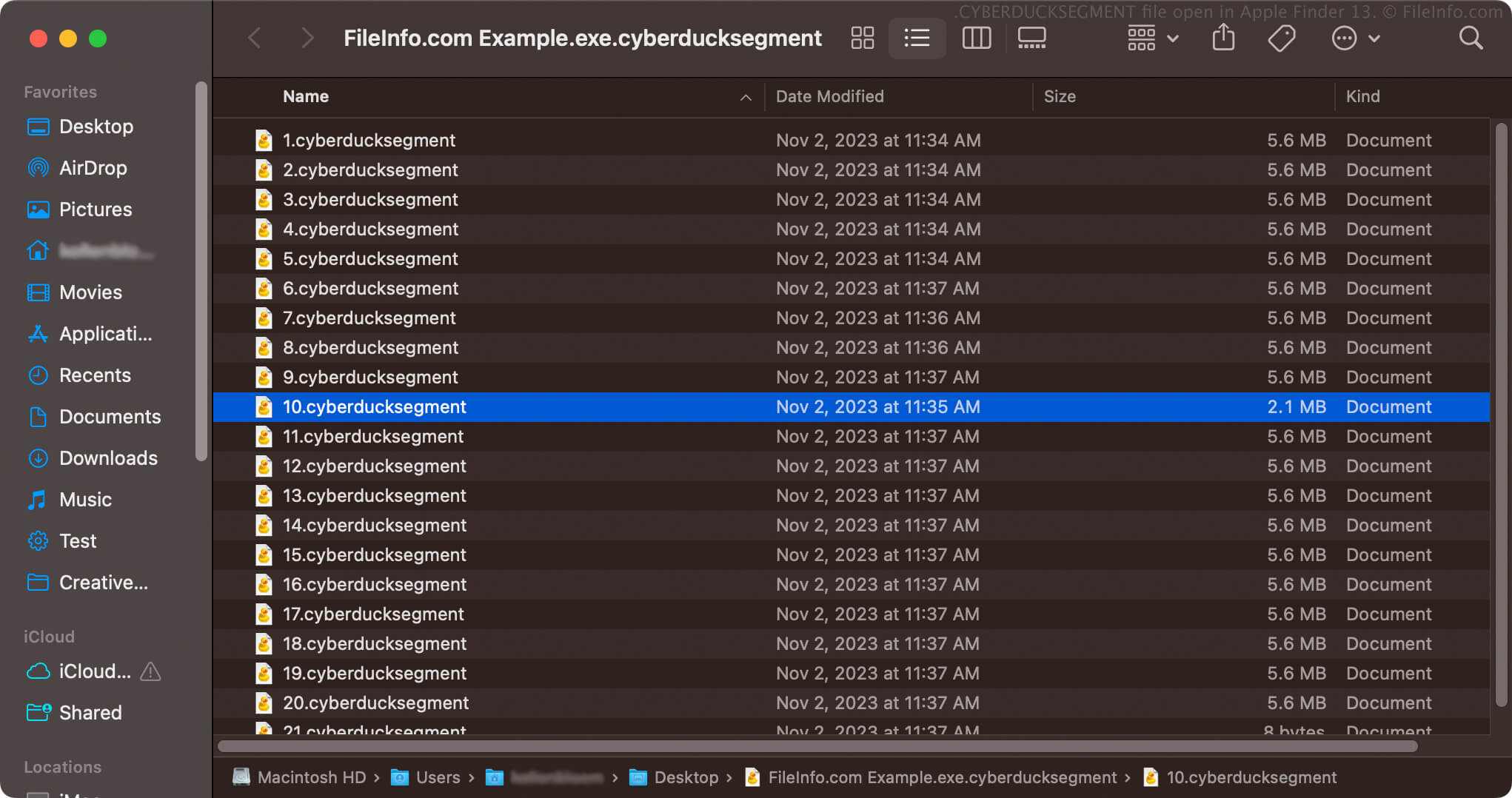
在 Apple Finder 13 中打开的 .cyberducksegment 文件截图
在 Apple Finder 13 中打开的 CYBERDUCKSEGMENT 文件

The Cyberduck client is available for Windows and macOS. In addition to FTP and SFTP, it also supports WebDAV and cloud storage services, such as Google Drive, OneDrive, Dropbox, and Backblaze B2.

To enable Cyberduck to download files over 100 MB faster (as CYBERDUCKSEGMENT files), you must enable the "Segmented downloads with multiple connections per file" preference. Instructions for doing so:

  1. Select Cyberduck → Preferences (Settings... in macOS).
  2. Click Transfers.
  3. Select General, and then enable the "Segmented downloads with multiple connections per file" checkbox in the "Downloads" section.

After enabling the preference, Cyberduck downloads files larger than 100 MB as single CYBERDUCKSEGMENT archives that store multiple, numbered files with .cyberducksegment file extensions. For example, if you download an .EXE file named example.exe, the CYBERDUCKSEGMENT archive name will be example.exe.cyberducksegment and it will contain multiple, numbered CYBERDUCKSEGMENT files (e.g., 1.cyberducksegment, 2.cyberducksegment, and so on).

如何打开 CYBERDUCKSEGMENT 文件

You should not attempt to open CYBERDUCKSEGMENT files. Cyberduck automatically merges the files once it completely downloads all segments. After combining them, the files become the singular file you downloaded via Cyberduck. You can then open the file in the appropriate manner.

If Cyberduck is unable to download all parts of the file, you will not be able to correctly open the file. You must redownload or resume downloading the file to complete the download so Cyberduck can merge the CYBERDUCKSEGMENT files into the appropriate file.

While you should not attempt to open CYBERDUCKSEGMENT files, you can open a CYBERDUCKSEGMENT archive to view the numbered CYBERDUCKSEGMENT files it stores. For example, you can right-click a CYBERDUCKSEGMENT archive and select Show Package Contents in macOS to view the segmented files it contains.

使用File Viewer Plus打开 400 多种文件格式。免费下载

可打开 CYBERDUCKSEGMENT 文件的程序

Windows
免费
Mac
免费
分类: 杂项
更新时间: 2024-02-08

验证者 FileInfo.com

FileInfo.com 团队 独立研究了本页面列出的 Cyberduck Download Segment 文件格式和 Mac and Windows 应用。 我们的目标是达到 100% 的准确率,并且仅发布我们已验证过的文件类型信息。

如果您想为此页面提出新增或更新建议,请告诉我们