

.CYBERDUCKSEGMENT ファイル拡張子
Cyberduckダウンロードセグメント
| 開発元 | Cyberduck |
| 人気度 |
2.0 | 1 票 |
CYBERDUCKSEGMENTファイルとは?
CYBERDUCKSEGMENTファイルには、オープンソースのFTPおよびSFTPクライアントであるCyberduckによってダウンロードされたファイルのセグメントが含まれています。Cyberduckは、100MBを超えるファイルをダウンロードするとき(Cyberduckで「Segmented downloads with multiple connections per file」設定が有効になっている場合)、CYBERDUCKSEGMENTファイルを生成します。クライアントは、ダウンロード速度を上げるために複数の接続を通じてセグメントをダウンロードし、ダウンロードのすべての部分を完全にダウンロードすると、それらを自動的に結合します。
詳細情報
CyberduckクライアントはWindowsおよびmacOSで利用できます。FTPとSFTPに加えて、WebDAVや、Google Drive、OneDrive、Dropbox、Backblaze B2などのクラウドストレージサービスもサポートしています。
Cyberduckで100MBを超えるファイルを(CYBERDUCKSEGMENTファイルとして)より速くダウンロードできるようにするには、「Segmented downloads with multiple connections per file」設定を有効にする必要があります。手順は次のとおりです。
- (macOSでは)を選択します。
- をクリックします。
- を選択し、「Downloads」セクションにある「Segmented downloads with multiple connections per file」チェックボックスを有効にします。
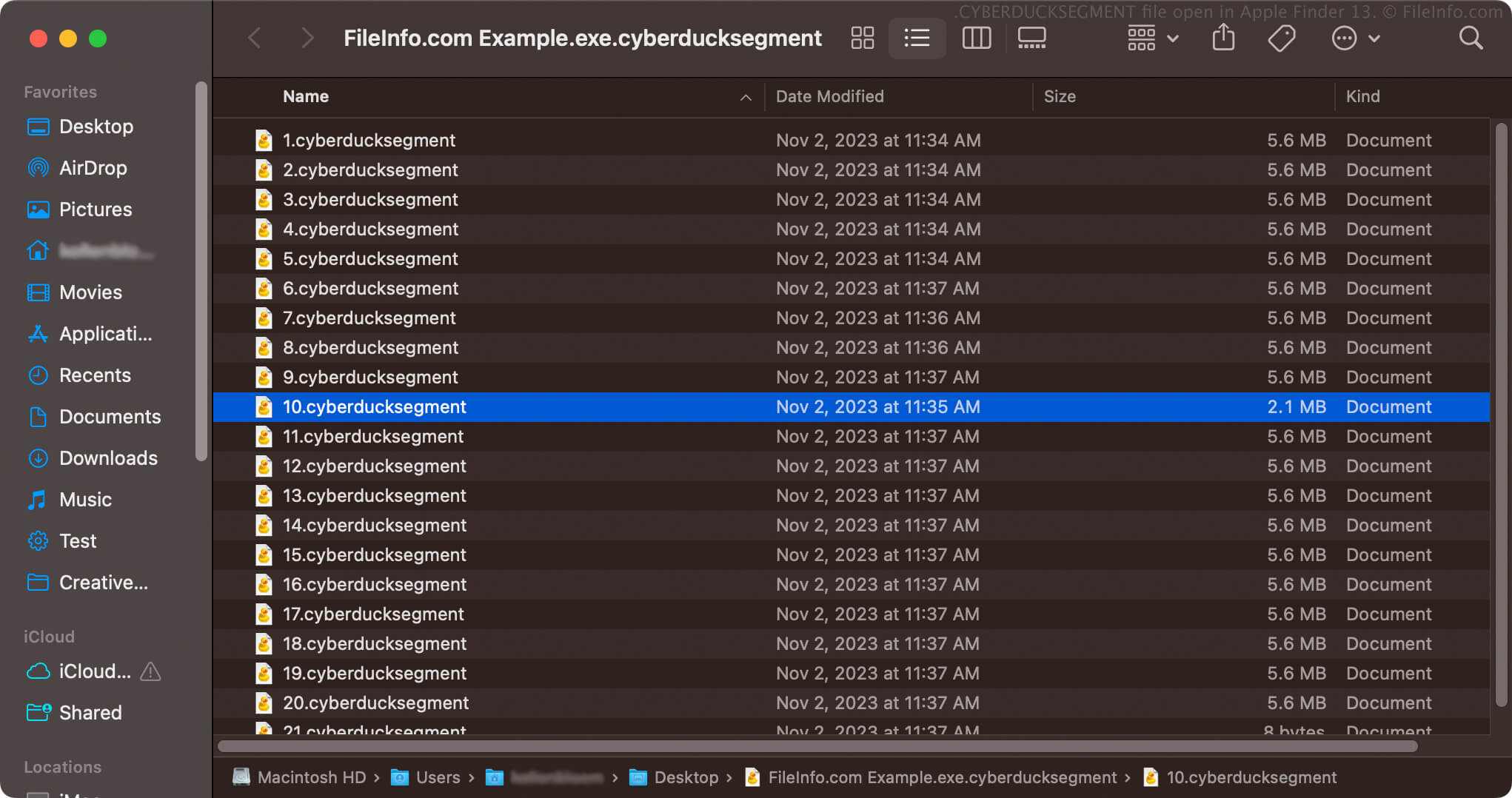
設定を有効にすると、Cyberduckは100MBを超えるファイルを、.cyberducksegmentファイル拡張子を持つ複数の番号付きファイルを格納した、単一のCYBERDUCKSEGMENTアーカイブとしてダウンロードします。たとえば、example.exeという名前の.EXEファイルをダウンロードすると、CYBERDUCKSEGMENTアーカイブの名前はexample.exe.cyberducksegmentになり、複数の番号付きCYBERDUCKSEGMENTファイル(例:1.cyberducksegment、2.cyberducksegmentなど)が含まれます。
CYBERDUCKSEGMENTファイルの開き方
CYBERDUCKSEGMENTファイルを開こうとしないでください。Cyberduckは、すべてのセグメントを完全にダウンロードすると、ファイルを自動的に結合します。結合後、ファイルはCyberduckでダウンロードした1つのファイルになります。その後、適切な方法でファイルを開くことができます。
Cyberduckがファイルのすべての部分をダウンロードできない場合、ファイルを正しく開くことはできません。ダウンロードを完了してCyberduckがCYBERDUCKSEGMENTファイルを適切なファイルに結合できるようにするには、ファイルを再ダウンロードするか、ダウンロードを再開する必要があります。
CYBERDUCKSEGMENTファイルを開こうとするべきではありませんが、CYBERDUCKSEGMENTアーカイブを開いて、そこに格納されている番号付きのCYBERDUCKSEGMENTファイルを確認することはできます。たとえば、macOSではCYBERDUCKSEGMENTアーカイブを右クリックし、を選択すると、そこに含まれるセグメント化されたファイルを確認できます。