

.CAMTHEME 파일 확장자
Camtasia 테마 파일
| 개발사 | TechSmith |
| 인기도 |
3.5 | 2 표 |
CAMTHEME 파일이란 무엇인가요?
CAMTHEME 파일에는 화면 녹화 및 동영상 편집 애플리케이션인 TechSmith Camtasia로 만든 동영상의 모양을 변경하는 테마 사전 설정이 포함되어 있습니다. 여기에는 글꼴, 색상, 로고 등 테마를 구성하는 설정이 저장됩니다. Camtasia 사용자는 비슷한 모양을 유지하기 위해 CAMTHEME 파일을 내보내고 가져와 테마를 공유하고 동영상에 적용합니다.
추가 정보
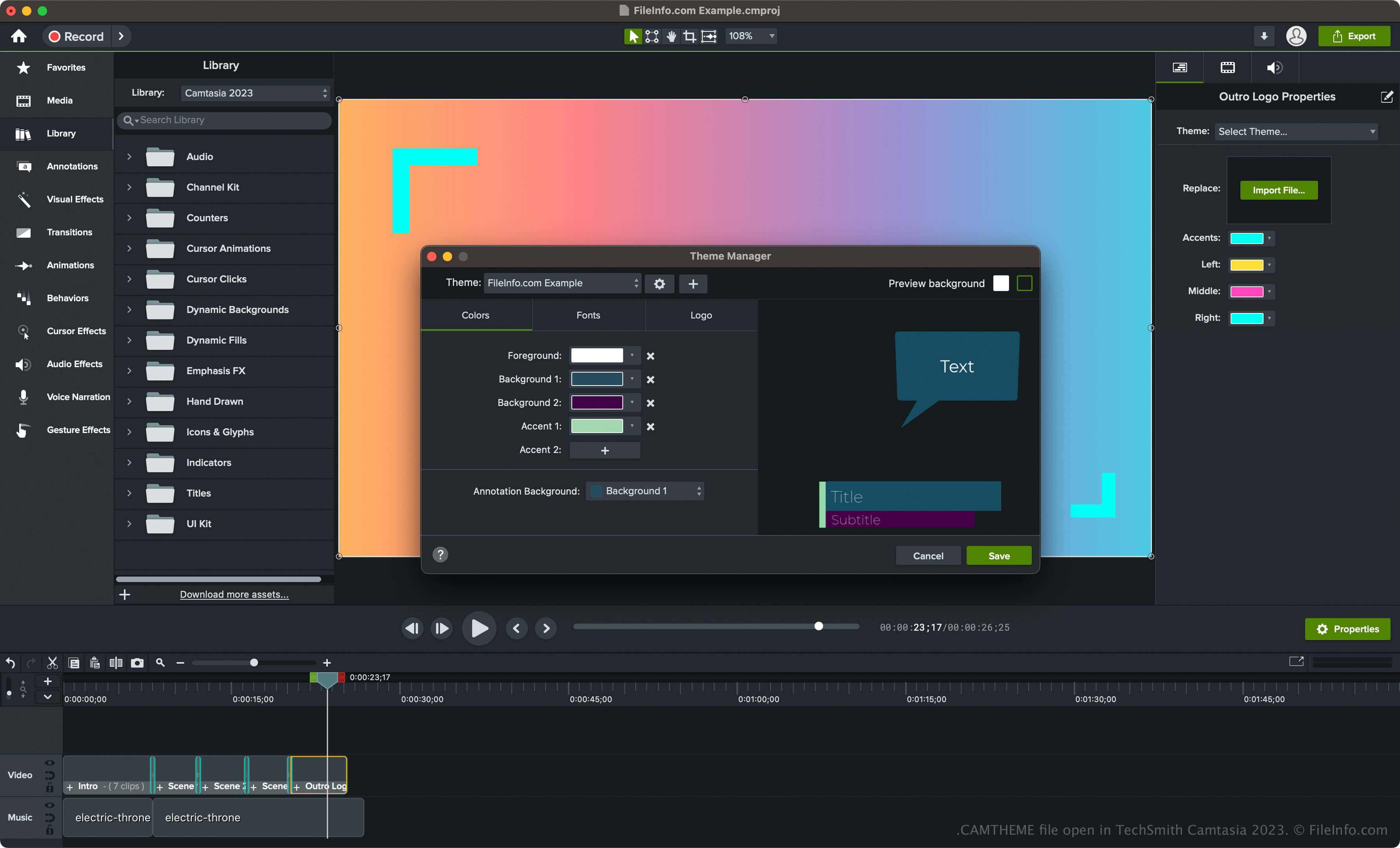
Camtasia는 사용 방법 안내, 화상 회의, 소프트웨어 시연 또는 온라인 게임 세션과 같은 화면 활동을 캡처하는 데 사용하는 Windows 및 macOS용 애플리케이션입니다. 또한 이 소프트웨어에는 동영상 테마를 포함하여 동영상을 사용자 지정할 수 있는 다양한 도구가 제공됩니다.
Camtasia에서 테마를 만들고 CAMTHEME 파일로 저장하려면 다음 단계를 따르세요:
- Windows에서는 를 선택하고 macOS에서는 를 선택합니다.
- "Create New Theme"(더하기 아이콘) 버튼을 클릭하고 테마 이름을 입력한 다음 를 클릭합니다.
- 색상, 글꼴 및 아이콘을 설정한 다음 를 클릭합니다.
CAMTHEME 파일을 여는 방법
CAMTHEME 파일은 TechSmith Camtasia에서만 열 수 있습니다. CAMTHEME 파일을 열려면 다음 단계를 따르세요:
- 타임라인에서 요소를 선택합니다.
- 를 클릭하여 속성 패널을 엽니다.
- "Theme" 드롭다운 메뉴에서 테마를 선택하여 동영상 요소에 적용합니다.
참고: CAMTHEME 파일을 두 번 클릭하여 Camtasia에서 열고 테마를 적용할 수도 있습니다.
CAMTHEME 파일을 여는 프로그램
Windows
무료 체험판
Mac
무료 체험판