

.CAMTHEME Extension de fichier
Fichier de thème Camtasia
| Développeur | TechSmith |
| Popularité |
3,5 | 2 Votes |
Qu'est-ce qu'un fichier CAMTHEME ?
Un fichier CAMTHEME contient des préréglages de thème qui modifient l’apparence des vidéos créées avec TechSmith Camtasia, une application d’enregistrement d’écran et de montage vidéo. Il stocke les paramètres qui composent un thème, notamment les polices, les couleurs et un logo. Les utilisateurs de Camtasia exportent et importent des fichiers CAMTHEME pour partager et appliquer des thèmes aux vidéos afin de conserver une apparence similaire.
Plus d'informations
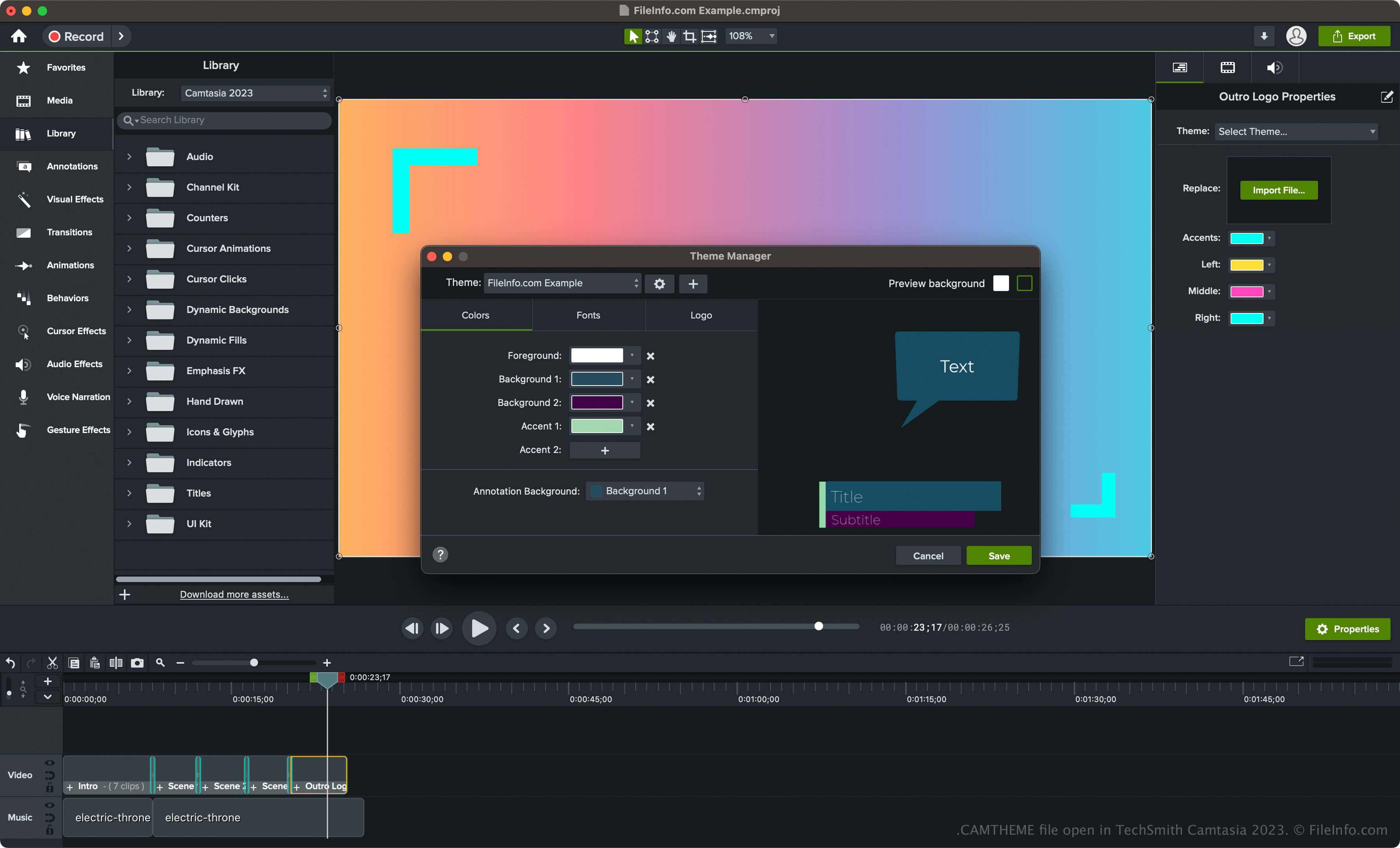
Camtasia est une application pour Windows et macOS utilisée pour capturer l’activité à l’écran, comme un tutoriel pratique, une visioconférence, une démonstration de logiciel ou une session de jeu en ligne. De plus, le logiciel comprend divers outils pour personnaliser vos vidéos, notamment des thèmes vidéo.
Pour créer un thème avec Camtasia et l’enregistrer dans un fichier CAMTHEME, suivez les étapes suivantes :
- Sélectionnez dans Windows ou dans macOS.
- Cliquez sur le bouton « Create New Theme » (icône +), donnez un nom au thème, puis cliquez sur .
- Définissez les couleurs, les polices et l’icône, puis cliquez sur .
Comment ouvrir un fichier CAMTHEME
Vous pouvez ouvrir les fichiers CAMTHEME uniquement avec TechSmith Camtasia. Pour ouvrir un fichier CAMTHEME, suivez les étapes suivantes :
- Sélectionnez un élément dans la chronologie.
- Cliquez sur pour ouvrir le panneau Properties.
- Choisissez le thème dans le menu déroulant « Theme » pour l’appliquer à l’élément vidéo.
REMARQUE : Vous pouvez également double-cliquer sur le fichier CAMTHEME pour l’ouvrir dans Camtasia et appliquer le thème.