.BIP 파일 확장자
Character Studio Biped File
| 개발사 | 해당 없음 |
| 인기도 |
4.0 | 20 투표 |
BIP 파일이란 무엇인가요?
Motion capture file created with Character Studio; records the motion of a biped (typically a human) and saves individual frames to a file; allows human motion to be accurately reproduced in video games, movies, and other media where special effects are used.
BIP 파일을 여는 프로그램
Dharma Ransomware Encrypted File
| 개발사 | N/A |
| 인기도 |
3.0 | 2 투표 |
A BIP file is a file encrypted by a virus variant of Dharma ransomware utilized by cybercriminals. It contains a file, such as a .JPG or .MP3 file, encrypted with Advanced Encryption Standard (AES) encryption by the virus. BIP files are similar to .WALLET files but became prevalent in May 2018.
추가 정보
The purpose of Dharma ransomware is to take your files hostage and force you to pay the perpetrator, typically through bitcoin, to unlock your files. Once the virus infiltrates your computer, often via email attachment from an unknown sender, it begins scrambling your files, renaming them, and encrypting them. The virus then generates a .TXT ransom note (FILES ENCRYPTED.txt) informing you of the takeover and what you need to do to recover your files.
The virus renames your files using the following naming convention:
[filename].id-[ID].[[email protected]].bip
For example, if you have a sample.xlsx file it becomes [email protected] file.
BIP 파일을 여는 방법
No known program can restore BIP files to their original state. The best way to recover your files is to retrieve them from a recent backup or perform a System Restore to a point before your computer was infected.
경고
FileInfo.com recommends you never pay a ransom to decrypt files encrypted by ransomware. Paying a ransom encourages ransomware distributors to continue their efforts, and there is no guarantee that paying a ransom will give you access to your files. Instead, you should restore your data from a recent backup created before the ransomware infected your computer.
BIP 파일을 여는 프로그램
KeyShot 3D File
| 개발사 | KeyShot |
| 인기도 |
3.0 | 1 투표 |
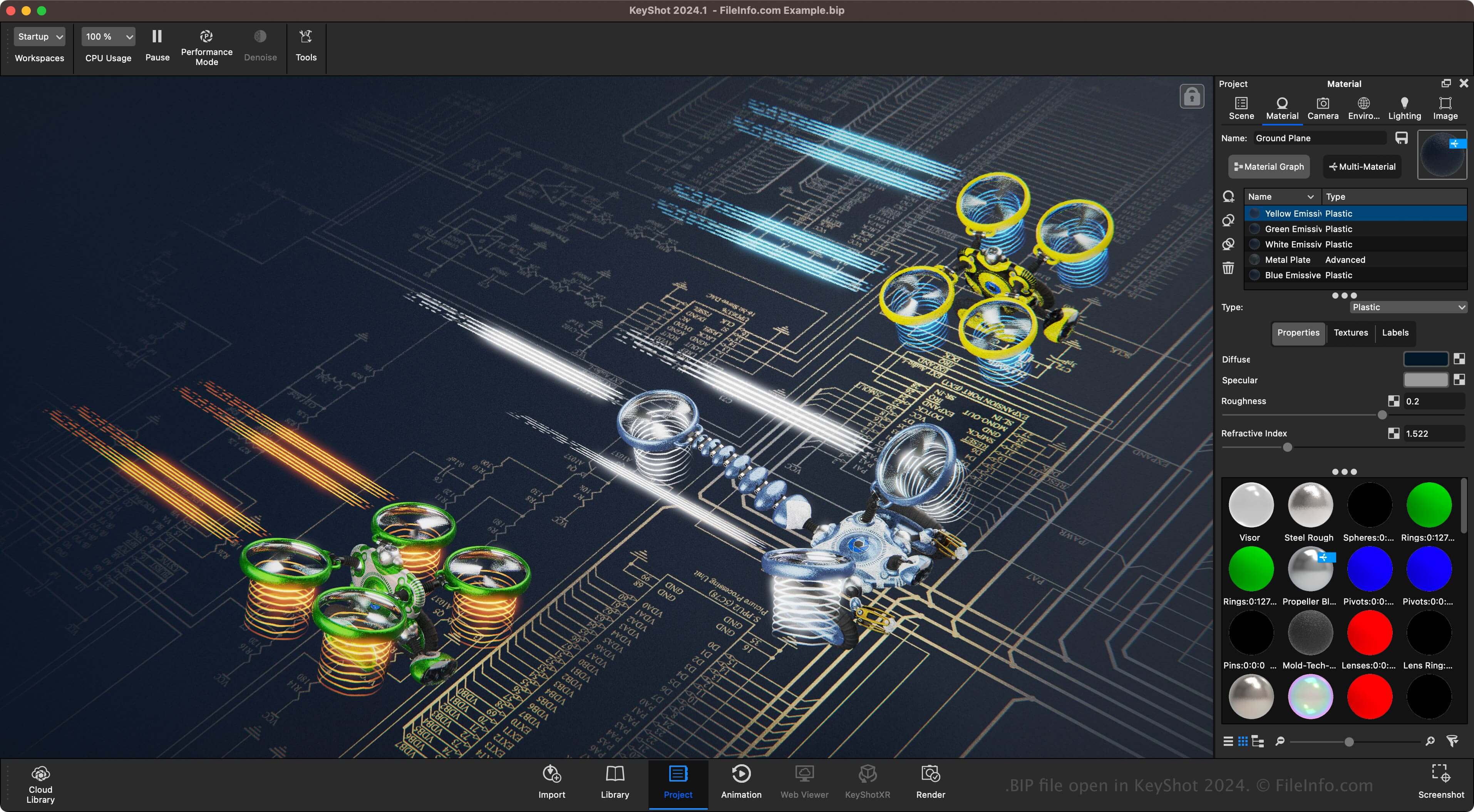
A BIP file is a 3D model or scene created by KeyShot, a 3D rendering and animation software. It contains information about the scene or model, including scene items, materials, camera angles, and lighting presets. BIP files are the primary format associated with KeyShot, allowing users to save and re-open the files to continue modifying the model or scene before exporting it.
추가 정보
KeyShot is software that specializes in rendering 3D models and scenes. 3D artists for various companies, including Under Armour, Sonos, Caterpillar, GE Healthcare, and Motorola, use the software.
For example, a 3D designer for Under Armour may use KeyShot to create a scene showcasing athletic wear on the field of a stadium. Another example is a 3D designer using KeyShot to create a farm scene showcasing equipment manufactured by Caterpillar.
BIP 파일을 여는 방법
You can open BIP files with KeyShot in Windows and macOS. To open a BIP file, select File → Open.
BIP 파일을 변환하는 방법
Keyshot can convert BIP files to various file types, including the following formats: