.RGB ファイル拡張子

2個のファイルタイプ.rgb拡張子を使用しています。

RGB Bitmap

開発元 Silicon Graphics
人気度
3.0  |  27 
 
🔍.RGBファイルFile Helperでウェブブラウザから直接開けます。オンラインで表示

RGBファイルとは?

An RGB file is a color bitmap image, saved in a file format created by Silicon Graphics (SGI). It contains binary data used to show an image using the RGB color model. RGB files are similar to .SGI files.

詳細情報

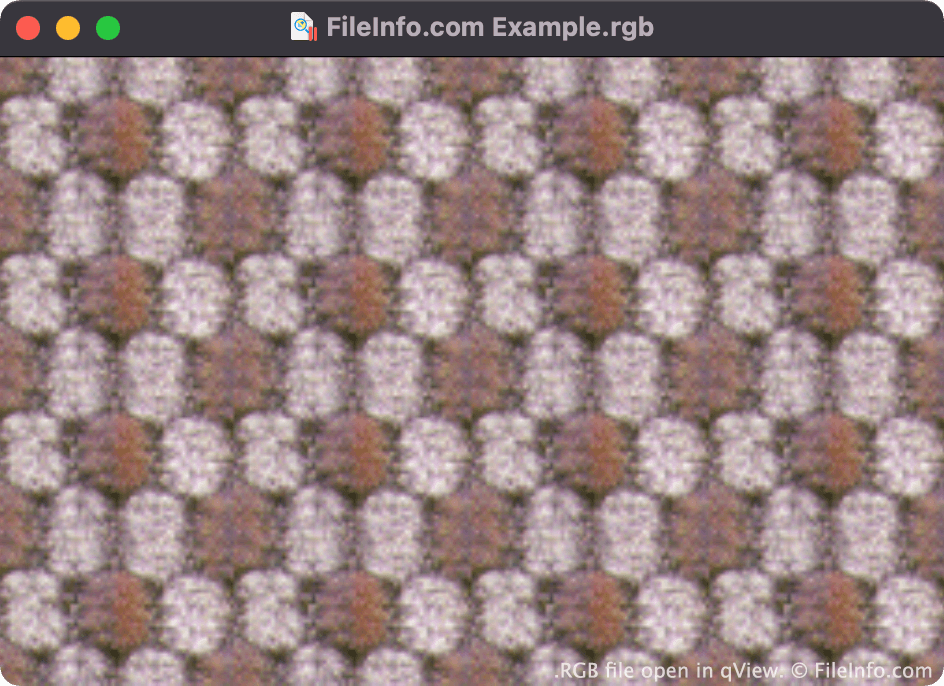
qViewで開いた.rgbファイルのスクリーンショット
qViewで開いたRGBファイル

Paul Haeberli invented the RGB format in 1995. It was used primarily to save raster images for display on Silicon Graphics workstations.

Both RGB and SGI files contain images comprised of three color channels (red, green, and blue). The similar .RGBA format contains images comprised of three color channels and an alpha channel, which stores transparency information.

RGBファイルの開き方

You can open an RGB file in many image viewers and editors, including File Viewer Plus (Windows), Apple Preview (Mac), XnViewMP (Windows, Mac), and qView (multiplatform).

RGBファイルの変換方法

Most image viewers and editors that can open RGB files can convert them to other image formats. For example, XnViewMP can convert RGB files to the following formats (and many others):

  • .JPEG - JPEG Image
  • .GIF - Graphical Interchange Format
  • .PNG - Portable Network Graphic
  • .TIFF - Tagged Image
  • .BMP - Bitmap Image
  • .PCX - Paintbrush Bitmap Image
  • .TGA - Targa Graphic
  • .JP2 - JPEG 2000 Core Image
  • .JXR - JPEG XR Image
  • .WEBP - WebP Image

RGBファイルを開くプログラム

Windows
無料
無料
無料
無料
Mac
OSに同梱
無料
無料
無料
無料
Linux
無料
無料
無料
Web
Android

Q0 Image

開発元 不明
人気度
1.3  |  7 
 

An RGB file is an image saved in the Q0 raster graphic format. Each RGB file is typically paired with an accompanying .FAL file. The FAL file contains header information that image viewers use to open the RGB file.

詳細情報

Some Japanese software programs create and use images saved in the Q0 format. Q0 images are 24-bit Red Green Blue (RGB) bitmap images, whose filenames use the .q0 or .rgb extension.

RGBファイルの開き方

You can open an RGB file with XnViewMP. To do so, open XnViewMP and select File → Open.... Then, navigate to and open your RGB file.

Note that if you do not possess an RGB file's corresponding FAL file, you will not be able to open it.

RGBファイルの変換方法

XnViewMP can convert RGB files to the following image formats (and many others):

  • .JPG - JPEG Image
  • .GIF - Graphical Interchange Format
  • .PNG - Portable Network Graphic
  • .TIFF - Tagged Image File Format
  • .BMP - Bitmap Image
  • .PCX - Paintbrush Bitmap Image
  • .TGA - Targa Graphic
  • .JP2 - JPEG 2000 Core Image
  • .JXR - JPEG XR Image
  • .WEBP - WebP Image

RGBファイルを開くプログラム

Windows
無料
Mac
無料
Linux
無料

検証者 FileInfo.com

FileInfo.comチーム は、このページに掲載されているすべてのファイル形式とソフトウェアについて独自に調査しました。 私たちの目標は100%の正確性であり、検証済みのファイルタイプに関する情報のみを公開しています。

このページへの追加や更新をご提案いただける場合は、お知らせください。