

.PXZ ファイル拡張子
Pixlr圧縮レイヤー画像
| 開発元 | Inmagine |
| 人気度 |
3.1 | 13 票 |
PXZファイルとは?
PXZファイルは、Pixlr X、Pixlr E、またはPixlr Mの画像編集ソフトで作成されるプロジェクトファイルです。これは、Pixlrでレイヤーベースの画像を読み込むために使用されるZip圧縮アーカイブです。PXZファイルは2021年に.PXDファイルに取って代わりました。
詳細情報
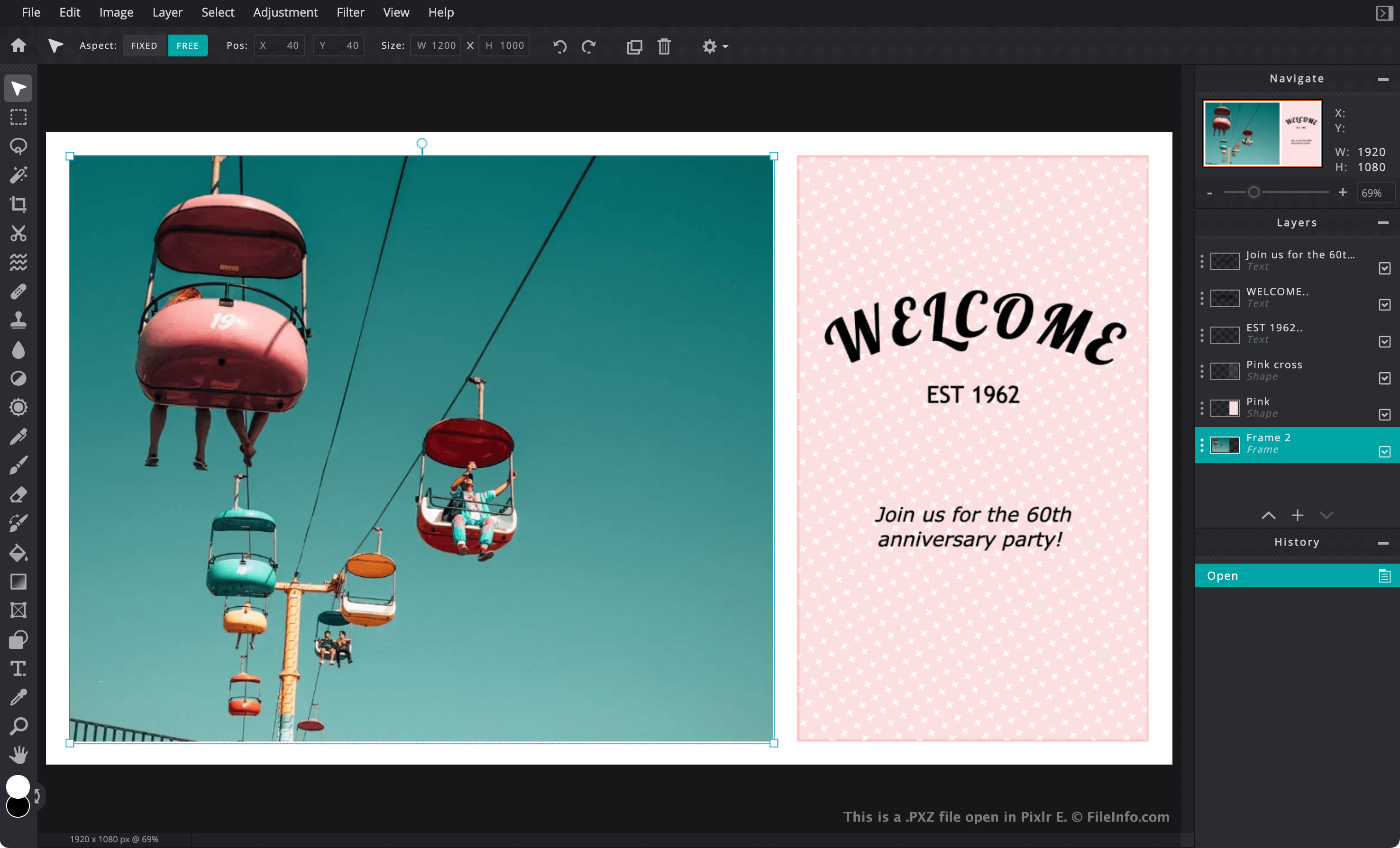
Pixlrは主にWebベースの画像編集アプリケーションスイートで、グラフィックデザイナーや写真家が画像の作成や編集に使用します。PixlrはAdobe Photoshopに似ていますが、PixlrのWeb版はユーザーのWebブラウザー内だけで完全に動作します。
進行中のPixlrプロジェクトをPCやモバイルデバイスに保存したい場合、ユーザーはプロジェクトをPXZファイルとして保存できます。プロジェクトをPXZファイルとして保存すると、テキストの追加、調整、フィルター、マスク、追加画像など、ユーザーが画像に加えたレイヤーベースの編集内容が保持されます。これにより、ユーザーは後でそれらのレイヤーの編集を続けられます。一方、Pixlrプロジェクトを.JPG、.PNG、または.WEBPファイルとして保存すると、画像は単一のレイヤーに統合されます。
各PXZファイルは、Pixlrがレイヤーベースの画像をユーザーに読み込んで表示するために使用するすべてのファイルを含むZipアーカイブです。PXZファイルには通常、次のファイルが含まれています。
- プロジェクトに含まれるすべての画像の.WEBPコピー、およびプロジェクト全体のWEBPプレビューとサムネイル
- プロジェクトの名前、種類、サイズ、レイヤーを記述する.JSONファイル
- プロジェクトで使用するフォントを指定する.WOFFファイル
- プロジェクトに追加された図形を記述する.SVGファイル
2021年初頭まで、Pixlrはレイヤーベースの画像をPXDファイルとして保存していました。Pixlrユーザーは現在もPixlrでPXDファイルを読み込めますが、Pixlrは現在、すべてのレイヤーベースの画像をPXZ形式で保存します。
注: Autodeskは2011年にPixlrを買収し、その後Inmagineが2017年にAutodeskからPixlrを買収しました。
PXZファイルの開き方
PXZファイルは、Pixlr XまたはPixlr E(Web、Windows、Mac)で開くことができます。Pixlr XまたはPixlr EのWeb版でPXZファイルを開くには、次の手順に従います。
- Webブラウザーでhttps://pixlr.comに移動し、Webサイトのメニューバーからまたはを選択します。画像編集の初心者はを、上級者はを選択してください。
- を選択します。
- PXZファイルに移動して開きます。
Windowsでは、Chasys Draw IESでPXZファイルを開くこともできます。
PXZファイルはZip圧縮されているため、Zip解凍ツールで内容を展開できます。Corel WinZip(Windows)、Apple Archive Utility(Mac)、B1 Free Archiverは、PXZファイルを解凍して、含まれているWEBP画像やその他のファイルを抽出するための選択肢です。