

.PIMX ファイル拡張子
Adobeパッケージインストール管理ファイル
| 開発元 | Adobe Systems |
| 人気度 |
3.1 | 12 票 |
PIMXファイルとは?
PIMXファイルは、Adobe Creative CloudまたはAdobe Application Managerのパッケージのインストールを制御するために使用されるパッケージインストール管理ファイルです。Adobeパッケージのインストール先や、パッケージの名前、種類、内容、サイズを指定するXMLが含まれています。また、PIMXファイルには、参照されているパッケージをインストールする権限があることを確認するために使用される検証情報も含まれています。
詳細情報
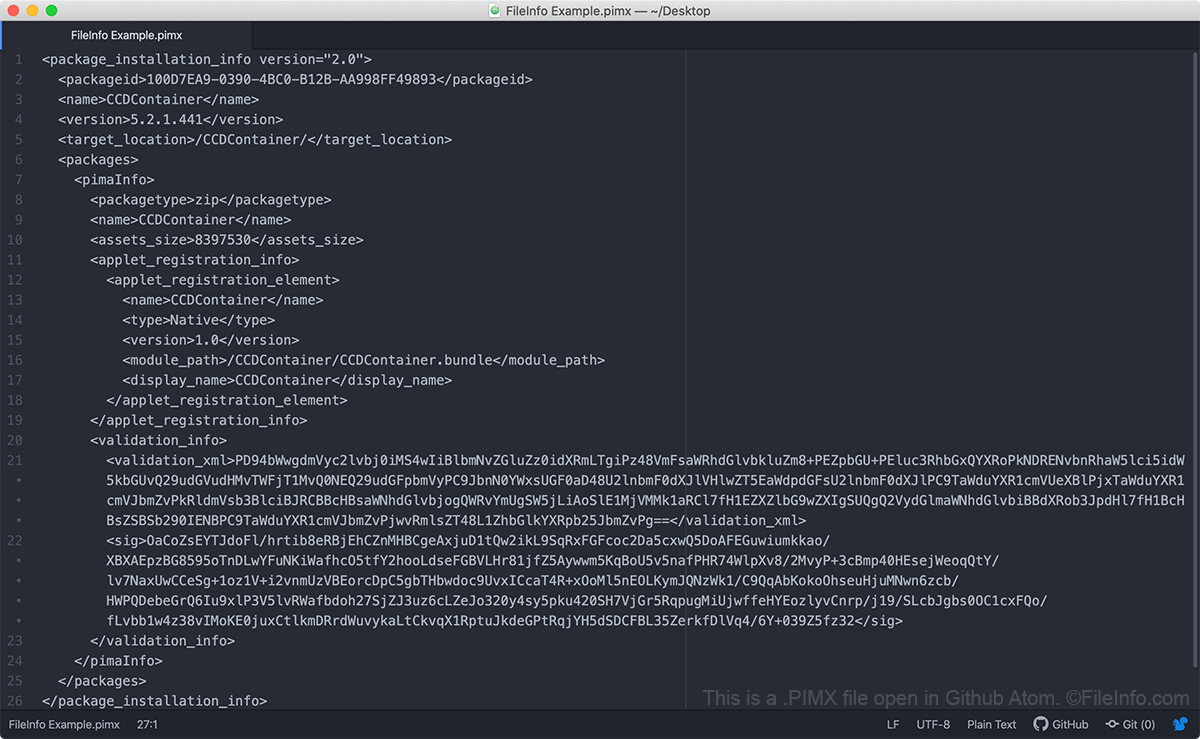
Adobe Creative CloudとAdobe Application Managerは、Adobeパッケージのインストールと更新にPIMXファイルを使用します。これらのパッケージには、Adobeアプリケーション、拡張機能、設定情報、アーカイブ、その他のファイルを含めることができます。PIMXファイル自体にAdobeパッケージが含まれているわけではありません。PIMXファイルには、Adobeのサーバーからパッケージを取得し、そのパッケージをコンピューターに正しくインストールするために使用されるメタデータが含まれています。
PIMXファイルがない場合や、無効なPIMXファイルを所持している場合、コンピューターでAdobeアプリケーションをインストールまたは更新できないことがあります。その場合は、Adobe Creative Cloudをアンインストールし、Creative Cloudのファイルをコンピューターから削除してから、Adobeアプリケーションをインストールまたは更新する前にCreative Cloudを再インストールする必要があります。
PIMXファイルの開き方
プレーンテキストファイルであるため、PIMXファイルは、Notepad ++(Windows)、Apple TextEdit(Mac)、Github Atom(マルチプラットフォーム)などのテキストエディターで開くことができます。ただし、PIMXファイルを編集しないでください。編集すると、Adobeアプリケーションにアクセスできなくなる可能性があります。