

.PIMX Dateiendung
Adobe-Datei zur Verwaltung der Paketinstallation
| Entwickler | Adobe Systems |
| Beliebtheit |
3,1 | 12 Stimmen |
Was ist eine PIMX-Datei?
Eine PIMX-Datei ist eine Datei zur Verwaltung der Paketinstallation, mit der die Installation eines Adobe Creative Cloud- oder Adobe Application Manager-Pakets gesteuert wird. Sie enthält XML, das angibt, wo ein Adobe-Paket installiert werden soll, sowie den Namen, Typ, Inhalt und die Größe des Pakets. PIMX-Dateien enthalten außerdem Validierungsinformationen, mit denen überprüft wird, ob Sie das referenzierte Paket installieren dürfen.
Weitere Informationen
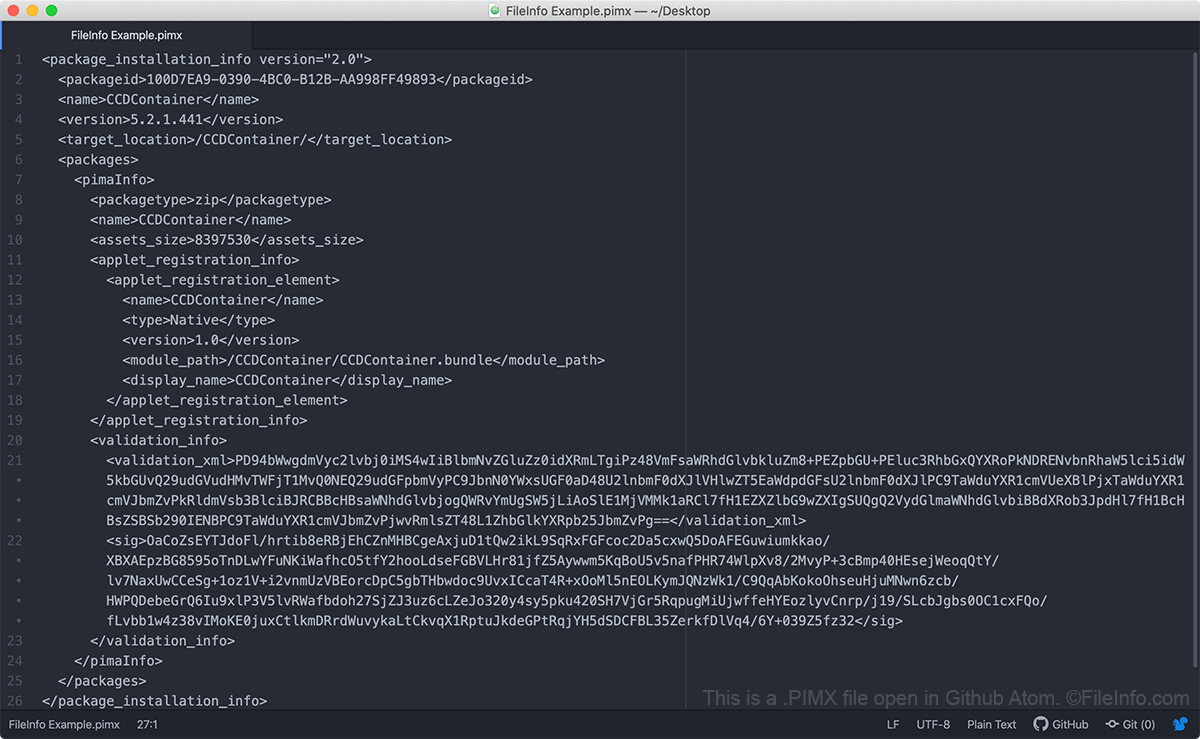
Adobe Creative Cloud und Adobe Application Manager verwenden PIMX-Dateien, um Adobe-Pakete zu installieren und zu aktualisieren. Diese Pakete können Adobe-Anwendungen, Erweiterungen, Konfigurationsinformationen, Archive und andere Dateien enthalten. Die PIMX-Datei selbst enthält kein Adobe-Paket. Stattdessen enthält die PIMX-Datei Metadaten, die dazu verwendet werden, ein Paket von den Servern von Adobe abzurufen und dieses Paket korrekt auf Ihrem Computer zu installieren.
Wenn Ihnen eine PIMX-Datei fehlt oder Sie eine ungültige PIMX-Datei besitzen, kann es zu Problemen bei der Installation oder Aktualisierung von Adobe-Anwendungen auf Ihrem Computer kommen. In diesem Fall müssen Sie möglicherweise Adobe Creative Cloud deinstallieren, Ihren Computer von Creative Cloud-Dateien bereinigen und Creative Cloud anschließend neu installieren, bevor Sie versuchen, Ihre Adobe-Anwendung zu installieren oder zu aktualisieren.
So öffnen Sie eine PIMX-Datei
Da es sich um Klartext-Dateien handelt, können Sie eine PIMX-Datei mit jedem Texteditor öffnen, zum Beispiel mit Notepad ++ (Windows), Apple TextEdit (Mac) oder Github Atom (plattformübergreifend). Sie sollten eine PIMX-Datei jedoch nicht bearbeiten, da dies Ihren Zugriff auf Adobe-Anwendungen beeinträchtigen könnte.