

.PIMX 파일 확장자
Adobe 패키지 설치 관리 파일
| 개발사 | Adobe Systems |
| 인기도 |
3.1 | 12 표 |
PIMX 파일이란 무엇인가요?
PIMX 파일은 Adobe Creative Cloud 또는 Adobe Application Manager 패키지의 설치를 제어하는 데 사용되는 패키지 설치 관리 파일입니다. 이 파일에는 Adobe 패키지를 설치해야 하는 위치와 패키지의 이름, 유형, 내용 및 크기를 지정하는 XML이 포함되어 있습니다. 또한 PIMX 파일에는 참조된 패키지를 설치할 수 있는 권한이 있는지 확인하는 데 사용되는 유효성 검사 정보도 포함되어 있습니다.
추가 정보
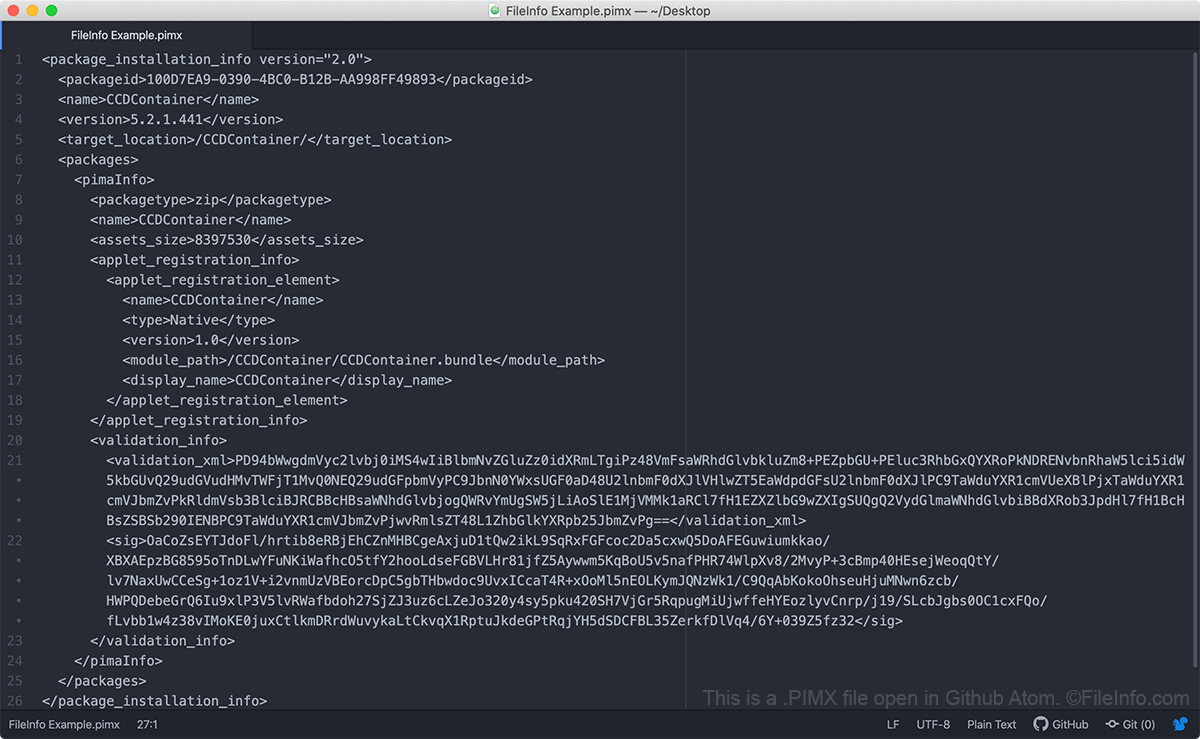
Adobe Creative Cloud와 Adobe Application Manager는 PIMX 파일을 사용하여 Adobe 패키지를 설치하고 업데이트합니다. 이러한 패키지에는 Adobe 애플리케이션, 확장 기능, 구성 정보, 아카이브 및 기타 파일이 포함될 수 있습니다. PIMX 파일 자체에는 Adobe 패키지가 포함되어 있지 않습니다. 대신 PIMX 파일에는 Adobe의 서버에서 패키지를 가져와 컴퓨터에 올바르게 설치하는 데 사용되는 메타데이터가 포함되어 있습니다.
PIMX 파일이 없거나 유효하지 않은 PIMX 파일을 가지고 있으면 컴퓨터에 Adobe 애플리케이션을 설치하거나 업데이트하는 데 문제가 발생할 수 있습니다. 이 경우 Adobe Creative Cloud를 제거하고, 컴퓨터에서 Creative Cloud 파일을 정리한 다음, Adobe 애플리케이션을 설치하거나 업데이트하기 전에 Creative Cloud를 다시 설치해야 할 수 있습니다.
PIMX 파일을 여는 방법
PIMX 파일은 일반 텍스트 파일이므로 Notepad ++(Windows), Apple TextEdit(Mac) 또는 Github Atom(멀티플랫폼)과 같은 텍스트 편집기를 사용하여 열 수 있습니다. 하지만 PIMX 파일을 편집해서는 안 됩니다. 편집하면 Adobe 애플리케이션에 대한 액세스가 중단될 수 있습니다.