.PIMX 文件扩展名

Adobe Package Installation Management File

开发者 Adobe Systems
受欢迎程度
3.1  |  12 
 

什么是 PIMX 文件?

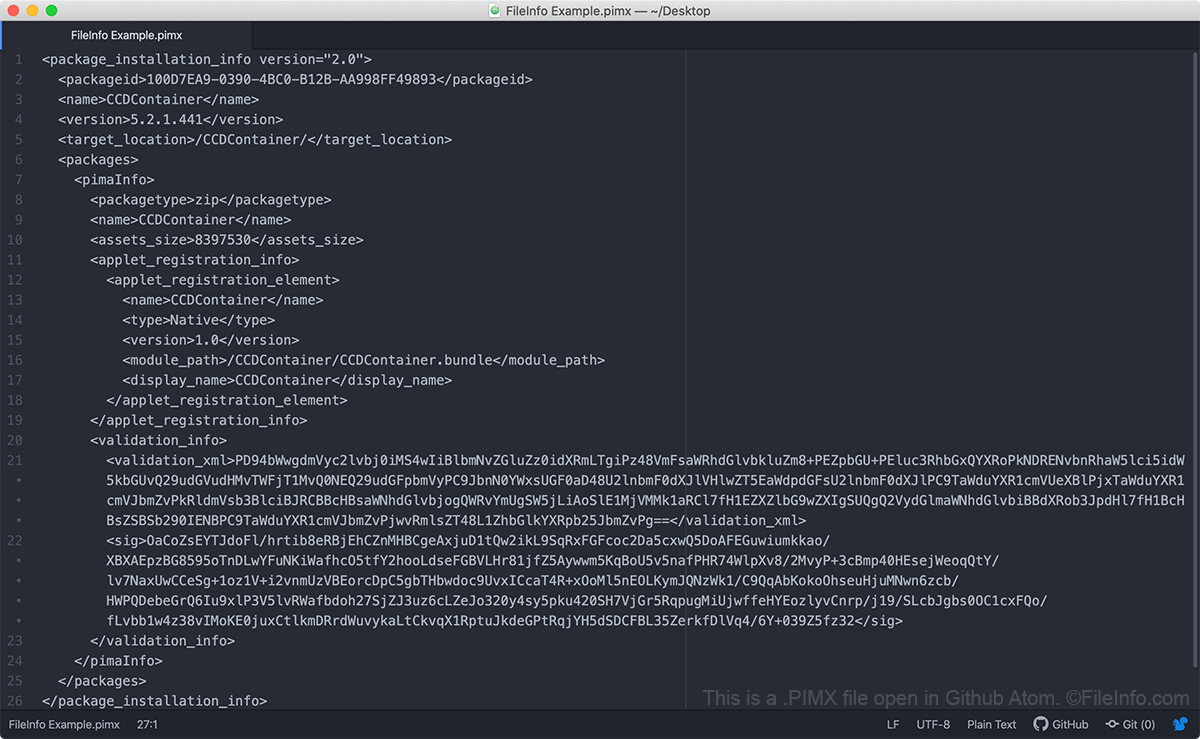
A PIMX file is a package installation management file used to control the installation of an Adobe Creative Cloud or Adobe Application Manager package. It contains XML that specifies where an Adobe package should be installed, as well as the package's name, type, contents, and size. PIMX files also contain validation information used to verify that you are allowed to install the referenced package.

更多信息

在 Atom 中打开的 .pimx 文件截图
在 Atom 中打开的 PIMX 文件

Adobe Creative Cloud and Adobe Application Manager use PIMX files to install and update Adobe packages. These packages can include Adobe applications, extensions, configuration information, archives, and other files. The PIMX file itself does not contain an Adobe package. Rather, the PIMX file contains metadata used to retrieve a package from Adobe's servers and correctly install that package on your machine.

If you are missing or possess an invalid PIMX file, you may have trouble installing or updating Adobe applications on your machine. In that case, you may have to uninstall Adobe Creative Cloud, clean your machine of Creative Cloud files, and then reinstall Creative Cloud before attempting to install or update your Adobe application.

如何打开 PIMX 文件

Because they are plain text files, you can open a PIMX file using any text editor, such as Notepad ++ (Windows), Apple TextEdit (Mac), or Github Atom (multiplatform). However, you should not edit a PIMX file, as doing so could disrupt your access to Adobe applications.

使用File Viewer Plus打开 400 多种文件格式。免费下载

可打开或引用 PIMX 文件的程序

Windows
免费
免费
Mac
操作系统自带
免费
Linux
免费
分类: 文本
更新时间: 2020-08-17

验证者 FileInfo.com

FileInfo.com 团队 独立研究了本页面列出的 Adobe Package Installation Management 文件格式和 Mac, Windows, and Linux 应用。 我们的目标是达到 100% 的准确率,并且仅发布我们已验证过的文件类型信息。

如果您想为此页面提出新增或更新建议,请告诉我们