

.MJML ファイル拡張子
Mailjet Markup Languageファイル
| 開発元 | Mailjet |
| 人気度 |
3.3 | 3 票 |
MJMLファイルとは?
MJMLファイルは、Mailjet Markup Language(MJML)を使用して書式設定されたレスポンシブメールテンプレートまたは要素です。テンプレートまたは要素の内容と書式を決めるプレーンテキストが含まれており、MJMLのタグと構文を使用して定義されています。通常、開発者は公式のMJMLアプリでMJMLファイルを作成および編集します。
詳細情報
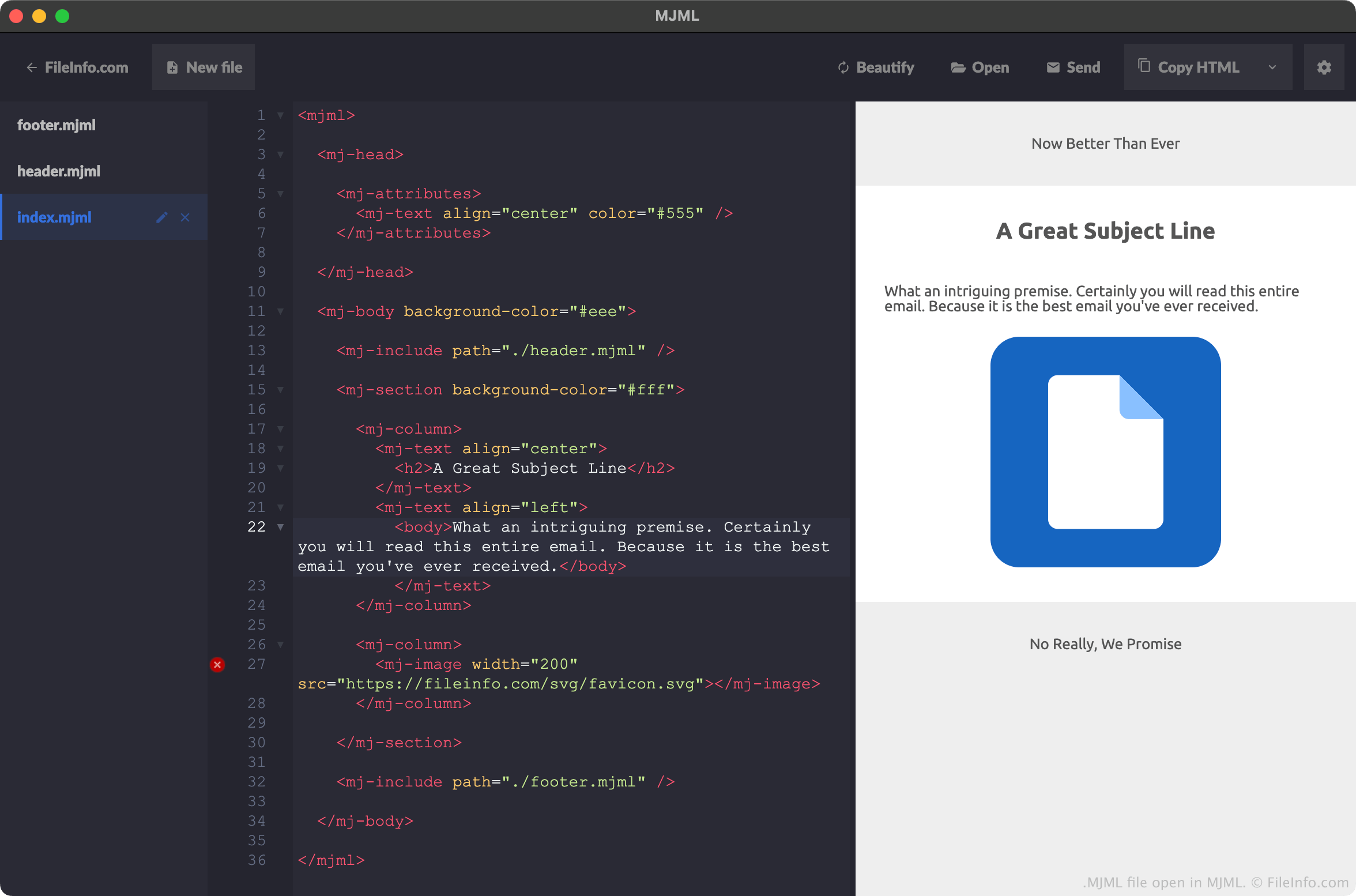
MJMLは、Web開発者がレスポンシブメールやテンプレートを作成するために使用できるマークアップ言語です。HTMLに似た構文と要素に加え、標準のコンポーネントライブラリを備えています。開発者はこのライブラリからコンポーネントを利用できるため、レスポンシブメール要素のコーディングにかかる時間を短縮できます。
開発者は、MJMLを使用して作成したメール、テンプレート、要素をMJMLファイルとして保存することがよくあります。たとえば、開発者がMJMLアプリで新しいプロジェクトを作成すると、MJMLはそのプロジェクトの基本コンテンツをindex.mjmlという名前のファイルに保存します。開発者がヘッダーとフッターを含む新しいプロジェクトを作成すると、MJMLはプロジェクトのヘッダーとフッターの要素をheader.mjmlおよびfooter.mjmlという名前のファイルに保存します。(この場合、開発者のindex.mjmlファイルには、header.mjmlファイルとfooter.mjmlファイルへの参照が含まれます。)
開発者は通常、MJMLアプリ内でMJMLファイルを作成しますが、任意のテキストエディターを使用してMJMLファイルを作成することもできます。Mailjetは、開発者がこれらのアプリでMJMLファイルを作成しやすくするために、Microsoft Visual Studio Code、Github Atom、Sublime Text用のプラグインを提供しています。
一般的な.MJMLファイル名
index.html - MJMLメールの主な内容を定義します。
header.html - MJMLメールのヘッダーを定義します。
footer.html - MJMLメールのフッターを定義します。
MJMLファイルの開き方
MJMLファイルは、Mailjetの公式MJMLアプリで開くのが最適です。MJMLはMJMLファイルの構文を強調表示するだけでなく、次のことも行えます。
- MJMLファイルが記述するメールまたは要素のライブプレビューを表示する
- 開発者がMJMLファイルを.HTMLファイルとしてエクスポートできるようにする
ただし、MJMLファイルは任意のテキストエディターで開くことができます。Microsoft Visual Studio Code、Github Atom、Sublime Text用のプラグインを使用すると、これらのプログラムでMJML構文を正しく強調表示できます。
MJMLファイルの変換方法
MJMLアプリを使用して、MJMLファイルが記述するメールテンプレートまたは要素を.HTML(Hypertext Markup Language)形式に変換できます。手順は次のとおりです。
- MJMLでMJMLファイルを開きます。
- の横に表示されるドロップダウン矢印を選択します。
- を選択します。
- HTMLファイルに名前を付けて保存します。