

.MJML Bestandsextensie
Mailjet Markup Language-bestand
| Ontwikkelaar | Mailjet |
| Populariteit |
3,3 | 3 stemmen |
Wat is een MJML-bestand?
Een MJML-bestand is een responsieve e-mailsjabloon of een responsief element dat is opgemaakt met de Mailjet Markup Language (MJML). Het bevat platte tekst die de inhoud en opmaak van de sjabloon of het element bepaalt, gedefinieerd met MJML-tags en syntaxis. Meestal maken en bewerken ontwikkelaars MJML-bestanden met de officiële MJML-app.
Meer informatie
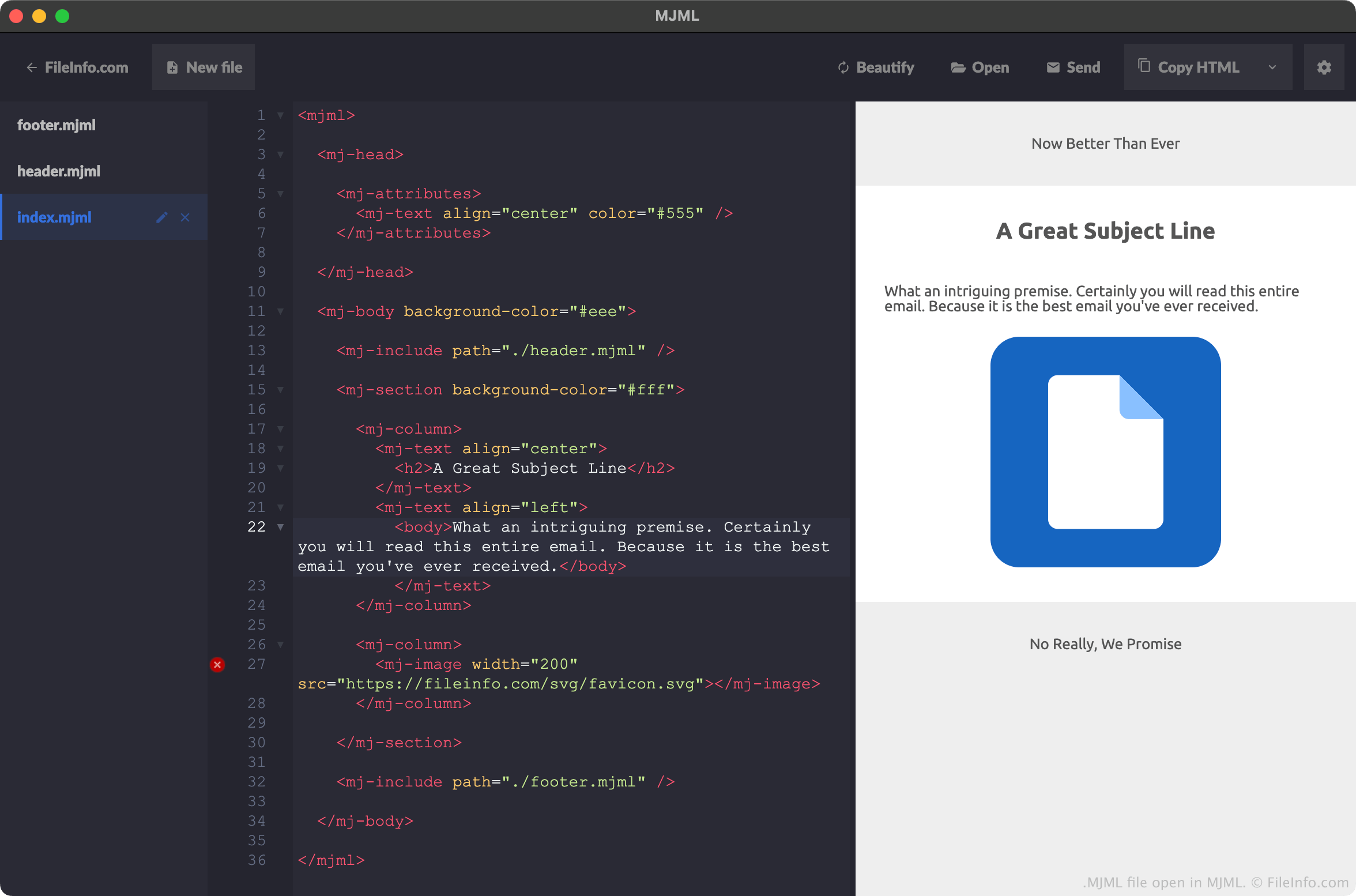
MJML is een opmaaktaal die webontwikkelaars kunnen gebruiken om responsieve e-mails en sjablonen te maken. De taal heeft een HTML-achtige syntaxis en elementen, evenals een standaardbibliotheek met componenten waaruit ontwikkelaars kunnen kiezen om minder tijd te besteden aan het coderen van responsieve e-mailelementen.
Ontwikkelaars slaan e-mails, sjablonen en elementen die ze met MJML hebben gemaakt vaak op als MJML-bestanden. Wanneer een ontwikkelaar bijvoorbeeld een nieuw project maakt in de MJML-app, slaat MJML de basisinhoud van dat project op in een bestand met de naam index.mjml. Als een ontwikkelaar een nieuw project maakt met een koptekst en voettekst, slaat MJML de koptekst- en voettekstelementen van het project op in bestanden met de namen header.mjml en footer.mjml. (In dit geval bevat het bestand index.mjml van de ontwikkelaar verwijzingen naar de bestanden header.mjml en footer.mjml.)
Hoewel ontwikkelaars meestal vanuit de MJML-app MJML-bestanden maken, kunnen ze elke teksteditor gebruiken om MJML-bestanden te maken. Mailjet onderhoudt plug-ins voor Microsoft Visual Studio Code, Github Atom en Sublime Text, zodat ontwikkelaars gemakkelijker MJML-bestanden in die apps kunnen maken.
Veelvoorkomende .MJML-bestandsnamen
index.html - Bepaalt de belangrijkste inhoud van een MJML-e-mail.
header.html - Bepaalt de koptekst van een MJML-e-mail.
footer.html - Bepaalt de voettekst van een MJML-e-mail.
Een MJML-bestand openen
Je kunt MJML-bestanden het beste openen met de officiële MJML-app van Mailjet. MJML markeert niet alleen de syntaxis van een MJML-bestand, maar:
- toont een livevoorbeeld van de e-mail of het element dat een MJML-bestand beschrijft
- stelt ontwikkelaars in staat MJML-bestanden te exporteren als .HTML-bestanden
Je kunt MJML-bestanden echter met elke teksteditor openen. Met plug-ins voor Microsoft Visual Studio Code, Github Atom en Sublime Text kunnen deze programma's de MJML-syntaxis correct markeren.
Een MJML-bestand converteren
Je kunt de MJML-app gebruiken om de e-mailsjabloon of het element dat een MJML-bestand beschrijft, te converteren naar de .HTML-indeling (Hypertext Markup Language). Dit doe je als volgt:
- Open je MJML-bestand met MJML.
- Selecteer de vervolgkeuzepijl naast .
- Selecteer .
- Geef je HTML-bestand een naam en sla het op.