.MCR ファイル拡張子
Minecraft Region File
| 開発元 | Mojang Specifications |
| 人気度 |
4.3 | 166 票 |
MCRファイルとは?
Game file used by Minecraft, a sandbox block construction game; contains a 32x32 region of a Minecraft world; named as r.x.z.mcr, where "x" and "z" specify the region's coordinates; used for saving "chunks" of the world.
詳細情報
The "x" and "z" portions of the region filename can be derived by dividing the chunk coordinates by 32. For example, the (64, 0) region has the filename r.2.0.mcr.
注: MCR files were introduced with the Beta 1.3 version of Minecraft and were later replaced by the "Anvil" format (.MCA files). Prior to the MCR format, .DAT files were used.
MCRファイルを開く、または参照するプログラム
3ds Max Macroscript File
| 開発元 | Autodesk |
| 人気度 |
3.4 | 21 票 |
Script written for 3ds Max, a 3D modeling, animation, rendering, and effects program; can automate common actions processes within the program; similar to a MAXScript (.MS) file, but is generated by newer versions of 3ds Max.
MCRファイルを開くプログラム
ePSXe Memory Card File
| 開発元 | The ePSXe Team |
| 人気度 |
3.3 | 16 票 |
File used by ePSXe or a another variant of PlayStation emulation software; contains saved game information for games played with the emulator; simulates the functionality of a PlayStation memory card; sometimes used for sharing ePSXe save games on the Internet.
MCRファイルを開く、または参照するプログラム
Tecplot Macro
| 開発元 | Tecplot |
| 人気度 |
3.2 | 17 票 |
Macro file used by Tecplot, a program used for scientific computation and visualization; saves instructions that automate the workflow of computing and visualizing data; enables repetitive tasks to be run automatically.
MCRファイルを開くプログラム
JitBit Macro Recorder Macro
| 開発元 | JitBit |
| 人気度 |
3.0 | 6 票 |
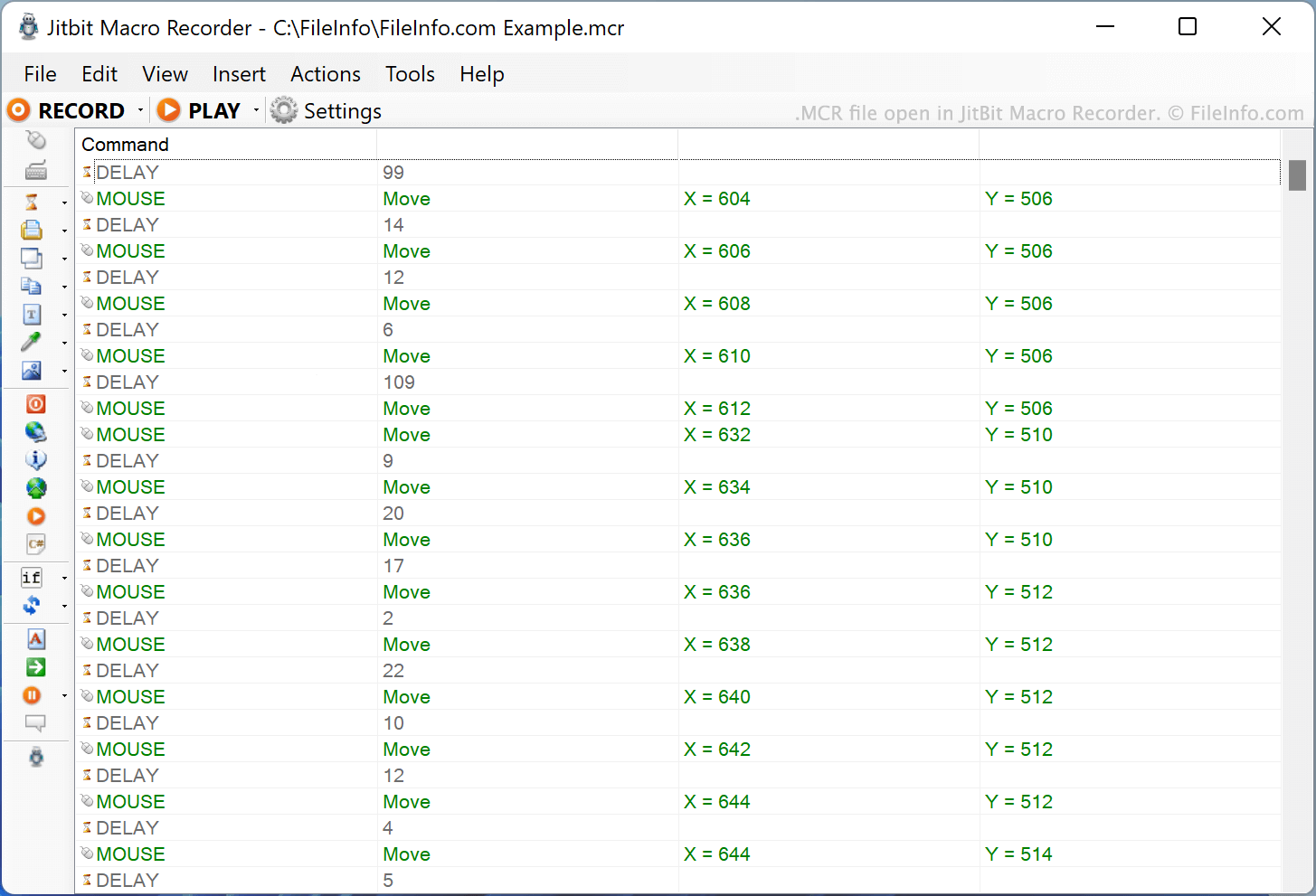
An MCR file is a macro created by JitBit Macro Recorder. It contains a list of plain text instructions that Macro Recorder reads to execute actions on a user's computer. To execute the actions an MCR file describes, open it in Macro Recorder and select Play.
詳細情報
A macro is a script used to automatically execute a complex or repetitive computer task. For example, a macro may contain instructions used to automatically open a word processing program and create a new, formatted document. Typically, each macro is assigned to a unique keyboard key combination (e.g. Control + K) used to execute it.
JitBit Macro Recorder allows you to create, edit, and execute macros. To create a new macro, press Macro Recorder's Record button and then perform the actions you want to include in their macro. You can also manually create and edit macros using the tools found in Macro Recorder's Insert menu.
After you finish creating a macro, you can save that macro as an MCR file. Each MCR file is a plain text file that describes the actions, screen coordinates, and time delay between actions used to execute a macro.
MCRファイルの開き方
You can open an MCR file in JitBit Macro Recorder (Windows). To do so, select File → Open... from the program's menu bar and then open your MCR file.
You can also open an MCR file in Microsoft Notepad (Windows), Apple TextEdit (Mac), or any other text editor, to view the list of commands the MCR file contains.
How do I use an MCR file in JitBit Macro Recorder?
After opening your MCR file in JitBit Macro Recorder, you can execute the macro your file contains by selecting the Play button. You can assign the macro to a hotkey by selecting Tools → Bind macros to hotkeys....