

.LOCKER ファイル拡張子
NordLocker暗号化アーカイブ
| 開発元 | NordLocker |
| 人気度 |
4.0 | 3 票 |
LOCKERファイルとは?
LOCKERファイルは、ファイルを安全に保護するために使用されるアプリケーションNordLockerが作成した暗号化アーカイブです。Advanced Encryption Standard 256ビット(AES-256)暗号化で暗号化された1つ以上のファイルが含まれています。LOCKERファイルは通常、.JPGデジタル写真、.XLSX財務スプレッドシート、.PDFビジネス文書など、機密性の高い内容を含むファイルを保護するために作成されます。
詳細情報
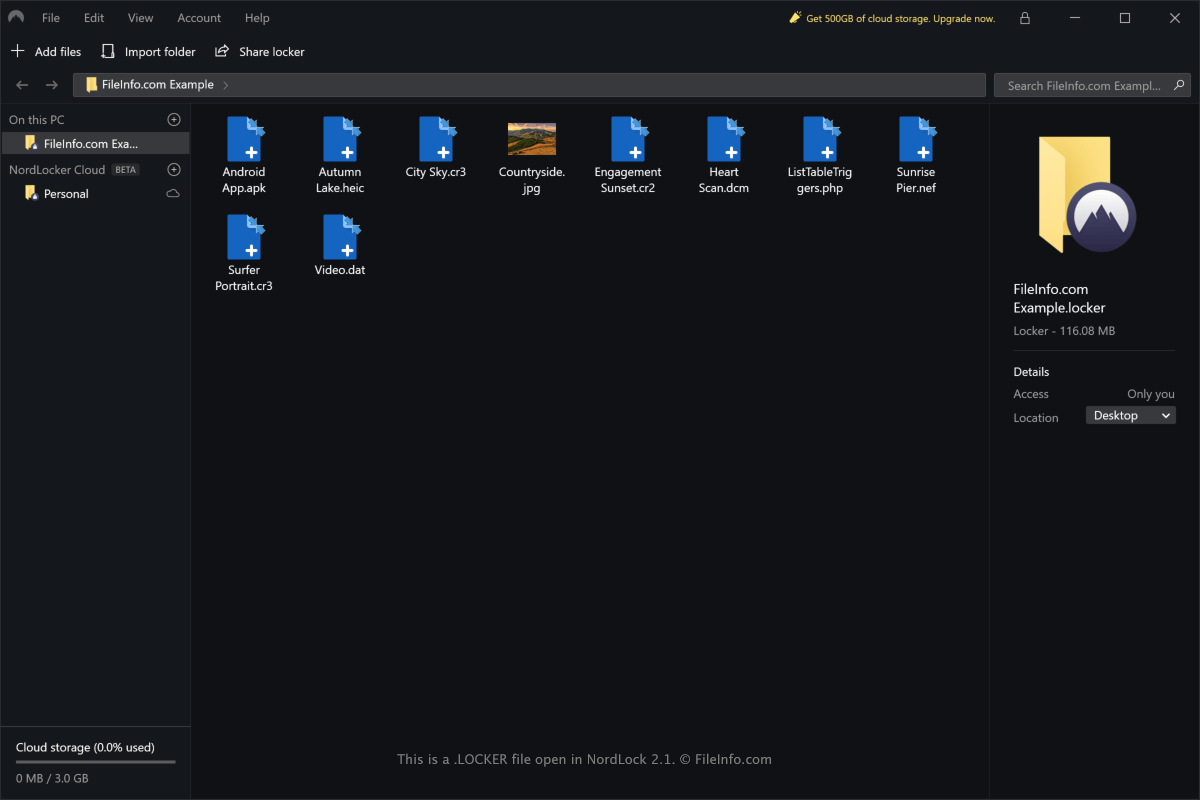
NordLockerを使用すると、WindowsまたはmacOS上でファイルをすばやくローカルに安全に保護できます。また、暗号化されたファイルを複数のデバイス間で同期するためのクラウドストレージも提供しています。LOCKERファイルには、NordLocker内の特定のロッカーにインポートしたすべてのファイルとフォルダーが保存されます。
Windows版のNordLockerでLOCKERファイルを作成するには、を選択します。macOS版のNordLockerでLOCKERファイルを作成するには、を選択します。
LOCKERファイルは、デフォルトで次の場所に保存されます。
Windows - C:\Users\[username]\Documents\NordLocker\Lockers
macOS - /Users/[username]/Nordlocker/
LOCKERファイルは、コンピューターに保存されたファイルを安全に保護するためだけに使用されるわけではありません。NordLockerに登録してアプリケーションをインストールしているユーザーであれば、他のユーザーと共有できます。
LOCKERファイルの開き方
LOCKERファイルを開くことができるのは、WindowsおよびmacOSのNordLockerアプリケーションだけです。
Windows版のNordLockerでLOCKERファイルを開くには、を選択します。macOS版のNordLockerでLOCKERファイルを開くには、を選択します。LOCKERファイルをアプリケーションのインターフェースにドラッグアンドドロップして開くこともできます。
注: NordLockerでLOCKERファイルを復号するには、適切なパスワードを入力する必要があります。