.LOCKER 文件扩展名

NordLocker Encrypted Archive

开发者 NordLocker
受欢迎程度
4.0  |  3 
 

什么是 LOCKER 文件?

A LOCKER file is an encrypted archive created by NordLocker, an application used to secure files. It contains one or more files that have been encrypted with Advanced Encryption Standard 256 bit (AES-256) encryption. LOCKER files are typically created to protect files with sensitive contents, such as a .JPG digital photograph, .XLSX financial spreadsheet, or .PDF business document.

更多信息

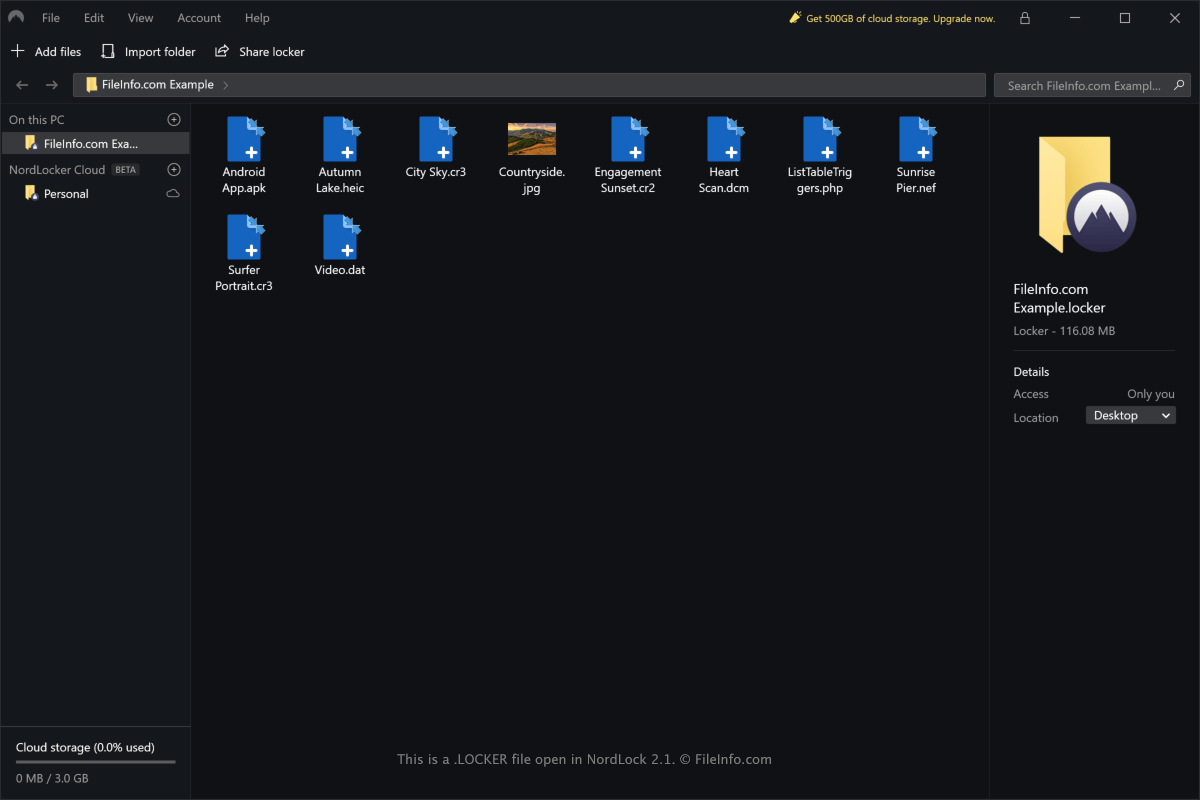
在 NordLocker 2.1 中打开的 .locker 文件截图
在 NordLocker 2.1 中打开的 LOCKER 文件

NordLocker allows you to quickly secure your files locally in Windows or macOS, but also provides cloud storage for syncing encrypted files across multiple devices. The LOCKER file stores all of the files and folders you have imported into a specific locker in NordLocker.

To create a LOCKER file with the Windows version of NordLocker, select File → New Locker. To create a LOCKER file with the macOS version of NordLocker, select File → Create New Locker.

LOCKER files are saved by default in the following locations:

Windows - C:\​Users\​[username]\​Documents\​NordLocker\​Lockers

macOS - /​Users/​[username]/​Nordlocker/​

LOCKER files are not only used for securing files stored on your computer. They can be shared with others as long as they are registered with NordLocker and have installed the application.

如何打开 LOCKER 文件

You can only open LOCKER files with the NordLocker application in Windows and macOS.

To open a LOCKER file with the Windows version of NordLocker, select File → Open locker. To open a LOCKER file with the macOS version of NordLocker, select File → Open. You can also drag and drop the LOCKER file onto the application interface to open it.

注: You need to enter the appropriate password in order to decrypt the LOCKER file with NordLocker.

使用File Viewer Plus打开 400 多种文件格式。免费下载

可打开 LOCKER 文件的程序

Windows
免费+
Mac
免费+
分类: 编码
更新时间: 2021-01-15

验证者 FileInfo.com

FileInfo.com 团队 独立研究了本页面列出的 NordLocker Encrypted Archive 文件格式和 Mac and Windows 应用。 我们的目标是达到 100% 的准确率,并且仅发布我们已验证过的文件类型信息。

如果您想为此页面提出新增或更新建议,请告诉我们