

.SLDPRT Dateiendung
SolidWorks-Bauteil
| Entwickler | Dassault Systemes |
| Beliebtheit |
3,8 | 62 Stimmen |
Was ist eine SLDPRT-Datei?
Eine SLDPRT-Datei ist ein 3D-Modell, das mit Dassault Systemes SolidWorks, einem beliebten CAD-Programm, erstellt wurde. Sie stellt ein Teil eines gefertigten Gegenstands dar. SolidWorks-Benutzer kombinieren SLDPRT-Dateien, um 3D-Baugruppen zu erstellen, die als .SLDASM-Dateien gespeichert werden.
Weitere Informationen
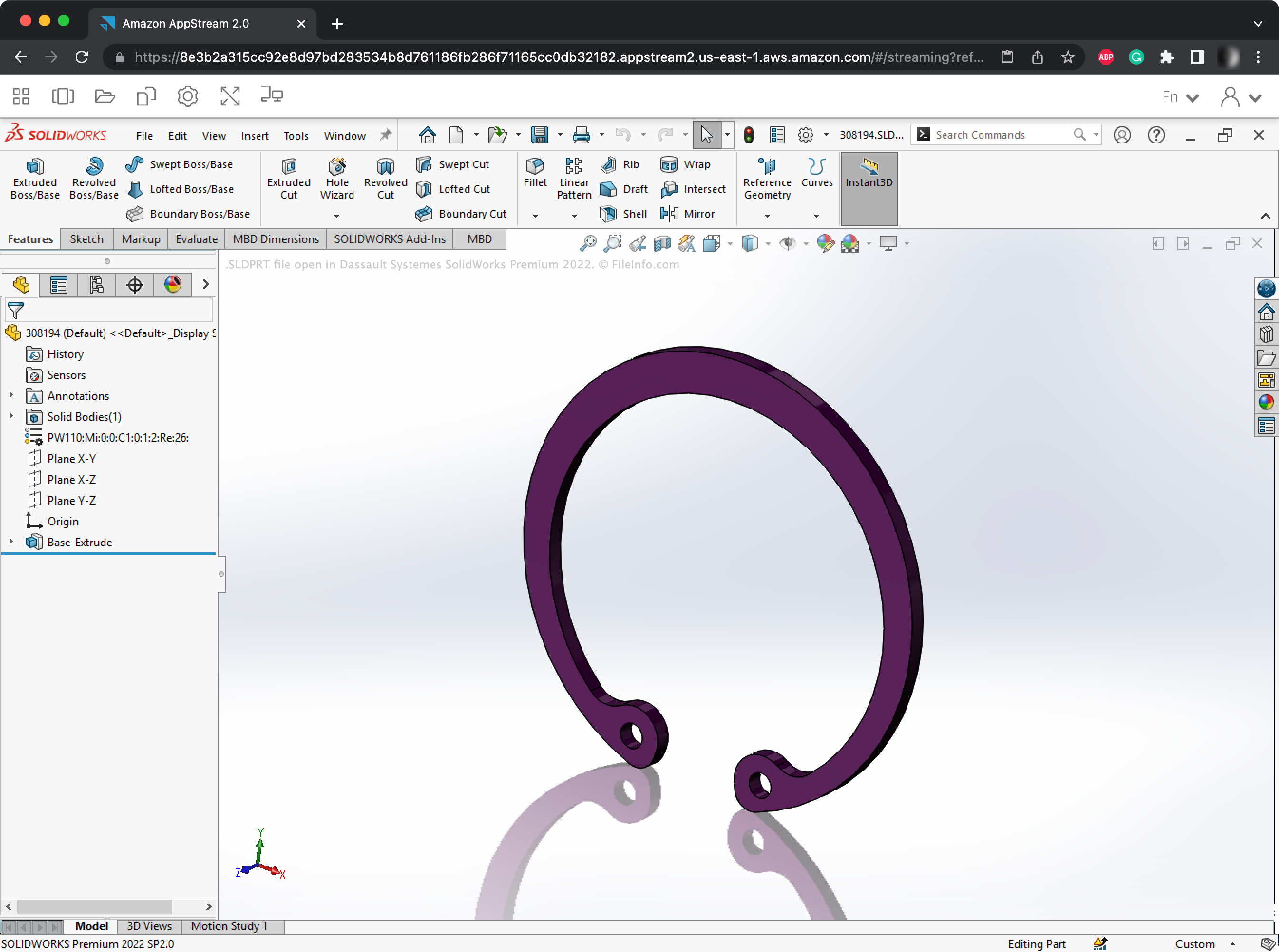
In SolidWorks erstellen Ingenieure und Produktdesigner 3D-Modelle, die gefertigte Produkte darstellen. Beispielsweise kann ein Automobilingenieur SolidWorks verwenden, um einen Prototyp für ein neues Lenksystem zu erstellen.
Die Modelle, die SolidWorks-Benutzer erstellen, bestehen normalerweise aus vielen kleineren Komponenten. Diese Komponenten werden als SLDPRT-Dateien gespeichert.
Benutzer können SLDPRT-Dateien unabhängig von den größeren Baugruppen, in denen sie enthalten sind, erstellen, importieren und ändern. Beispielsweise kann ein Benutzer eine SLDPRT-Datei in einem eigenen Fenster öffnen und ihre Geometrie ändern. SolidWorks übernimmt die Änderungen anschließend automatisch für alle Baugruppen, die diese SLDPRT-Datei enthalten. Benutzer können den Inhalt einer SLDPRT-Datei auch als 2D-Zeichnung (.SLDDRW-Datei) rendern.
So öffnen Sie eine SLDPRT-Datei
Sie können eine SLDPRT-Datei in Dassault Systemes SolidWorks, Dassault Systemes SolidWorks eDrawings Viewer oder Autodesk Fusion 360 öffnen. Beachten Sie, dass Sie den Inhalt einer SLDPRT-Datei, die Sie in SolidWorks eDrawings Viewer öffnen, nur anzeigen, nicht aber bearbeiten können.
So konvertieren Sie eine SLDPRT-Datei
Sie können Dassault Systemes SolidWorks oder Autodesk Fusion 360 verwenden, um SLDPRT-Dateien in andere Formate zu konvertieren. Beispielsweise kann SolidWorks SLDPRT-Dateien in die folgenden Formate und viele weitere konvertieren: