

.WN Přípona souboru
Dokument WriteNow
| Vývojář | NeXT |
| Popularita |
1,7 | 3 hlasy |
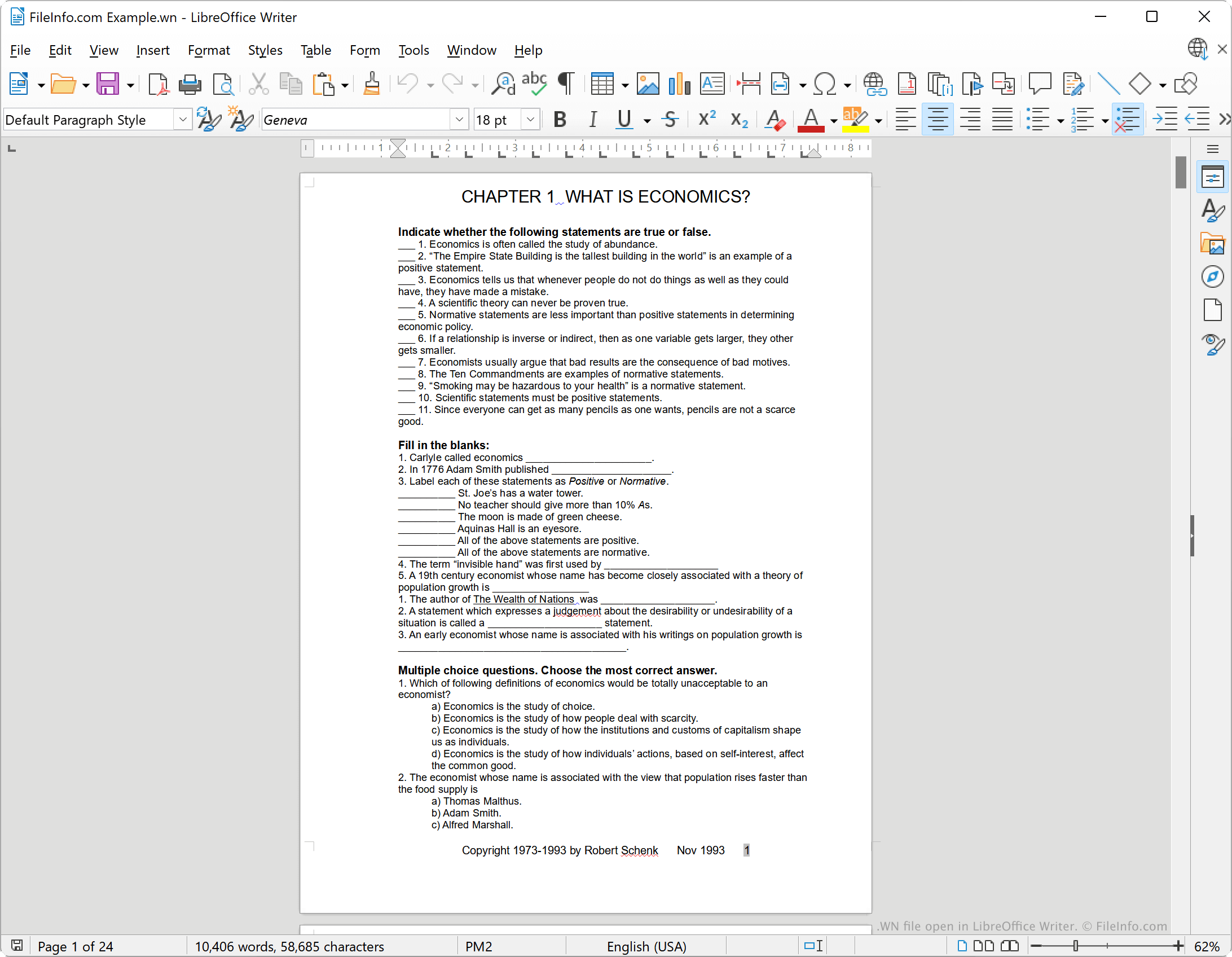
Soubor WN je textový dokument vytvořený v textovém procesoru NeXT WriteNow, který byl k dispozici pro původní počítač Apple Macintosh a pracovní stanice NeXT. Soubory WN často obsahují instruktážní příručky, pracovní listy, životopisy, poznámky nebo dopisy. Tyto dokumenty se obvykle skládají z několika částí formátovaného textu a mohou obsahovat obrázky.
Další informace
WriteNow byl textový procesor vyvinutý Johnem Andersonem a Billem Tschumym a vydaný společností NeXT v roce 1985. Zpočátku byl WriteNow k dispozici pro počítače Apple Macintosh jako konkurence textovému procesoru MacWrite od společnosti Apple. Když NeXT začala prodávat vlastní pracovní stanice, dodávala s nimi také WriteNow.
V aplikaci WriteNow mohli uživatelé vytvářet formátované textové dokumenty včetně záhlaví a zápatí, tučného, kurzivního a podtrženého textu a obrázků. V počítačích Macintosh ukládal WriteNow dokumenty bez přípony souboru. Na pracovních stanicích NeXT však WriteNow ukládal dokumenty s příponou souboru .wn.
Jak otevřít soubor WN
Vývoj aplikace WriteNow byl ukončen, ale soubory WN můžete otevřít v textovém procesoru LibreOffice Writer, který je zdarma a je součástí sady LibreOffice. Za tímto účelem vyberte v řádku nabídek aplikace Writer možnost . Poté přejděte k souboru WN a otevřete jej.
Jak převést soubor WN
Pomocí aplikace LibreOffice Writer můžete soubor WN převést do následujících formátů (a několika dalších):
- .ODT - Textový dokument OpenDocument
- .DOCX - Dokument Microsoft Word
- .DOC - Dokument Microsoft Word (starší verze)
- .HTML - Hypertext Markup Language
- .TXT - Prostý text
Postup:
- Otevřete soubor WN v aplikaci LibreOffice Writer.
- Vyberte
- Vyberte formát, do kterého chcete soubor WN převést.
- Klikněte na .