

.WN Bestandsextensie
WriteNow-document
| Ontwikkelaar | NeXT |
| Populariteit |
1,7 | 3 stemmen |
Een WN-bestand is een tekstdocument dat is gemaakt met NeXT WriteNow, een tekstverwerker die beschikbaar was voor de oorspronkelijke Apple Macintosh-pc en NeXT-werkstations. WN-bestanden bevatten vaak instructiehandleidingen, werkbladen, cv's, memo's of brieven. Deze documenten bestaan doorgaans uit verschillende secties met opgemaakte tekst en kunnen afbeeldingen bevatten.
Meer informatie
WriteNow was een tekstverwerker die is ontwikkeld door John Anderson en Bill Tschumy en in 1985 door NeXT werd uitgebracht. Aanvankelijk was WriteNow beschikbaar voor de Apple Macintosh, als concurrent van Apple's MacWrite-tekstverwerker. Toen NeXT zijn eigen werkstations begon te verkopen, leverde het bedrijf WriteNow mee met deze werkstations.
In WriteNow konden gebruikers opgemaakte tekstdocumenten maken, compleet met kop- en voetteksten, vetgedrukte, cursieve en onderstreepte tekst en afbeeldingen. Op Macintosh-computers sloeg WriteNow documenten op zonder bestandsextensie. Op NeXT-werkstations sloeg WriteNow documenten echter op met de bestandsextensie .wn.
Een WN-bestand openen
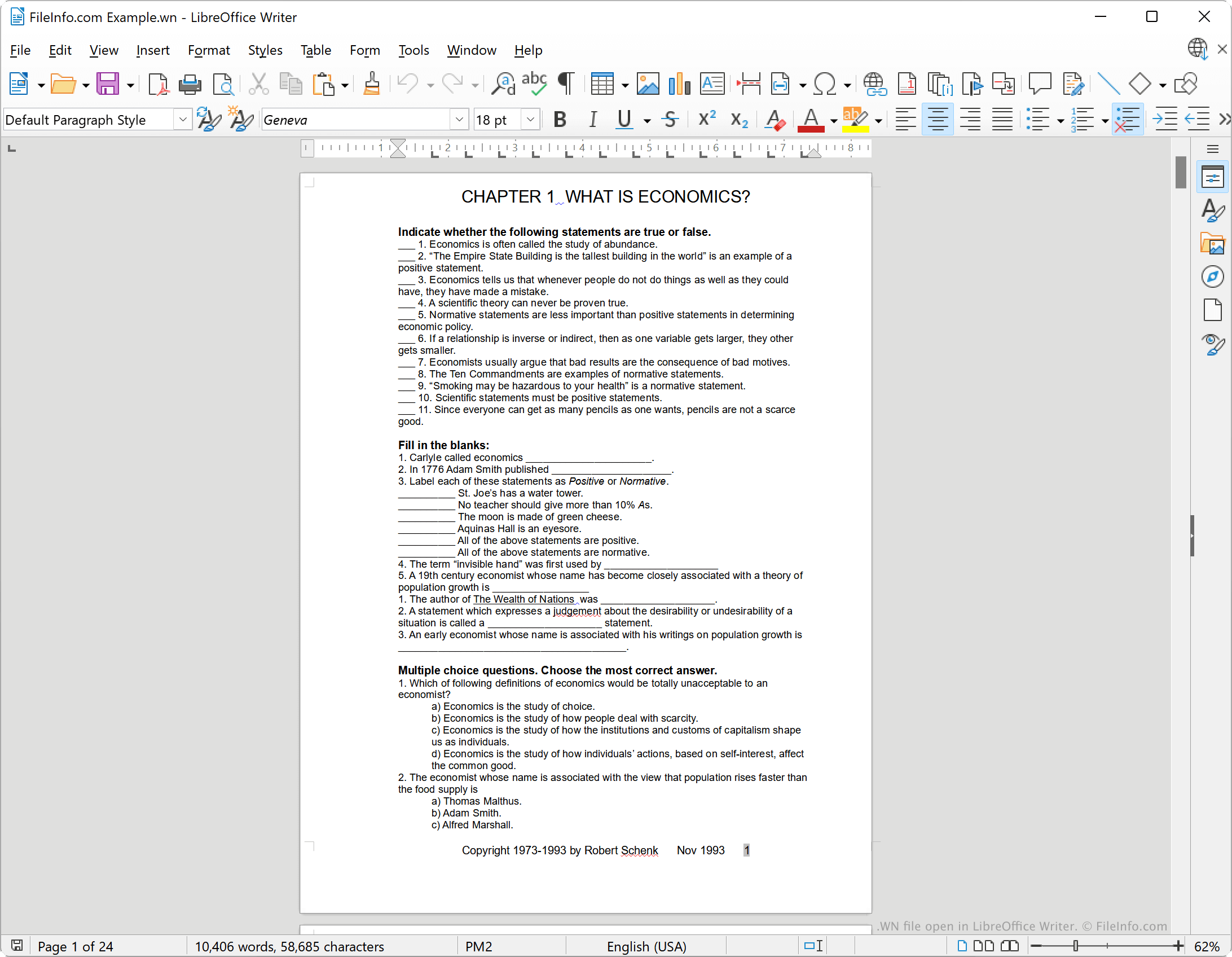
WriteNow wordt niet meer ontwikkeld, maar je kunt WN-bestanden openen met LibreOffice Writer, een gratis tekstverwerker die deel uitmaakt van de LibreOffice-suite. Selecteer hiervoor in de menubalk van Writer. Ga vervolgens naar je WN-bestand en open het.
Een WN-bestand converteren
Je kunt LibreOffice Writer gebruiken om een WN-bestand naar de volgende indelingen (en verschillende andere) te converteren:
- .ODT - OpenDocument-tekstdocument
- .DOCX - Microsoft Word-document
- .DOC - Microsoft Word-document (verouderd)
- .HTML - Hypertext Markup Language
- .TXT - Platte tekst
Doe dit als volgt:
- Open je WN-bestand met LibreOffice Writer.
- Selecteer
- Kies de indeling waarnaar je je WN-bestand wilt converteren.
- Klik op .