

.VP3 Přípona souboru
Soubor s výšivkou Husqvarna Viking / Pfaff
| Vývojář | SGSB Co. Ltd. |
| Popularita |
4,0 | 1 hlas |
Soubor VP3 je soubor počítačem podporované výroby (CAM) uložený ve 3. verzi formátu Husqvarna Viking / Pfaff (VP3). Ukládá informace o vyšívacích stezích, které šicí stroj Pfaff nebo Husqvarna Viking používá k vyšití vzoru na kus látky. Soubory VP3 obsahují informace o jednom nebo více vzorech (obvykle pouze o jednom), uspořádaných do bloků „StitchBlocks“, což jsou soubory souvislých stehů určité barvy.
Další informace
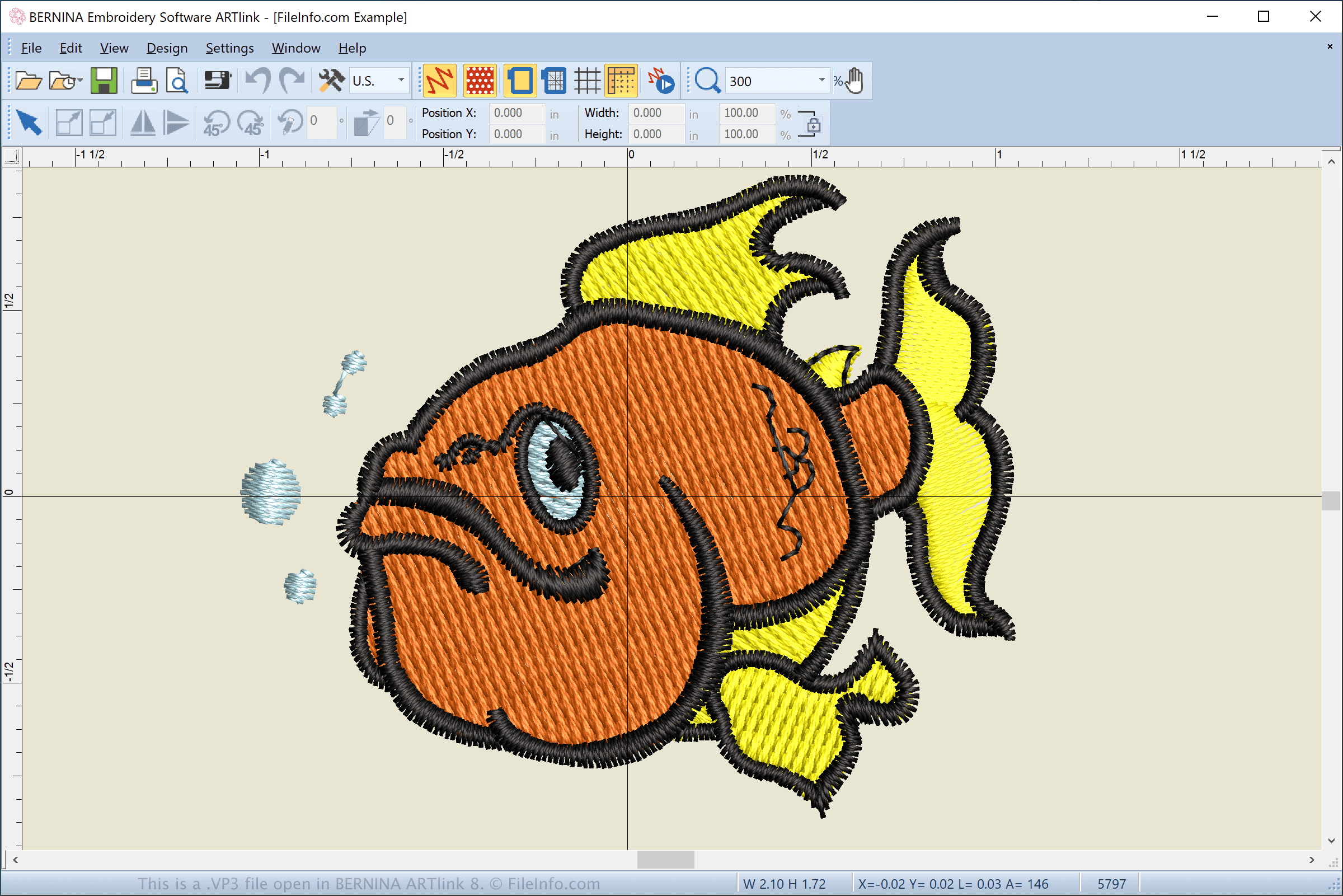
Společnosti Pfaff a Husqvarna vyvinuly formát VP3 jako náhradu za soubory s vyšívacími vzory .VIP a .PCS, které používaly starší šicí stroje Pfaff a Husqvarna. Starší modely Pfaff, například řady 7570, 7562, 7550 a 1400, používají soubory PCS. Novější modely, například 2124, 2134, 2170, 2144 a 2140, používají soubory VP3.
Jaká je datová struktura souboru VP3?
Formát VP3 vylepšuje starší formáty podporou dalších informací o vzoru, které se staly nezbytnými s tím, jak jsou vzory pokročilejší a složitější. Formát VP3 se obvykle skládá z následující struktury:
- Hlavička souboru a data – obsahuje metadata, informace o obruči a vzoru a počet bloků stehů v souboru.
- Blok vzoru – obsahuje bloky barev (ColorBlocks), které jsou uspořádány do bloků stehů (StitchBlocks) ukládajících informace o stezích.
- Další bloky vzoru – obsahují bloky barev pro další blok vzoru. Většina souborů VP3 obsahuje pouze jeden blok vzoru.
Jak přenesu soubor VP3 z počítače do šicího stroje?
Chcete-li přenést soubor VP3 do šicího stroje, připojte k počítači USB úložné zařízení. Poté přeneste soubor VP3 z počítače na připojené úložné zařízení pomocí Průzkumníka souborů ve Windows nebo Finderu v macOS.
Po přenosu souboru vysuňte úložné zařízení z počítače a připojte ho k šicímu stroji Pfaff nebo Husqvarna Viking, aby se vzor přenesl a mohl být vyšít na materiál. Pokud váš šicí stroj podporuje Wi-Fi, můžete vzor stáhnout přímo do stroje prostřednictvím dotykového rozhraní stroje.
POZNÁMKA: Šicí stroje Husqvarna Viking a Pfaff vlastní společnost SGSB Co. Ltd.
Jak otevřít soubor VP3
Soubory VP3 můžete otevřít v různých aplikacích, včetně programů BERNINA ARTlink (Windows), Wings Systems my editor (Windows), PREMIER+ Embroidery (pro více platforem) a Wilcom TrueSizer (Windows). Tyto aplikace umožňují převádět soubory VP3 do jiných vyšívacích a obrazových formátů, například .PES, .JEF, .JPG a .PNG.
Soubory VP3 můžete také zobrazovat a převádět do jiných formátů pomocí webové aplikace Embroidery Viewer and Converter a doplňku pro webový prohlížeč Google Chrome. Pokud používáte Android, můžete k otevření souborů VP3 použít aplikace Touch Embroidery Free a Embroidery Viewer.