.MU Přípona souboru

Kerbal Space Program Mesh File

Vývojář Squad
Popularita
4.2  |  53 Hlasů
 

Co je soubor MU?

An MU file contains a 3D image used by Kerbal Space Program (KSP), a game where players build an alien space program. It stores data in a proprietary KSP model format for objects that appear in the game, which are typically space shuttles.

Další informace

Kerbal Space Program was released in 2015 for Windows, Mac, and Linux platforms. The gameplay revolves around developing a space program for aliens called "Kerbals," and includes designing and flying spacecraft.

KSP utilizes MU files to store 3D models for space shuttles. The MU files are accompanied by part.cfg files, which reference the MU files as a mesh. There are also .MBM files referenced by the MU file that contain the textures for the model.

POZNÁMKA: KSP models are typically built with Unity modeling software.

Běžné názvy souborů .MU

model.mu - The 3D model mesh file used by Kerbal Space Program.

Jak otevřít soubor MU

You can open MU files with Squad Kerbal Space Program, which is available for Windows, macOS, and Linux.

You can also import and export MU files with Blender (version 2.83 with the .mu import/export addon). To add the addon to Blender and open MU files, follow these instructions:

  1. Copy the entire "io_object_mu" addon folder from GitHub to the Blender scripts/addons folder
  2. Select [m]Edit → Preferences... → Add-ons in Blender
  3. Choose "Import-Export: Mu model format (KSP)"
  4. Check the checkbox next to the option, configure the settings for the addon, and click "Save User Settings"
  5. Select File → Import → KSP Mu and choose the MU file you want to open.
Otevřete více než 400 formátů souborů pomocí File Viewer Plus.Stáhnout zdarma

Programy, které otevírají nebo odkazují na soubory MU

Malbolge Unshackled Source Code File

Vývojář Ørjan Johansen
Popularita
2.0  |  1 Hlas
 

An MU file is a source code file written in Malbolge Unshackled, a variant of the original Malbolge programming language. It may contain simple programs or demonstrations in plain text instructions that a Malbolge Unshackled interpreter or compiler can run.

Další informace

While Ben Olmstead designed the original Malbolge language in 1998 to be challenging to use, Ørjan Johansen developed the Malbolge Unshackled language in 2007 to remove some of the restrictions of the original language and make it more practical for writing programs. MU files are typically created and used by programming enthusiasts and hobbyists who are interested in exploring esoteric languages and experimenting with unconventional approaches to coding.

Jak otevřít soubor MU

You can open MU files with source code editors, including Microsoft Visual Studio Code and Brackets.io Brackets. Since MU files store plain text, any text editor will also support MU files, such as Microsoft Notepad and Apple TextEdit.

Programy, které otevírají soubory MU

All Platforms
Windows
Součást operačního systému
Mac
Součást operačního systému
Linux
Zdarma

mu Source Code File

Vývojář James Mills
Popularita
2.0  |  1 Hlas
 

An MU file is a source code file written in the mu programming language. It contains human-readable instructions written in the mu syntax that can be compiled or executed using the mu toolchain. MU files are saved as plain-text files, allowing developers to view and edit the code with standard text editors or programming tools.

Další informace

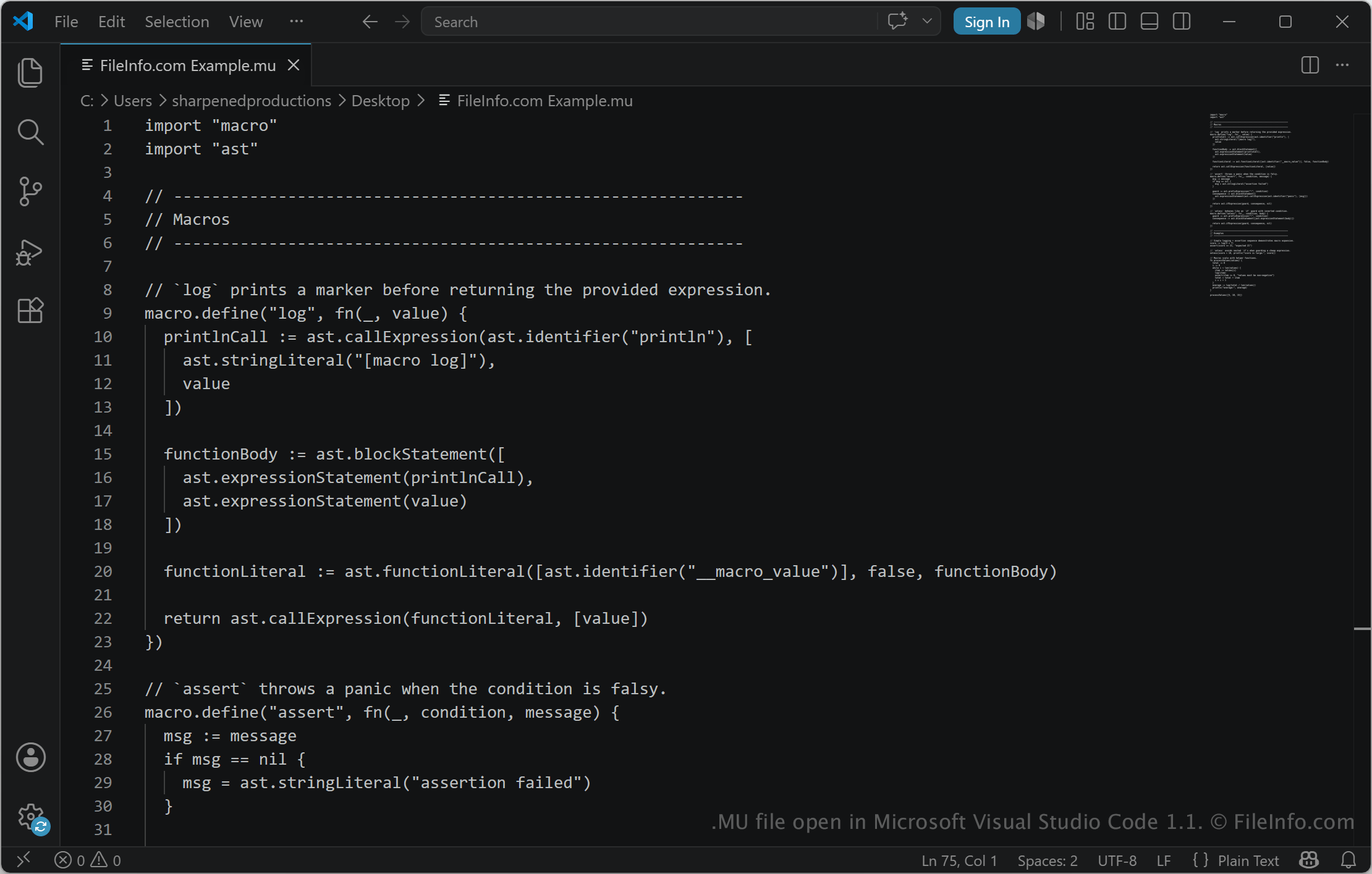
Snímek obrazovky souboru .mu v Microsoft Visual Studio Code 1.1
Soubor MU otevřený v Microsoft Visual Studio Code 1.1

The mu language is a compact programming language designed around simplicity, readability, and a transparent development process. It includes a stage-0 host, a stack-based virtual machine, a compiler pipeline, and a standard library designed to remain small and flexible.

MU files are used with the mu toolchain, which can run scripts, open an interactive read-eval-print loop (REPL), emit bytecode, and build native programs. The language is intended for developers interested in programming language design, experimentation, and building software with a small and inspectable system. For example, developers who use mu may write MU files to experiment with the language, create programs, inspect bytecode, and explore its runtime and compilation features.

Jak otevřít soubor MU

You can run MU files with the mu command-line program available from the official mu programming language project. The program can run MU source files, generate bytecode, and build programs.

Since MU files are plain-text source code files, you can also open them with a text editor or code editor to view and modify the program instructions. Options include Microsoft Visual Studio Code, Notepad++, or Microsoft Notepad.

Programy, které otevírají soubory MU

All Platforms
Windows
Součást operačního systému
Zdarma
Mac
Součást operačního systému

Ověřil FileInfo.com

Tým FileInfo.com nezávisle prozkoumal všechny formáty souborů a programy uvedené na této stránce. Naším cílem je 100% přesnost a zveřejňujeme pouze informace o typech souborů, které jsme ověřili.

Pokud chcete navrhnout doplnění nebo aktualizaci této stránky, dejte nám vědět.