

.AFPHOTO Přípona souboru
Dokument Affinity Photo
| Vývojář | Serif |
| Popularita |
4,3 | 54 hlasů |
Co je soubor AFPHOTO?
Soubor AFPHOTO je obrázek vytvořený aplikací Serif Affinity Photo pro návrh rastrové grafiky. Ukládá kompozici obrázku, která může obsahovat více vrstev obrázku, tvary, text, tahy štětcem, přechody a efekty osvětlení a barev.
Další informace
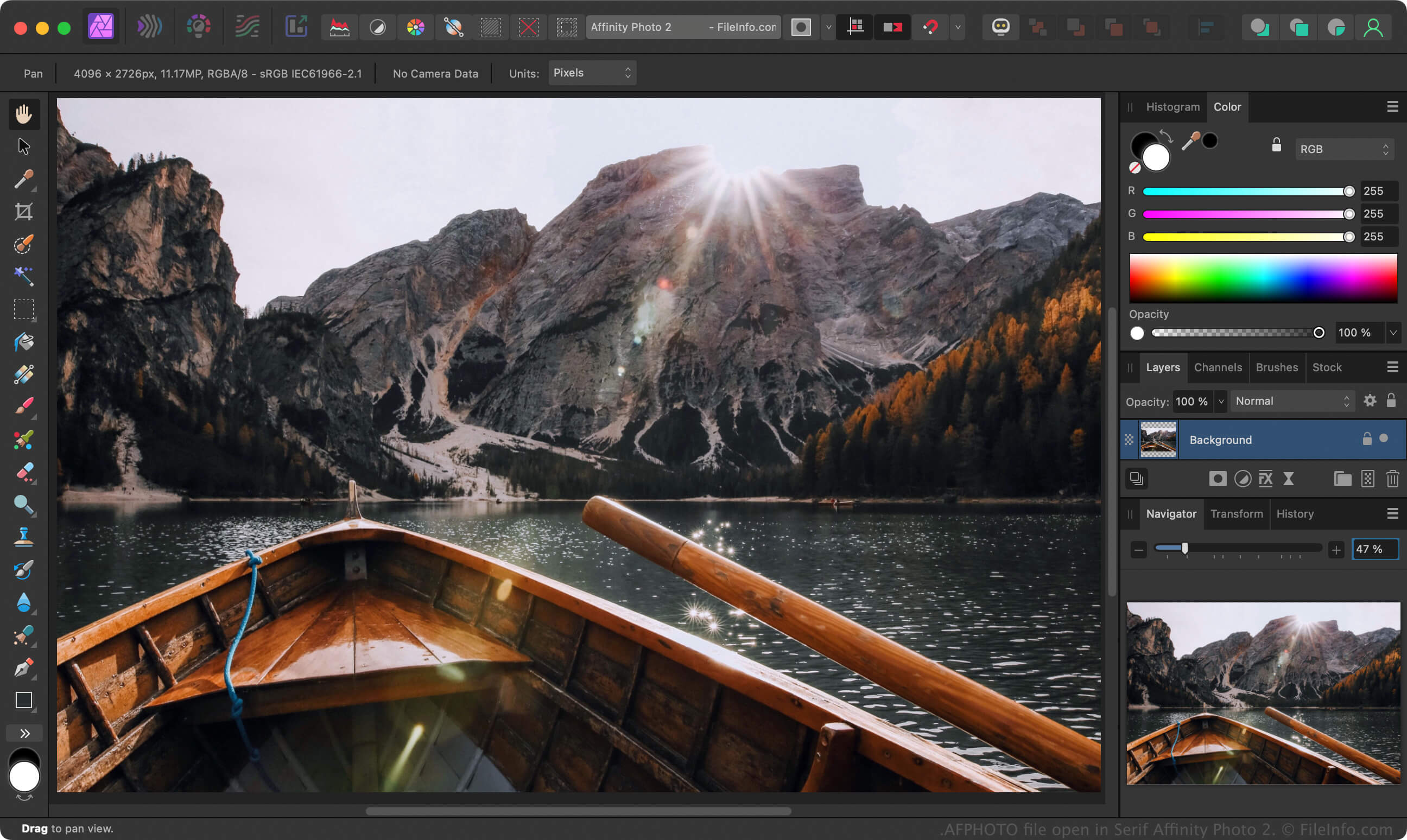
Affinity Photo je alternativou k programu Adobe Photoshop, který profesionální fotografové a další digitální umělci používají k úpravám fotografií a vytváření obrázků. Stejně jako Photoshop ukládá rozpracované obrázky uživatelů do souborů .PSD, Affinity Photo ukládá rozpracované obrázky do souborů AFPHOTO.
Chcete-li vytvořit soubor AFPHOTO ve verzích Affinity Photo pro Windows a Mac, vyberte , upravte obrázek a poté vyberte nebo . Po uložení rozpracovaného obrázku jako souboru AFPHOTO jej můžete zavřít a znovu otevřít pro další úpravy.
POZNÁMKA: Společnost Canva získala Serif v roce 2024 a nahradila Affinity Photo aplikací Affinity.
Jak otevřít soubor AFPHOTO
Soubor AFPHOTO můžete otevřít v aplikaci Canva Affinity ve Windows a macOS. Chcete-li otevřít soubor AFPHOTO ve verzi Affinity pro Windows nebo Mac, vyberte .
Jak převést soubor AFPHOTO
Canva Affinity může převádět soubory AFPHOTO do různých typů souborů včetně následujících formátů:
- .PSD - dokument Adobe Photoshop
- .PDF - Portable Document Format
- .JPG - obrázek JPEG
- .PNG - Portable Network Graphic
- .GIF - formát Graphics Interchange
- .EPS - zapouzdřený PostScript
- .SVG - Scalable Vector Graphics
- .TIFF - Tagged Image File Format
- .EXR - obrázek OpenEXR
- .HDR - obrázek s vysokým dynamickým rozsahem