

.ABR Přípona souboru
Štětce Adobe Photoshop
| Vývojář | Adobe Systems |
| Popularita |
3,7 | 272 hlasů |
Co je soubor ABR?
Soubor ABR obsahuje štětec nebo kolekci štětců používaných programem Adobe Photoshop. Obsahuje informace o tvaru, textuře a dynamice štětce nebo štětců. Některé další ilustrační aplikace také umožňují importovat štětce uložené ve formátu ABR.
Další informace
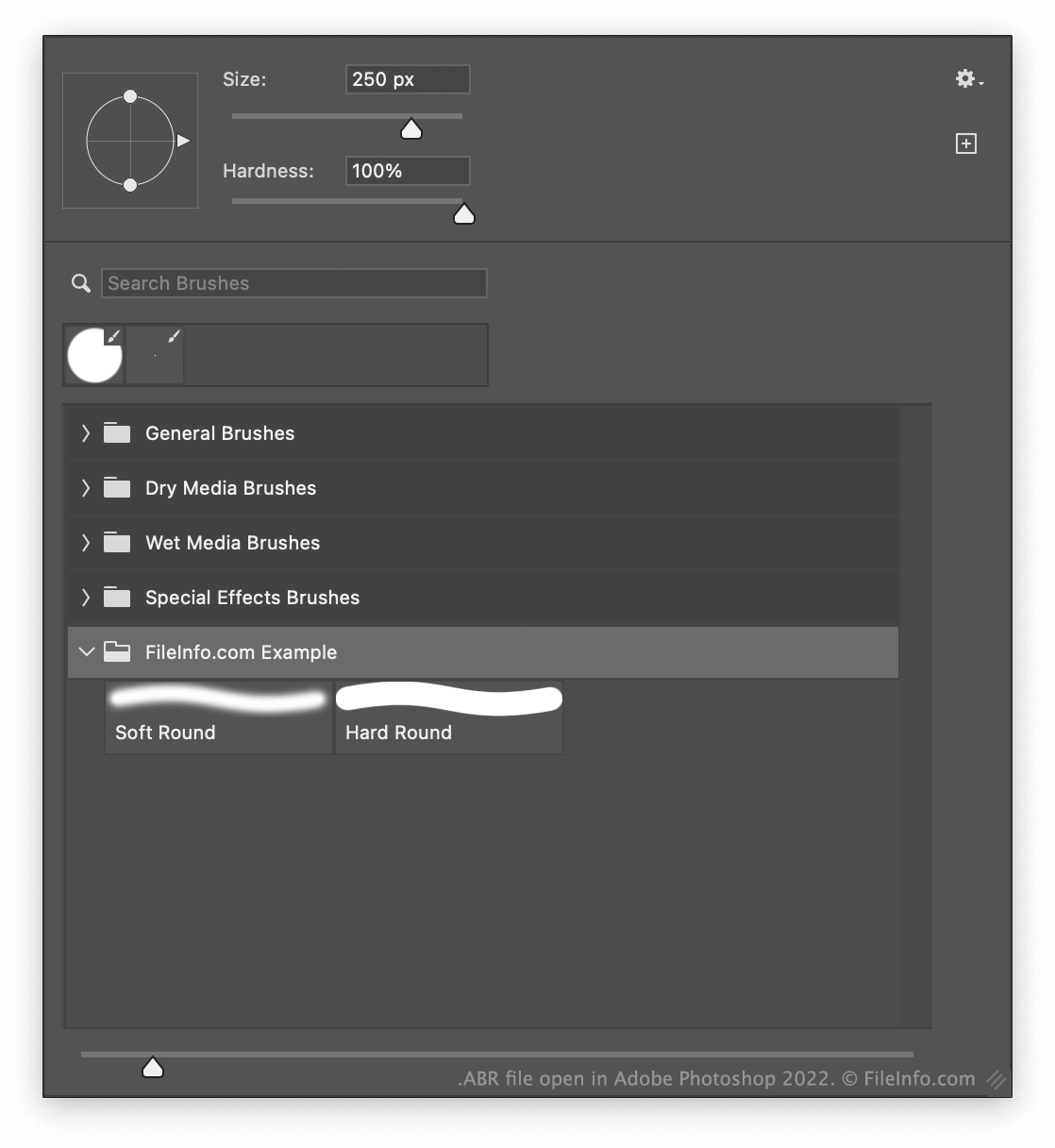
Nástroj Štětec v programu Photoshop umožňuje malovat tahy štětcem s různými velikostmi, texturami a dalšími efekty. Po vytvoření štětce nebo štětců v programu Photoshop můžete tyto štětce exportovat jako jeden soubor ABR. To vám umožní sdílet štětce s dalšími uživateli programu Photoshop.
Kde Photoshop ukládá štětce?
Ve výchozím nastavení Photoshop ukládá štětce do následujícího adresáře:
Adobe Photoshop/Presets/Brushes
Jak exportovat štětce jako soubor ABR
Chcete-li exportovat jeden nebo více štětců Photoshopu jako soubor ABR:
- Vyberte nástroj Štětec.
- Vyberte šipku rozevírací nabídky, která se zobrazí vedle velikosti štětce (u horního okraje aplikace).
- V dolní části zobrazeného okna vyberte jeden nebo více štětců.
- Vyberte ikonu ozubeného kola a poté .
Jak otevřít soubor ABR
Soubor ABR můžete otevřít v programu Adobe Photoshop (Windows, Mac). Postup:
- Vyberte nástroj Štětec.
- Vyberte šipku rozevírací nabídky, která se zobrazí vedle velikosti štětce (u horního okraje aplikace).
- Vyberte ikonu ozubeného kola a poté .
- Vyhledejte a importujte svůj soubor ABR.
Soubor ABR můžete také importovat do programu GIMP (multiplatformní) a do Photopea (webový), kde ho použijete jako štětec. V programu GIMP umístěte soubor do podsložky adresáře ~/brushes programu. V programu Photopea vyberte šipku rozevírací nabídky, která se zobrazí vedle velikosti štětce, vyberte šipku rozevírací nabídky zobrazenou v okně Size: a poté vyberte .
Pokud si chcete pouze prohlédnout štětec obsažený v souboru ABR, můžete ho otevřít v programu abrViewer (Windows).