

.ABR Rozszerzenie pliku
Pędzle Adobe Photoshop
| Deweloper | Adobe Systems |
| Popularność |
3,7 | 272 Głosy |
Czym jest plik ABR?
Plik ABR zawiera pędzel lub kolekcję pędzli używanych przez program Adobe Photoshop. Zawiera informacje o kształcie, teksturze i dynamice pędzla (lub pędzli). Niektóre inne aplikacje do tworzenia ilustracji również pozwalają importować pędzle zapisane w formacie ABR.
Więcej informacji
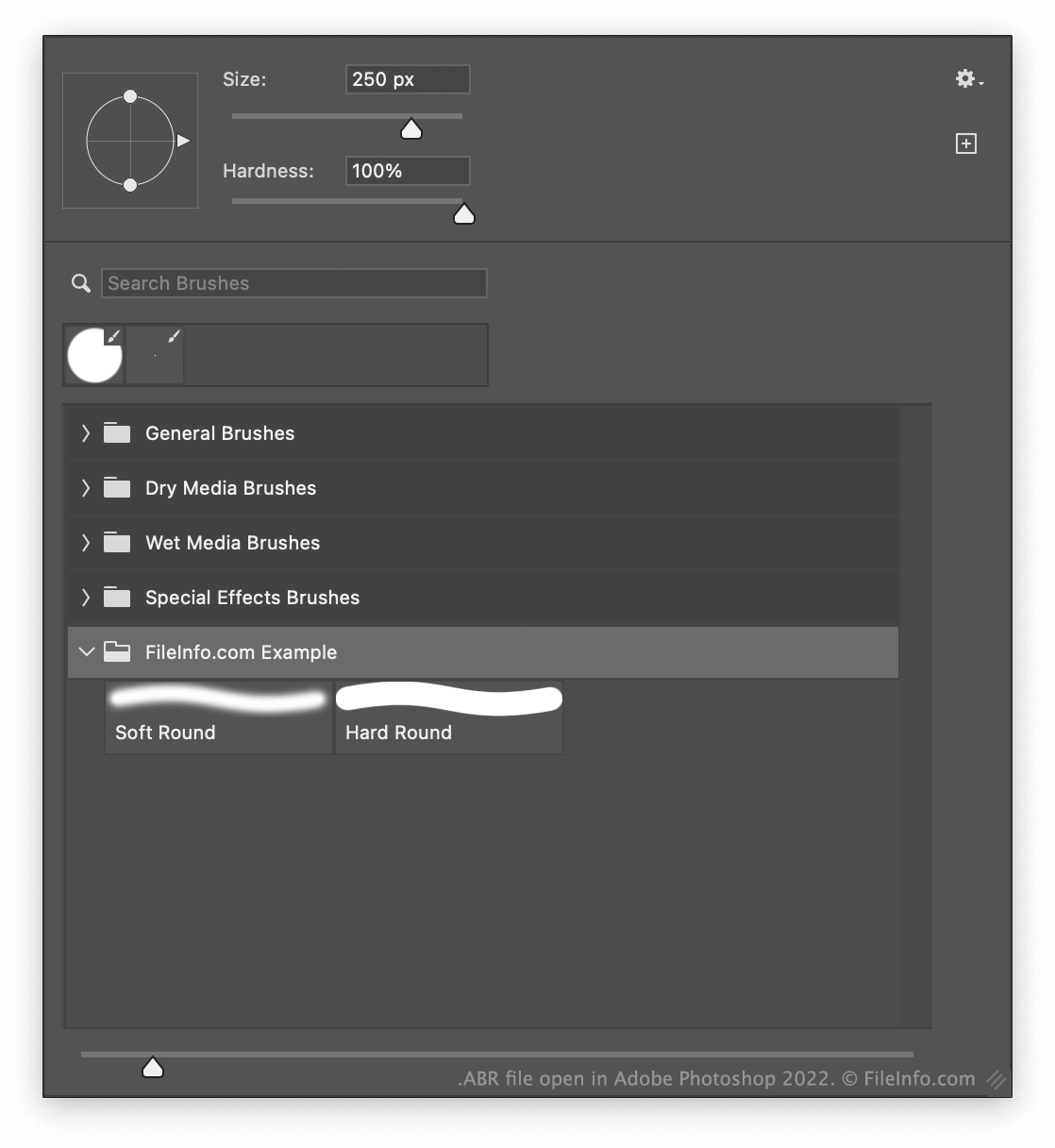
Narzędzie Pędzel w programie Photoshop pozwala malować pociągnięcia pędzlem o różnych rozmiarach, teksturach i innych efektach. Po utworzeniu pędzla lub pędzli w Photoshopie możesz wyeksportować je jako pojedynczy plik ABR. Umożliwia to udostępnianie pędzli innym użytkownikom programu Photoshop.
Gdzie Photoshop przechowuje pędzle?
Domyślnie Photoshop przechowuje pędzle w następującym katalogu:
Adobe Photoshop/Presets/Brushes
Jak eksportować pędzle jako plik ABR
Aby wyeksportować co najmniej jeden pędzel programu Photoshop jako plik ABR:
- Wybierz narzędzie Pędzel.
- Wybierz strzałkę listy rozwijanej widoczną obok rozmiaru pędzla (w pobliżu górnej części aplikacji).
- Wybierz co najmniej jeden pędzel u dołu wyświetlonego okna.
- Wybierz ikonę koła zębatego, a następnie .
Jak otworzyć plik ABR
Plik ABR możesz otworzyć w programie Adobe Photoshop (Windows, Mac). W tym celu
- Wybierz narzędzie Pędzel.
- Wybierz strzałkę listy rozwijanej widoczną obok rozmiaru pędzla (w pobliżu górnej części aplikacji).
- Wybierz ikonę koła zębatego, a następnie .
- Przejdź do pliku ABR i zaimportuj go.
Możesz także zaimportować plik ABR do programu GIMP (wieloplatformowy) i aplikacji Photopea (Web), aby używać go jako pędzla. W przypadku programu GIMP umieść plik w podkatalogu katalogu ~/brushes programu. W przypadku aplikacji Photopea wybierz strzałkę listy rozwijanej widoczną obok rozmiaru pędzla, wybierz strzałkę listy rozwijanej widoczną w oknie Size: , a następnie wybierz .
Jeśli chcesz tylko wyświetlić pędzel zawarty w pliku ABR, możesz otworzyć go w programie abrViewer (Windows).