

.ABR Bestandsextensie
Adobe Photoshop-penselen
| Ontwikkelaar | Adobe Systems |
| Populariteit |
3,7 | 272 stemmen |
Wat is een ABR-bestand?
Een ABR-bestand is een penseel of verzameling penselen die wordt gebruikt door Adobe Photoshop. Het bevat informatie over de vorm, textuur en dynamiek van het penseel of de penselen. Met sommige andere illustratie-apps kun je ook penselen importeren die zijn opgeslagen in de ABR-indeling.
Meer informatie
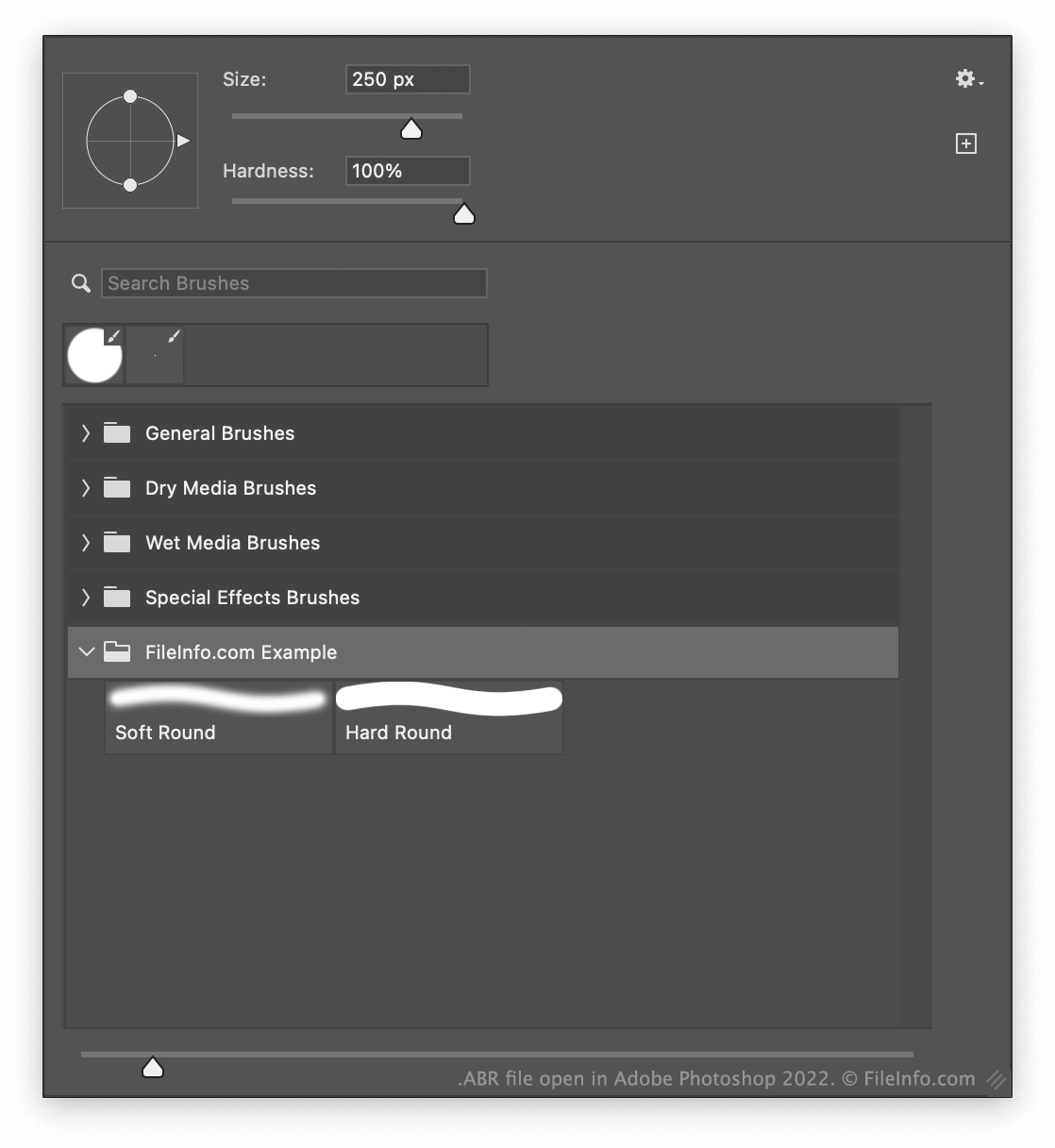
Met het gereedschap Penseel van Photoshop kun je penseelstreken tekenen met verschillende formaten, texturen en andere effecten. Nadat je een of meer penselen in Photoshop hebt gemaakt, kun je deze penselen exporteren als één ABR-bestand. Zo kun je de penselen delen met andere Photoshop-gebruikers.
Waar slaat Photoshop penselen op?
Standaard slaat Photoshop penselen op in de volgende map:
Adobe Photoshop/Presets/Brushes
Penselen exporteren als ABR-bestand
Een of meer Photoshop-penselen exporteren als ABR-bestand:
- Selecteer het gereedschap Penseel.
- Selecteer de pijl voor de vervolgkeuzelijst naast de penseelgrootte (bovenaan in de app).
- Selecteer onderaan het venster dat verschijnt een of meer penselen.
- Selecteer het tandwielpictogram en vervolgens .
Een ABR-bestand openen
Je kunt een ABR-bestand openen in Adobe Photoshop (Windows, Mac). Ga hiervoor als volgt te werk:
- Selecteer het gereedschap Penseel.
- Selecteer de pijl voor de vervolgkeuzelijst naast de penseelgrootte (bovenaan in de app).
- Selecteer het tandwielpictogram en vervolgens .
- Navigeer naar je ABR-bestand en importeer het.
Je kunt een ABR-bestand ook importeren in GIMP (meerdere platforms) en Photopea (web), om het als penseel te gebruiken. Plaats het bestand voor GIMP in een submap van de map ~/brushes van het programma. Selecteer voor Photopea de pijl voor de vervolgkeuzelijst naast de penseelgrootte, selecteer de pijl voor de vervolgkeuzelijst in het venster Size: en selecteer vervolgens .
Als je alleen het penseel in je ABR-bestand wilt bekijken, kun je het openen in abrViewer (Windows).