

.VTT 文件扩展名
Web视频文本轨道文件
| 开发者 | 不适用 |
| 受欢迎程度 |
3.7 | 251 票 |
什么是 VTT 文件?
VTT文件是以Web Video Text Tracks(WebVTT)格式保存的文本文件。它包含有关网页视频的补充信息,包括字幕、隐藏式字幕、描述、章节和元数据。VTT文件不包含任何视频数据。
更多信息
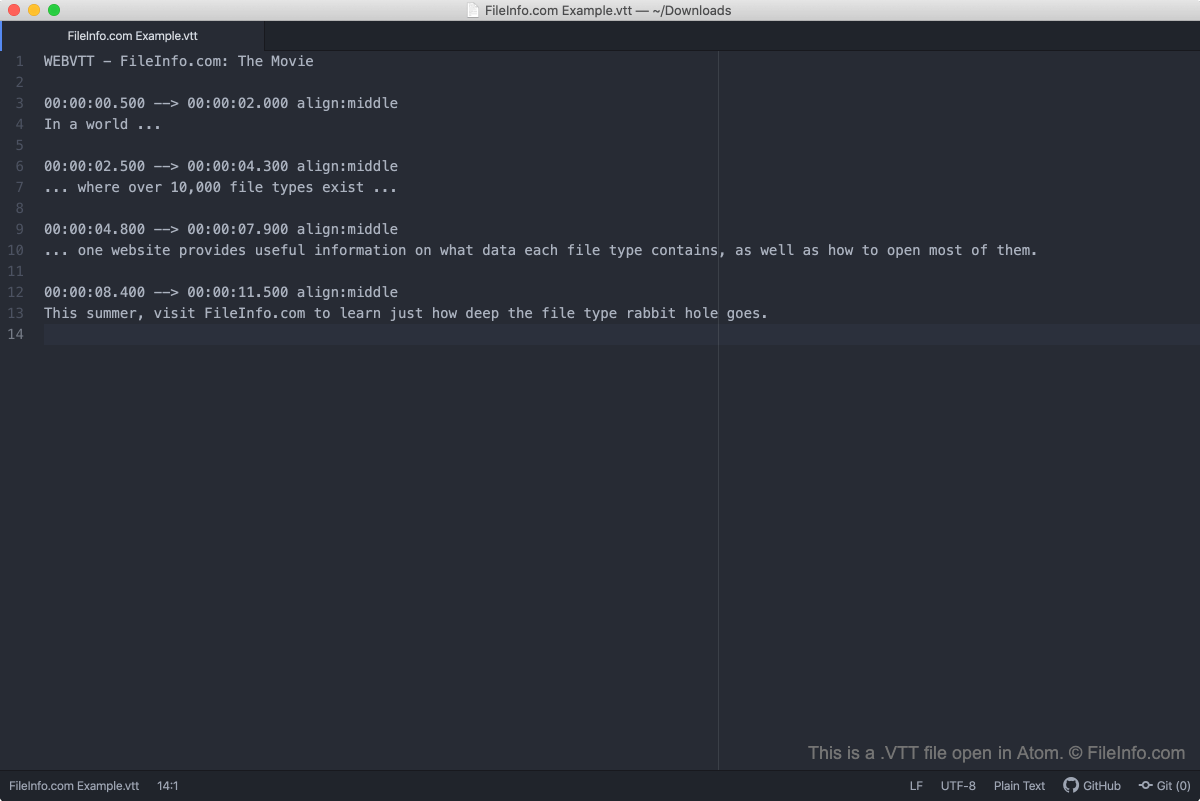
大多数在线视频托管服务(例如YouTube和Vimeo)都允许用户使用VTT文件为视频添加字幕或隐藏式字幕,VideoLAN VLC Media Player等媒体播放器也支持此功能。此外,WebVTT格式还用于提供:
- 用于内容导航的章节
- 视频文本描述
- 与音频或视频内容同步的其他元数据
注: WebVTT在2010年取代了Web Subtitle Resource Tracks(WebSRT)格式。
如何打开 VTT 文件
你可以使用任何文本编辑器打开和编辑VTT文件,例如Microsoft Notepad(Windows)、Apple TextEdit(Mac)或GitHub Atom(跨平台)。你也可以将VTT文件拖入任何网页浏览器中查看其内容。
如果你想在VideoLAN VLC Media Player中将VTT文件用作字幕轨道:
- 开始播放你想要使用VTT文件的视频。
- 在VLC Media Player菜单栏中,选择。
- 导航到包含VTT文件的文件夹,选择该文件,然后选择。
如何验证VTT字幕的格式是否正确
你可以将VTT文件上传到Subtitle Validator(网址为https://validator.subtitledpro.com/),以验证其中包含的字幕格式是否正确。
如何转换 VTT 文件
许多免费的在线转换工具都可以将VTT字幕转换为.SRT字幕格式,更多媒体播放器支持这种格式。例如,https://www.happyscribe.com/subtitle-tools/convert-vtt-to-srt和https://www.veed.io/subtitle-tools/edit中的工具可以将VTT文件转换为SRT文件。
可打开 VTT 文件的程序
Windows
Mac
Linux
Android