

.VTT Bestandsextensie
Web Video Text Tracks-bestand
| Ontwikkelaar | N.v.t. |
| Populariteit |
3,7 | 251 stemmen |
Wat is een VTT-bestand?
Een VTT-bestand is een tekstbestand dat is opgeslagen in de indeling Web Video Text Tracks (WebVTT). Het bevat aanvullende informatie over een webvideo, waaronder ondertitels, bijschriften, beschrijvingen, hoofdstukken en metagegevens. VTT-bestanden bevatten geen videogegevens.
Meer informatie
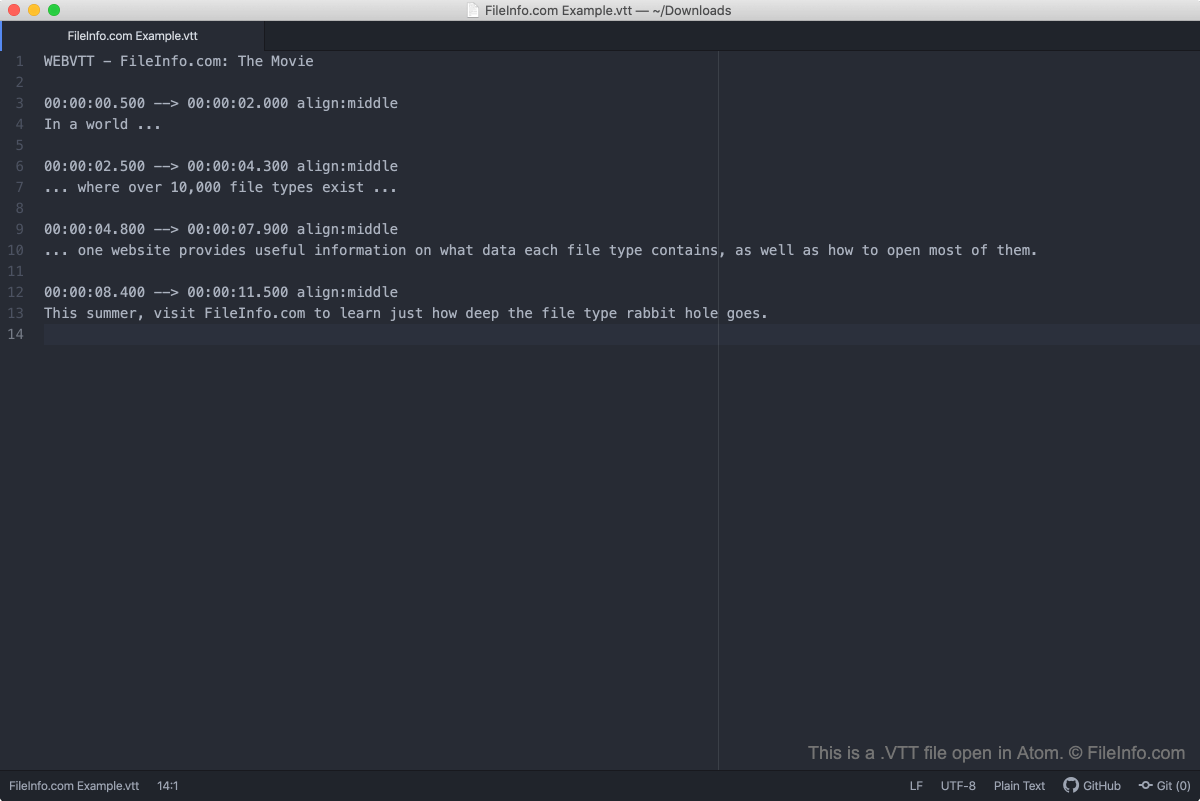
De meeste online videohostingservices, zoals YouTube en Vimeo, staan gebruikers toe hun video's van bijschriften of ondertitels te voorzien met VTT-bestanden. Dat geldt ook voor mediaspelers zoals VideoLAN VLC Media Player. Daarnaast is de indeling WebVTT ontworpen om het volgende te bieden:
- Hoofdstukken voor navigatie door de inhoud
- Tekstuele videobeschrijvingen
- Andere met audio- of video-inhoud gesynchroniseerde metagegevens
OPMERKING: WebVTT verving in 2010 de indeling Web Subtitle Resource Tracks (WebSRT).
Een VTT-bestand openen
Je kunt een VTT-bestand openen en bewerken met elke teksteditor, zoals Microsoft Notepad (Windows), Apple TextEdit (Mac) of GitHub Atom (multiplatform). Je kunt de inhoud van een VTT-bestand ook bekijken door het bestand naar een webbrowser te slepen.
Als je een VTT-bestand als ondertiteling in VideoLAN VLC Media Player wilt gebruiken:
- Begin met het afspelen van de video waarvoor je je VTT-bestand wilt gebruiken.
- Selecteer in de menubalk van VLC Media Player .
- Ga naar de map met je VTT-bestand, selecteer het bestand en selecteer vervolgens .
Controleren of VTT-ondertitels correct zijn opgemaakt
Je kunt controleren of de ondertitels in een VTT-bestand correct zijn opgemaakt door het bestand te uploaden naar de Subtitle Validator op https://validator.subtitledpro.com/.
Een VTT-bestand converteren
Met veel gratis online conversietools kun je VTT-ondertitels converteren naar de .SRT-ondertitelingsindeling, die door meer mediaspelers wordt ondersteund. Met de tools op https://www.happyscribe.com/subtitle-tools/convert-vtt-to-srt en https://www.veed.io/subtitle-tools/edit kun je bijvoorbeeld VTT-bestanden converteren naar SRT-bestanden.