.REPLIT 文件扩展名

Replit Project Configuration

开发者 Replit
受欢迎程度
4.0  |  3 
 

什么是 REPLIT 文件?

A REPLIT file is a project configuration file used by Replit, a browser-based IDE. It contains plain text data that defines a Replit project's settings. For example, a project's REPLIT file defines how Replit runs the program that project contains.

更多信息

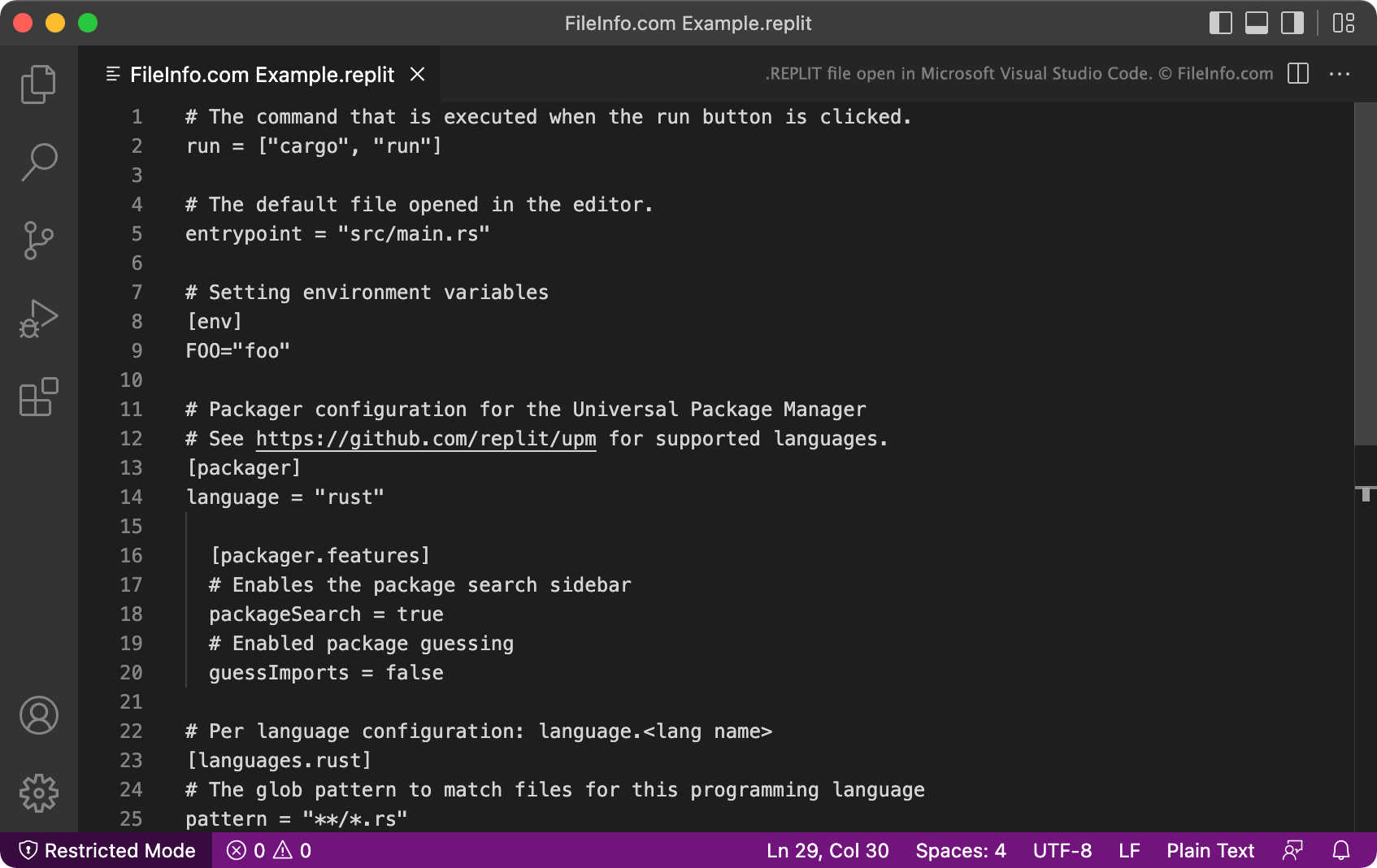
在 Microsoft Visual Studio Code 中打开的 .replit 文件截图
在 Microsoft Visual Studio Code 中打开的 REPLIT 文件

Replit is an online IDE that takes its name from the REPL (read-evaluate-print loop) acronym. Most notably, Replit allows developers to import code packages and projects from GitHub, so they can edit and run those projects in Replit. Replit projects are commonly referred to as repls.

When a developer creates a new repl, Replit automatically creates a REPLIT configuration file for that repl. The REPLIT file is typically hidden, but developers can view the file by selecting Show hidden files from Replit's three-dot file tree menu.

Each REPLIT file is a .TOML file that contains a list of project-related settings. For example, the run command tells Replit how to run the program the REPLIT file is associated with, the language setting tells Replit what programming languages the project uses, and the [packager] setting tells Replit the program's package management configuration.

如何打开 REPLIT 文件

You can open and edit a REPLIT file in any text or source code editor, such as Microsoft Visual Studio Code. Most often, however, you will end up opening and editing REPLIT files in Replit (Web), while working on an associated repl.

使用File Viewer Plus打开 400 多种文件格式。免费下载

可打开或引用 REPLIT 文件的程序

分类: 开发者
更新时间: 2022-04-25

验证者 FileInfo.com

FileInfo.com 团队 独立研究了本页面列出的 Replit Project Configuration 文件格式和 Mac, Windows, and Linux 应用。 我们的目标是达到 100% 的准确率,并且仅发布我们已验证过的文件类型信息。

如果您想为此页面提出新增或更新建议,请告诉我们