

.REPLIT Extension de fichier
Fichier de configuration de projet Replit
| Développeur | Replit |
| Popularité |
4,0 | 3 Votes |
Qu'est-ce qu'un fichier REPLIT ?
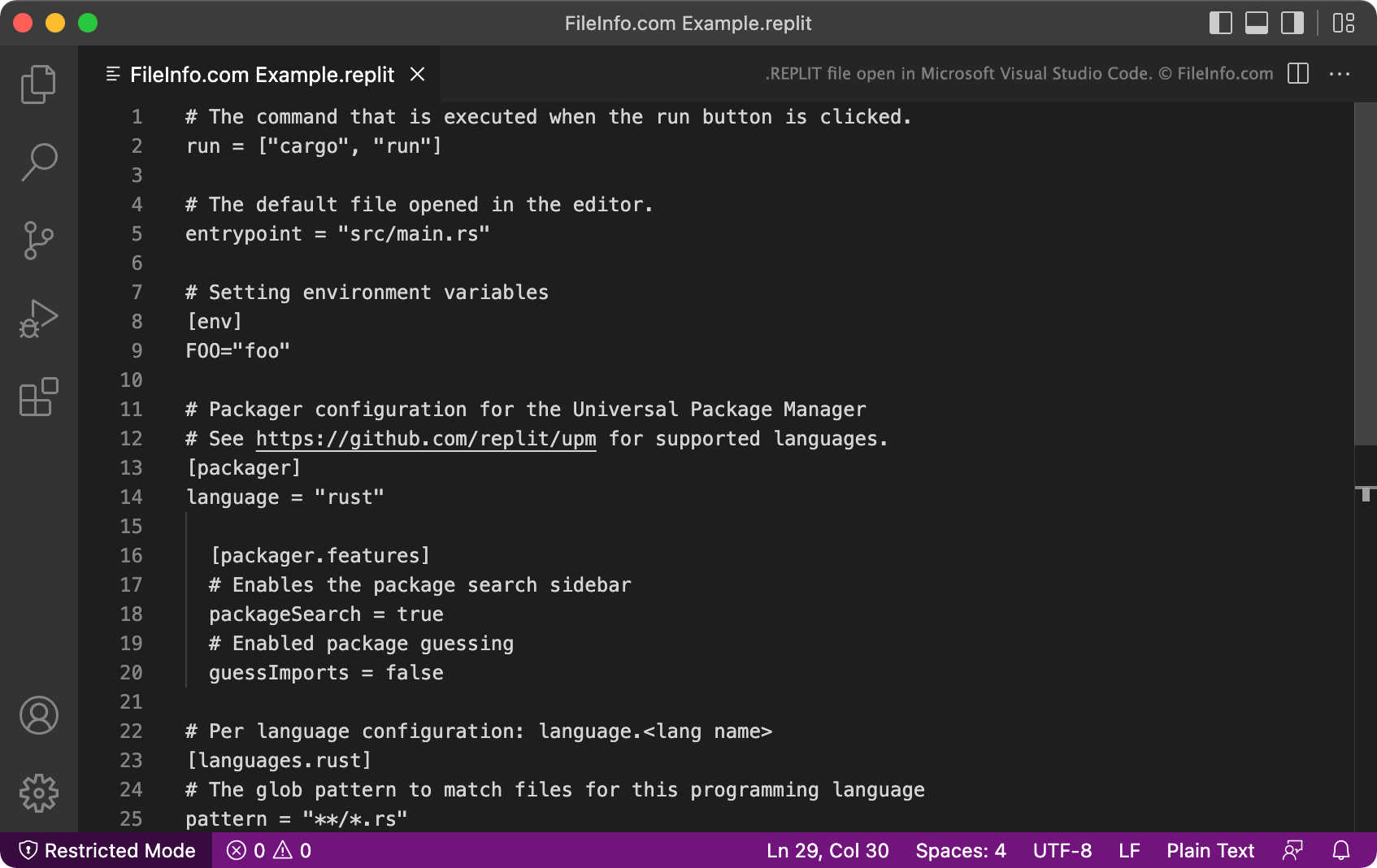
Un fichier REPLIT est un fichier de configuration de projet utilisé par Replit, un environnement de développement intégré accessible depuis un navigateur. Il contient des données en texte brut qui définissent les paramètres d'un projet Replit. Par exemple, le fichier REPLIT d'un projet définit la manière dont Replit exécute le programme contenu dans ce projet.
Plus d'informations
Replit est un environnement de développement intégré en ligne qui tire son nom de l'acronyme REPL (boucle de lecture-évaluation-affichage). Plus particulièrement, Replit permet aux développeurs d'importer des packages de code et des projets depuis GitHub, afin de pouvoir modifier et exécuter ces projets dans Replit. Les projets Replit sont généralement appelés des repls.
Lorsqu'un développeur crée un nouveau repl, Replit crée automatiquement un fichier de configuration REPLIT pour ce repl. Le fichier REPLIT est généralement masqué, mais les développeurs peuvent l'afficher en sélectionnant dans le menu en forme de trois points de l'arborescence des fichiers de Replit.
Chaque fichier REPLIT est un fichier .TOML qui contient une liste de paramètres liés au projet. Par exemple, la commande run indique à Replit comment exécuter le programme associé au fichier REPLIT, le paramètre language indique à Replit quels langages de programmation le projet utilise, et le paramètre [packager] indique à Replit la configuration de gestion des packages du programme.
Comment ouvrir un fichier REPLIT
Vous pouvez ouvrir et modifier un fichier REPLIT dans n'importe quel éditeur de texte ou de code source, comme Microsoft Visual Studio Code. Cependant, le plus souvent, vous ouvrirez et modifierez les fichiers REPLIT dans Replit (Web), pendant que vous travaillez sur le repl associé.