

.REPLIT Extensão de arquivo
Configuração de projeto do Replit
| Desenvolvedor | Replit |
| Popularidade |
4,0 | 3 Votos |
O que é um arquivo REPLIT?
Um arquivo REPLIT é um arquivo de configuração de projeto usado pelo Replit, um ambiente de desenvolvimento integrado executado no navegador. Ele contém dados em texto simples que definem as configurações de um projeto do Replit. Por exemplo, o arquivo REPLIT de um projeto define como o Replit executa o programa que esse projeto contém.
Mais informações
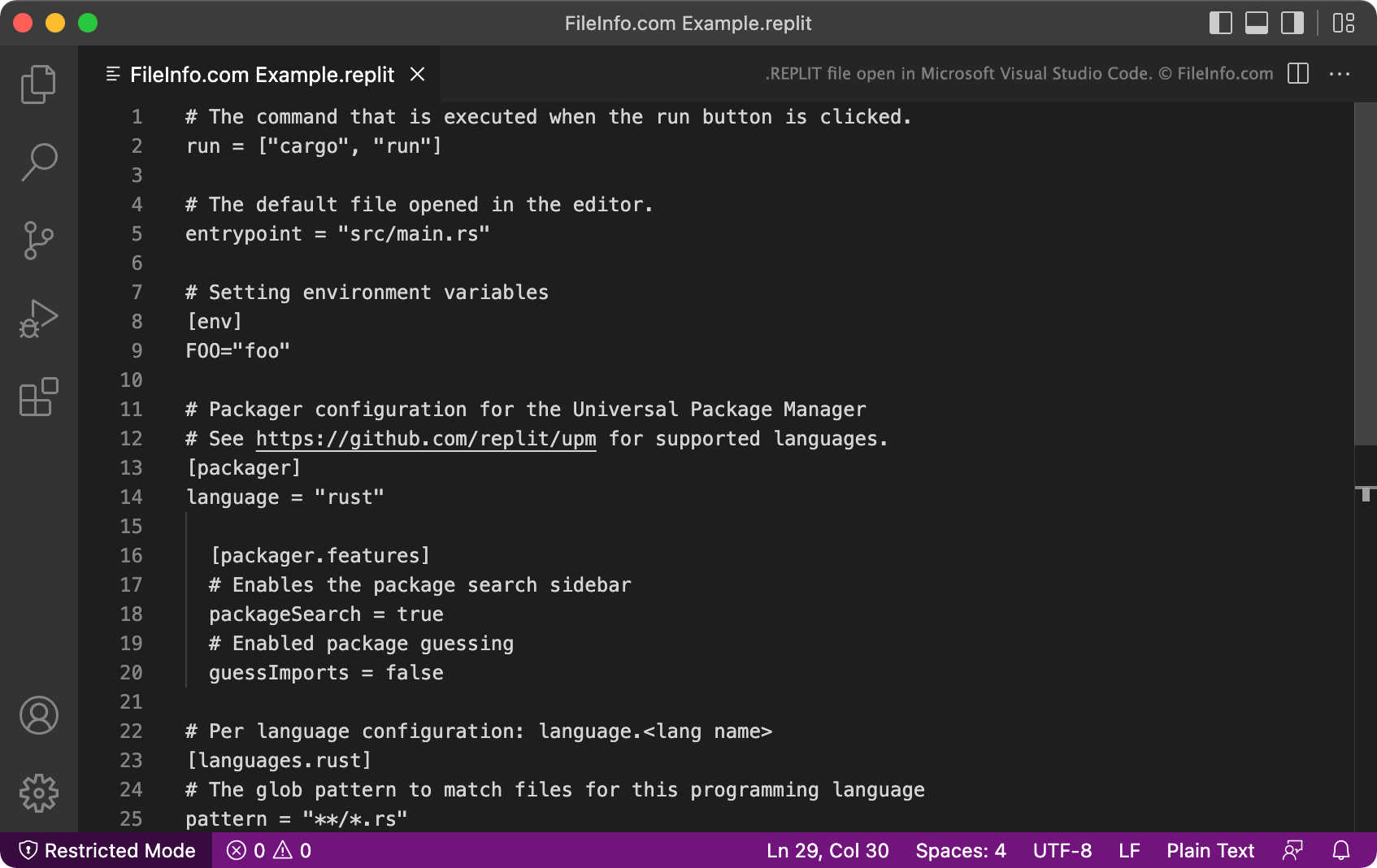
O Replit é um ambiente de desenvolvimento integrado online que recebeu seu nome da sigla REPL (read-evaluate-print loop). Principalmente, o Replit permite que desenvolvedores importem pacotes de código e projetos do GitHub para editá-los e executá-los no Replit. Os projetos do Replit são comumente chamados de repls.
Quando um desenvolvedor cria um novo repl, o Replit cria automaticamente um arquivo de configuração REPLIT para esse repl. O arquivo REPLIT geralmente fica oculto, mas os desenvolvedores podem visualizá-lo selecionando no menu de três pontos da árvore de arquivos do Replit.
Cada arquivo REPLIT é um arquivo .TOML que contém uma lista de configurações relacionadas ao projeto. Por exemplo, o comando run informa ao Replit como executar o programa ao qual o arquivo REPLIT está associado, a configuração language informa ao Replit quais linguagens de programação o projeto usa, e a configuração [packager] informa ao Replit a configuração de gerenciamento de pacotes do programa.
Como abrir um arquivo REPLIT
Você pode abrir e editar um arquivo REPLIT em qualquer editor de texto ou de código-fonte, como o Microsoft Visual Studio Code. No entanto, na maioria das vezes, você acabará abrindo e editando arquivos REPLIT no Replit (Web) enquanto trabalha em um repl associado.