.PO 文件扩展名
Portable Object
| 开发者 | 不适用 |
| 受欢迎程度 |
4.0 | 56 票 |
什么是 PO 文件?
A PO file is a text-based object file used in software development. It may be referenced by Java programs, GNU gettext, or other software programs as a properties file. Most often, PO files contain user interface text translations that are referenced by GNU gettext.
更多信息
GNU gettext is a toolkit that helps programmers and translators produce user interface translation files. Most of these files are saved as PO files (others are saved as .POT files). Each PO file includes one or more entries, which associate an original, untranslated string(s) with its corresponding translation(s). The original text follows the identifier msgid; the translation follows the identifier msgstr.
All translations in a single PO file are written in the same translation language. If a program requires multiple languages' worth of translations, it will use multiple PO files.
如何打开 PO 文件
You can open and edit a PO file in any text or source code editor, such as Microsoft Visual Studio Code (cross-platform) or GitHub Atom (cross-platform).
可打开或引用 PO 文件的程序
ProDOS Order Apple II Disk Image
| 开发者 | 不适用 |
| 受欢迎程度 |
2.0 | 2 票 |
A PO file is a disk image created for use with an Apple II computer. It contains applications, games, and/or other files that can be loaded in an Apple II computer or emulator. PO files are saved using ProDOS sector order, rather than DOS 3.3 sector order.
更多信息
Apple released the first Apple II computer in June 1977. It was followed by the Apple II+, Apple II3, Apple IIc, and Apple IIGS.
Several tools allow users to create images of these computers' hard disks, to preserve the applications, files, and other data stored on them. These disk images are saved in many formats, including the PO format. Notably, PO format disk images save data in ProDOS sector order, while .DO disk images save data in DOS 3.3 sector order. (Some Apple II computers used the ProDOS operating system, while others used DOS 3.3.) Both formats may instead use the .DSK extension.
When a user mounts a PO disk image in an Apple II computer or emulator, they can access the folders and files that disk image contains. Users can also examine a PO file's contents in Apple II disk image utilities.
如何打开 PO 文件
You can open a PO file in several Apple II disk image utilities and Apple II emulators. For example:
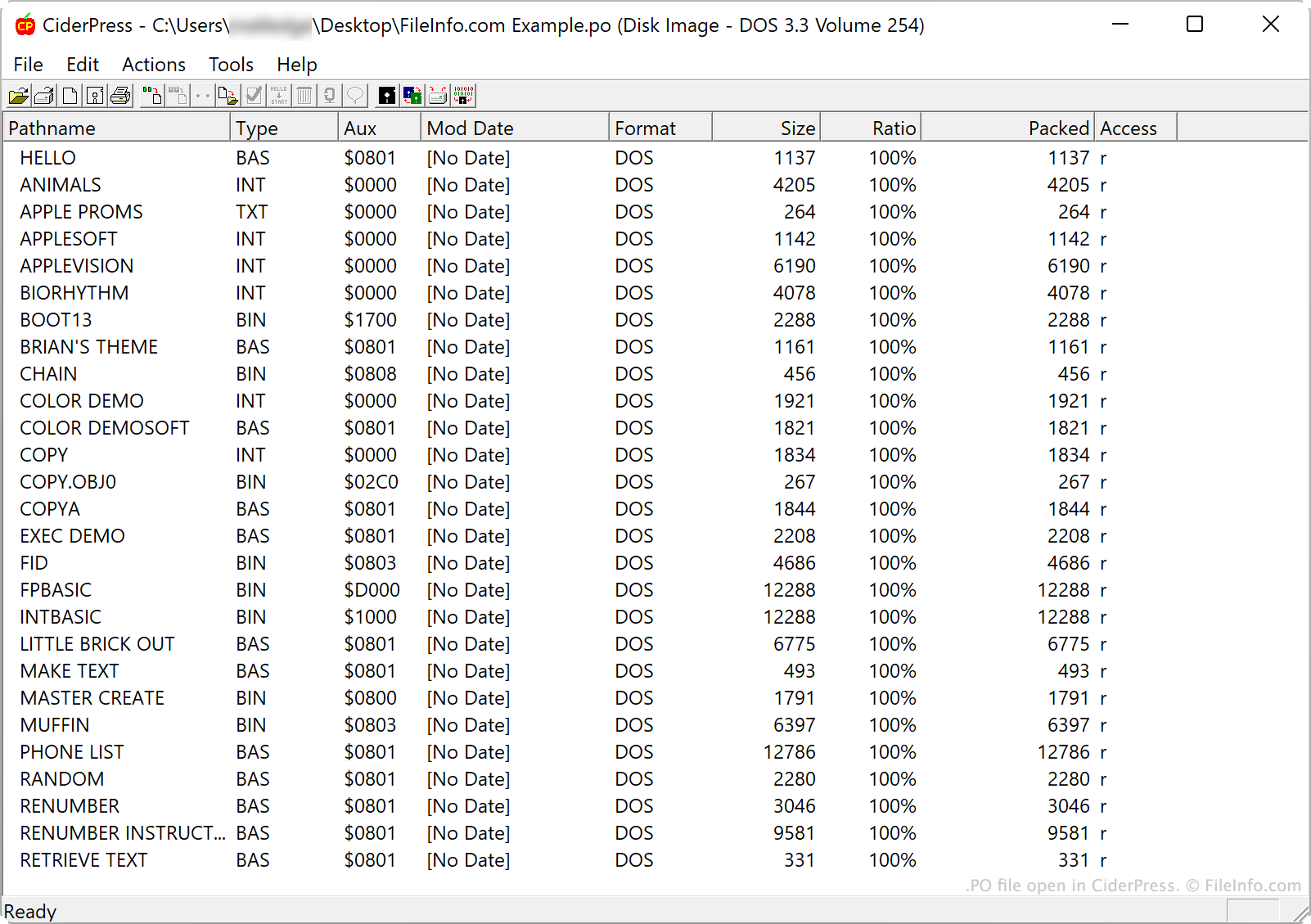
- CiderPress (Windows) allows you to open a PO file to examine, extract, or add to its contents
- Apple Disk Transfer ProDOS (multiplatform) allows you to transfer PO files to an Apple II computer.
- KEGS (Kent's Emulated GS) (multiplatform) allows you to open and mount PO files.