

.PO Přípona souboru
Portable Object
| Vývojář | Neuvedeno |
| Popularita |
4,0 | 56 hlasů |
Co je soubor PO?
Soubor PO je objektový soubor založený na textu, který se používá při vývoji softwaru. Programy v jazyce Java, GNU gettext nebo jiné softwarové programy na něj mohou odkazovat jako na soubor vlastností. Soubory PO nejčastěji obsahují překlady textu uživatelského rozhraní, na které odkazuje GNU gettext.
Další informace

GNU gettext je sada nástrojů, která programátorům a překladatelům pomáhá vytvářet soubory s překlady uživatelského rozhraní. Většina těchto souborů se ukládá jako soubory PO (ostatní se ukládají jako .POT soubory). Každý soubor PO obsahuje jednu nebo více položek, které spojují původní nepřeložený řetězec (řetězce) s odpovídajícím překladem (překlady). Původní text následuje za identifikátorem msgid; překlad následuje za identifikátorem msgstr.
Všechny překlady v jednom souboru PO jsou napsané ve stejném jazyce překladu. Pokud program vyžaduje překlady pro více jazyků, použije více souborů PO.
Jak otevřít soubor PO
Soubor PO můžete otevřít a upravit v libovolném textovém editoru nebo editoru zdrojového kódu, například v programu Microsoft Visual Studio Code (pro více platforem) nebo GitHub Atom (pro více platforem).
Programy, které otevírají nebo odkazují na soubory PO
Obraz disku Apple II v pořadí sektorů ProDOS
| Vývojář | Neuvedeno |
| Popularita |
2,0 | 2 hlasy |
Soubor PO je obraz disku vytvořený pro použití s počítačem Apple II. Obsahuje aplikace, hry a/nebo další soubory, které lze načíst v počítači Apple II nebo emulátoru. Soubory PO se ukládají s pořadím sektorů ProDOS, nikoli s pořadím sektorů DOS 3.3.
Další informace
Společnost Apple uvedla první počítač Apple II v červnu 1977. Následovaly modely Apple II+, Apple II3, Apple IIc a Apple IIGS.
Několik nástrojů umožňuje uživatelům vytvářet obrazy pevných disků těchto počítačů a zachovat tak aplikace, soubory a další data na nich uložená. Tyto obrazy disků se ukládají v mnoha formátech včetně formátu PO. Obrazy disků ve formátu PO ukládají data s pořadím sektorů ProDOS, zatímco obrazy disků .DO ukládají data s pořadím sektorů DOS 3.3. (Některé počítače Apple II používaly operační systém ProDOS, zatímco jiné používaly DOS 3.3.) Oba formáty mohou místo toho používat příponu .DSK.
Když uživatel připojí obraz disku PO v počítači Apple II nebo emulátoru, může získat přístup ke složkám a souborům, které tento obraz disku obsahuje. Uživatelé mohou také prohlížet obsah souboru PO v nástrojích pro práci s obrazy disků Apple II.
Jak otevřít soubor PO
Soubor PO lze otevřít v několika nástrojích pro práci s obrazy disků Apple II a emulátorech Apple II. Například:
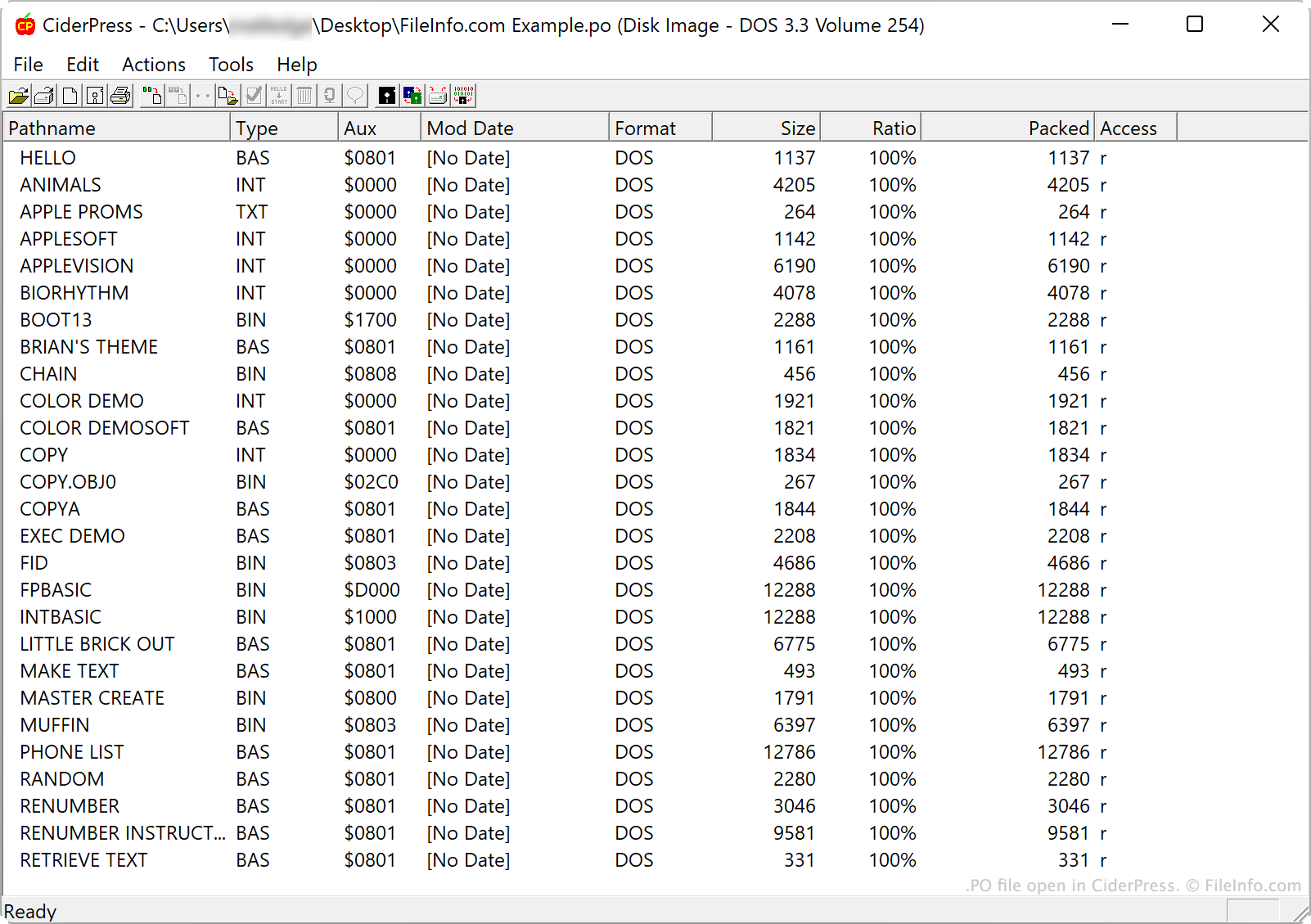
- CiderPress (Windows) umožňuje otevřít soubor PO a prohlížet, extrahovat nebo doplňovat jeho obsah
- Apple Disk Transfer ProDOS (multiplatformní) umožňuje přenášet soubory PO do počítače Apple II.
- KEGS (Kent's Emulated GS) (multiplatformní) umožňuje otevírat a připojovat soubory PO.