.PO 파일 확장자

Portable Object

개발사 해당 없음
인기도
4.0  |  56 투표
 

PO 파일이란 무엇인가요?

A PO file is a text-based object file used in software development. It may be referenced by Java programs, GNU gettext, or other software programs as a properties file. Most often, PO files contain user interface text translations that are referenced by GNU gettext.

추가 정보

GitHub Atom에서 열린 .po 파일의 스크린샷
GitHub Atom에서 열린 PO 파일

GNU gettext is a toolkit that helps programmers and translators produce user interface translation files. Most of these files are saved as PO files (others are saved as .POT files). Each PO file includes one or more entries, which associate an original, untranslated string(s) with its corresponding translation(s). The original text follows the identifier msgid; the translation follows the identifier msgstr.

All translations in a single PO file are written in the same translation language. If a program requires multiple languages' worth of translations, it will use multiple PO files.

PO 파일을 여는 방법

You can open and edit a PO file in any text or source code editor, such as Microsoft Visual Studio Code (cross-platform) or GitHub Atom (cross-platform).

File Viewer Plus(으)로 400개 이상의 파일 형식을 여세요.무료 다운로드

PO 파일을 열거나 참조하는 프로그램

Windows
Referenced by various programs
Edit with a text editor
Mac
Referenced by various programs
Edit with a text editor
Linux
Referenced by various programs
Edit with a text editor
카테고리: 개발자
업데이트: 2021-10-22

ProDOS Order Apple II Disk Image

개발사 해당 없음
인기도
2.0  |  2 투표
 

A PO file is a disk image created for use with an Apple II computer. It contains applications, games, and/or other files that can be loaded in an Apple II computer or emulator. PO files are saved using ProDOS sector order, rather than DOS 3.3 sector order.

추가 정보

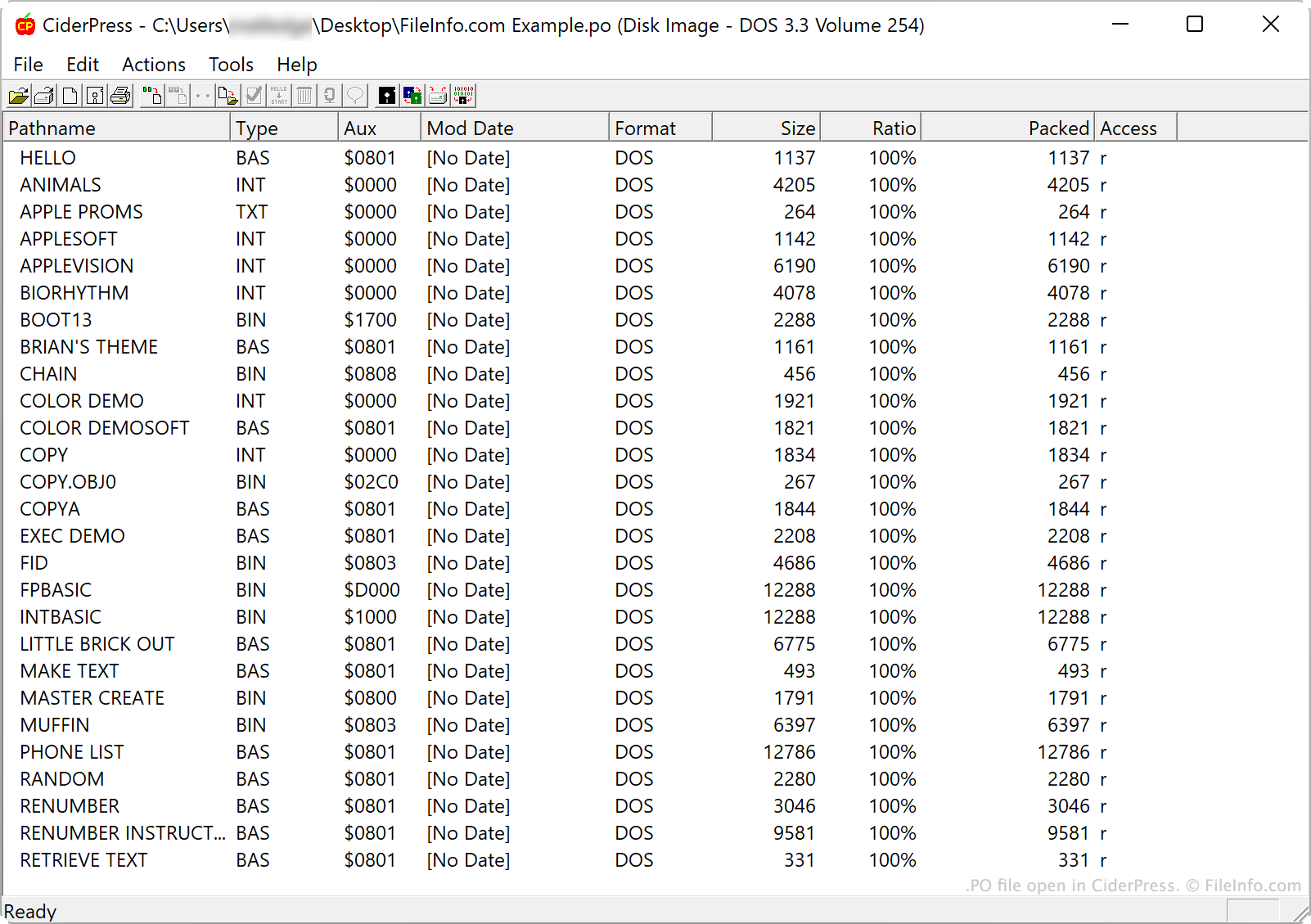
CiderPress에서 열린 .po 파일의 스크린샷
CiderPress에서 열린 PO 파일

Apple released the first Apple II computer in June 1977. It was followed by the Apple II+, Apple II3, Apple IIc, and Apple IIGS.

Several tools allow users to create images of these computers' hard disks, to preserve the applications, files, and other data stored on them. These disk images are saved in many formats, including the PO format. Notably, PO format disk images save data in ProDOS sector order, while .DO disk images save data in DOS 3.3 sector order. (Some Apple II computers used the ProDOS operating system, while others used DOS 3.3.) Both formats may instead use the .DSK extension.

When a user mounts a PO disk image in an Apple II computer or emulator, they can access the folders and files that disk image contains. Users can also examine a PO file's contents in Apple II disk image utilities.

PO 파일을 여는 방법

You can open a PO file in several Apple II disk image utilities and Apple II emulators. For example:

  • CiderPress (Windows) allows you to open a PO file to examine, extract, or add to its contents
  • Apple Disk Transfer ProDOS (multiplatform) allows you to transfer PO files to an Apple II computer.
  • KEGS (Kent's Emulated GS) (multiplatform) allows you to open and mount PO files.

PO 파일을 변환하는 방법

CiderPress can convert PO disk images to other disk image formats, including:

  • .DO - DOS 3.3 Order Apple II Disk Image
  • .2MG - Apple IIGS Disk Image
  • NIB - Unadorned Nibble
  • SDK - ShrinkIt Disk Archive
  • APP - TrackStar Disk Image
  • HDV - Sim //e Virtual Hard Drive
  • DDD - DDD Pro Image

PO 파일을 여는 프로그램

Windows
Linux

검증자 FileInfo.com

FileInfo.com 팀 이 페이지에 나열된 모든 파일 형식과 소프트웨어 프로그램을 독자적으로 조사했습니다. 저희의 목표는 100% 정확성이며, 검증한 파일 유형에 대한 정보만 게시합니다.

이 페이지에 추가하거나 업데이트할 내용을 제안하고 싶으시면 알려 주세요.