.PIXIL 文件扩展名

Pixilart Project

开发者 Pixilart
受欢迎程度
3.4  |  22 
 

什么是 PIXIL 文件?

A PIXIL file is a pixel art project created by Pixilart, an online vector-drawing application used to create artwork with a pixelated appearance. It contains one or more drawing layers with various annotations and effects. PIXIL files also store drawing project settings, such as the title and description of the drawing, the canvas size, and the number of frames, and their length in time if the project is an animation.

更多信息

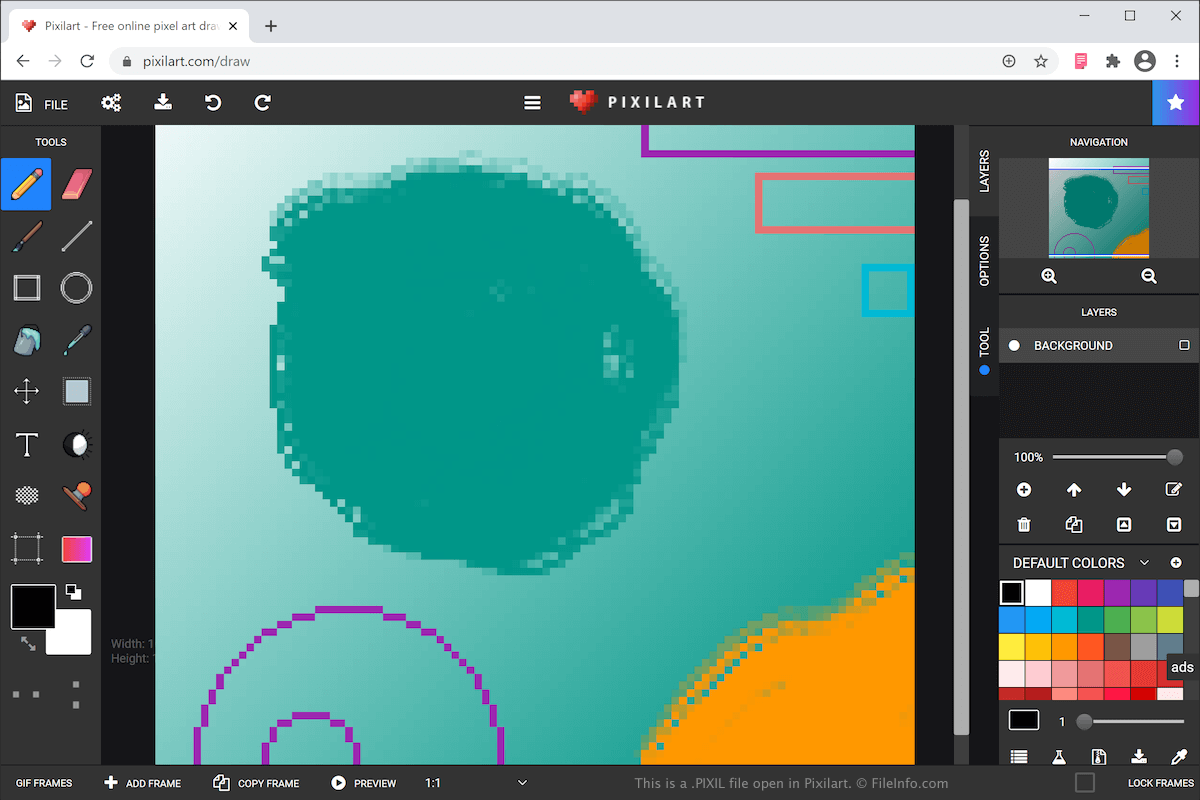
在 Pixilart 中打开的 .pixil 文件截图
在 Pixilart 中打开的 PIXIL 文件

You can create various types of art with Pixilart, such as icons, gaming sprites, and animations. After completing your drawing, you can then share it with other users in the Pixelart online community, as well as customize objects, such as mugs, shirts, and phone cases with the artwork.

The Pixil format is the primary format used to save drawings with Pixilart. When you save your drawing as a PIXIL file, you can close it, then re-open it for further editing.

To create a PIXIL file and save it on your computer, select FILE → SAVE AS PIXIL and name the file. Your web browser will then download and save the PIXIL file in your downloads folder. The PIXIL file bears the same name as what you just named it.

Pixilart also allows you to export your drawing as a .PNG image or .GIF animation. To do this, select FILE → DOWNLOAD, choose your settings and format, then click SAVE DRAWING.

如何打开 PIXIL 文件

You can open a PIXIL file with Pixilart. To open a PIXIL file with Pixilart that has been saved on your computer, select FILE → OPEN PIXIL, navigate to the PIXIL file on your computer, then click Open to upload the file to the Pixilart web application.

使用File Viewer Plus打开 400 多种文件格式。免费下载

可打开 PIXIL 文件的程序

Web
免费

验证者 FileInfo.com

FileInfo.com 团队 独立研究了本页面列出的 Pixilart Project 文件格式和 应用。 我们的目标是达到 100% 的准确率,并且仅发布我们已验证过的文件类型信息。

如果您想为此页面提出新增或更新建议,请告诉我们