.PIXIL 파일 확장자

Pixilart Project

개발사 Pixilart
인기도
3.4  |  22 투표
 

PIXIL 파일이란 무엇인가요?

A PIXIL file is a pixel art project created by Pixilart, an online vector-drawing application used to create artwork with a pixelated appearance. It contains one or more drawing layers with various annotations and effects. PIXIL files also store drawing project settings, such as the title and description of the drawing, the canvas size, and the number of frames, and their length in time if the project is an animation.

추가 정보

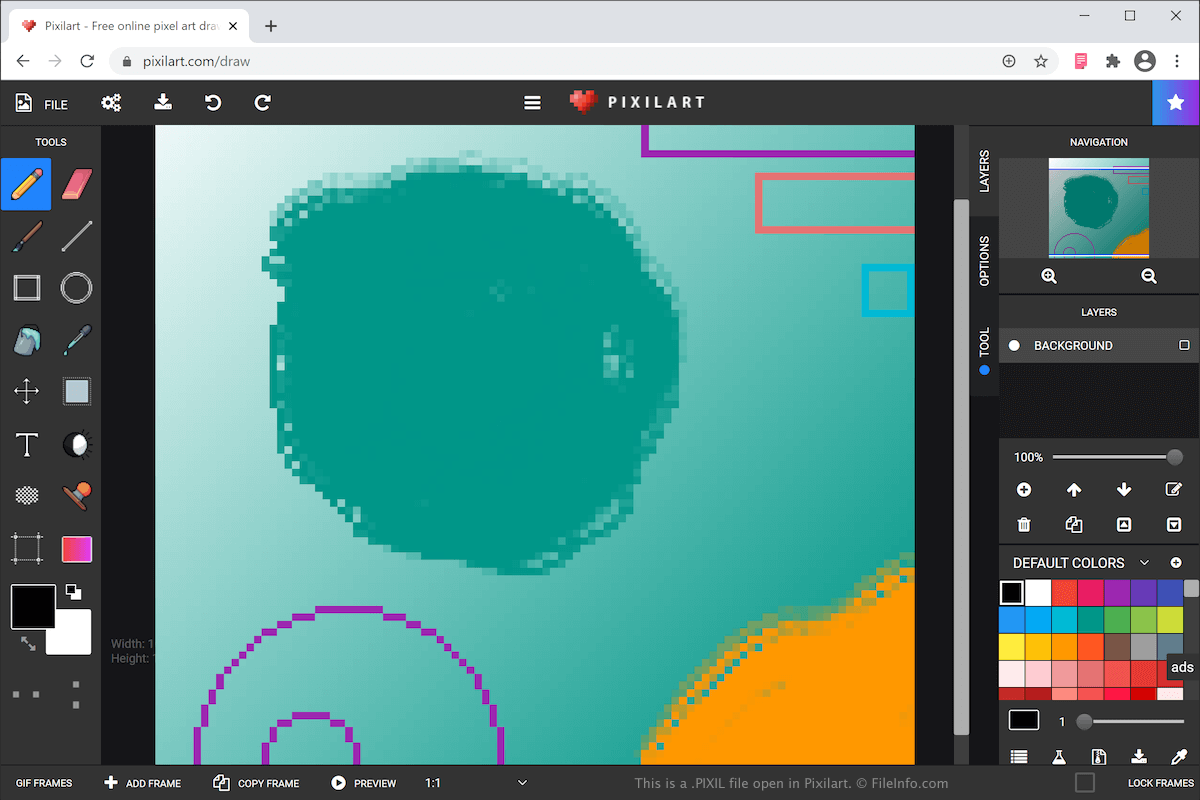
Pixilart에서 열린 .pixil 파일의 스크린샷
Pixilart에서 열린 PIXIL 파일

You can create various types of art with Pixilart, such as icons, gaming sprites, and animations. After completing your drawing, you can then share it with other users in the Pixelart online community, as well as customize objects, such as mugs, shirts, and phone cases with the artwork.

The Pixil format is the primary format used to save drawings with Pixilart. When you save your drawing as a PIXIL file, you can close it, then re-open it for further editing.

To create a PIXIL file and save it on your computer, select FILE → SAVE AS PIXIL and name the file. Your web browser will then download and save the PIXIL file in your downloads folder. The PIXIL file bears the same name as what you just named it.

Pixilart also allows you to export your drawing as a .PNG image or .GIF animation. To do this, select FILE → DOWNLOAD, choose your settings and format, then click SAVE DRAWING.

PIXIL 파일을 여는 방법

You can open a PIXIL file with Pixilart. To open a PIXIL file with Pixilart that has been saved on your computer, select FILE → OPEN PIXIL, navigate to the PIXIL file on your computer, then click Open to upload the file to the Pixilart web application.

File Viewer Plus(으)로 400개 이상의 파일 형식을 여세요.무료 다운로드

PIXIL 파일을 여는 프로그램

Web
무료

검증자 FileInfo.com

FileInfo.com 팀 이 페이지에 나열된 Pixilart Project 파일 형식과 앱을 독자적으로 조사했습니다. 저희의 목표는 100% 정확성이며, 검증한 파일 유형에 대한 정보만 게시합니다.

이 페이지에 추가하거나 업데이트할 내용을 제안하고 싶으시면 알려 주세요.